

Windows 10 reached EOS (end of support) on October 14, 2025. If you are on Windows 10, see this article.

Hilfe durchsuchen

Vorsicht vor Support-Betrug: Wir fordern Sie niemals auf, eine Telefonnummer anzurufen, eine SMS an eine Telefonnummer zu senden oder persönliche Daten preiszugeben. Bitte melden Sie verdächtige Aktivitäten über die Funktion „Missbrauch melden“.

Weitere Informationen
Archiviert

cardbook list

Raymond

I have my adresses in Cardbook as a internet addressbokk on my NAS server.

and clicking I made two addresslist. One for a club and one to send christmas cards.

It is impossible to give them a name In cardbook they appear as a blank line. clicking on one of them gives the list, but it is always a surpirise which one. Right click on one of them and chosing new e-mail them gives the addresses in the to field of new message. But printing the list is impossible. I can open the list, add addresses (by right click an entry in the list on the left) or delete one. But print (afdrukken) in the middle gives me nothing

How to???????
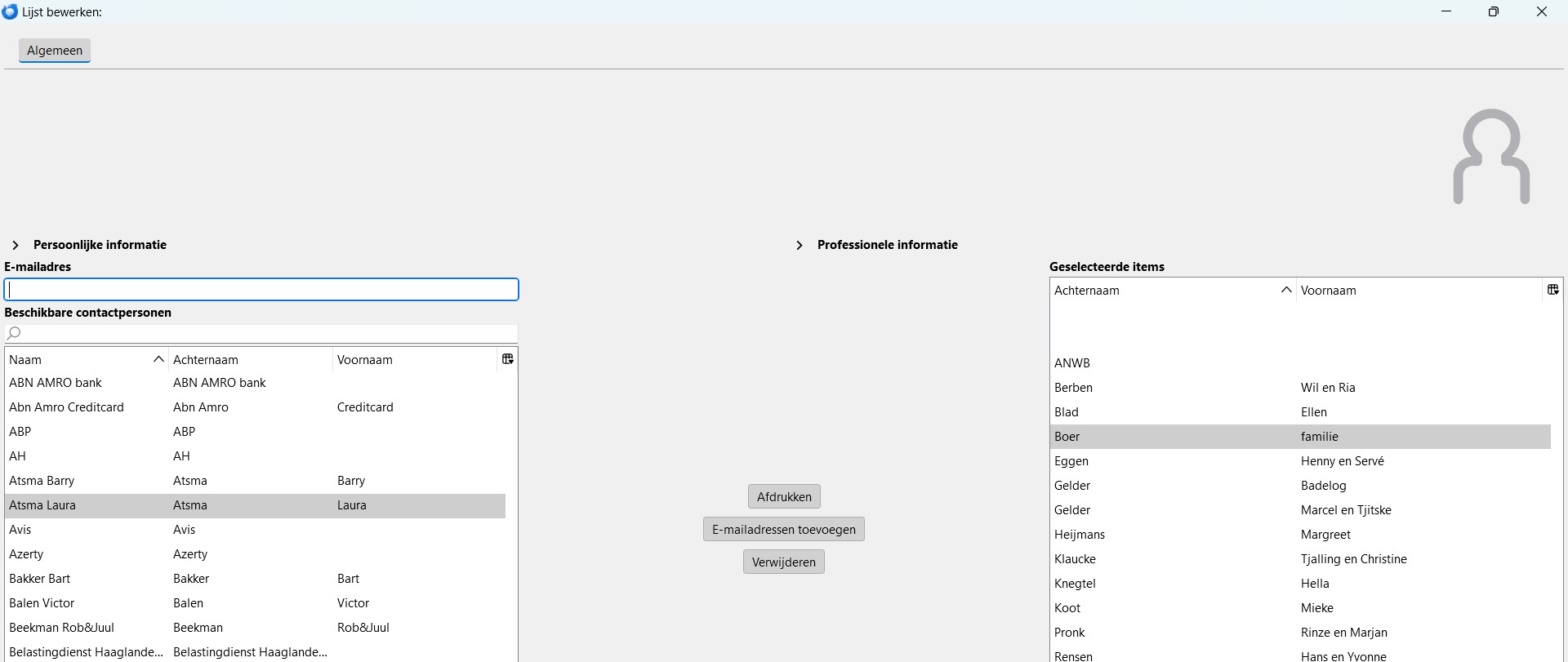
I have my adresses in Cardbook as a internet addressbokk on my NAS server. and clicking I made two addresslist. One for a club and one to send christmas cards. It is impossible to give them a name In cardbook they appear as a blank line. clicking on one of them gives the list, but it is always a surpirise which one. Right click on one of them and chosing new e-mail them gives the addresses in the to field of new message. But printing the list is impossible. I can open the list, add addresses (by right click an entry in the list on the left) or delete one. But print (afdrukken) in the middle gives me nothing How to???????
Angefügte Screenshots

Alle Antworten (1)

That sounds like a card book issue, not a Thunderbird one.

The cardbook download page https://addons.thunderbird.net/en-us/thunderbird/addon/cardbook/?src=search list this as the support site for the product. https://gitlab.com/CardBook/CardBook/-/issues