


Double-click Chinese text not to select a word but a whole sentence
Ctrl + left arrow similarly cannot differentiate between Chinese word boundary. Is there a way to recognize Chinese words like Google Chrome does?
Ausgewählte Lösung
This is fixed in Firefox 118 Beta, it currently requires going to about:config in the address bar and changing intl.icu4x.segmenter.enabled to true (Bug 1719535).
Diese Antwort im Kontext lesen 👍 1Alle Antworten (8)
Chinese, but it is same in both Chinese Firefox and English Firefox. Related issues:
Geändert am von Jason
Dropa 德罗帕 said
Again which is the Firefox language version? It's either Chinese Firefox or English Firefox Browser version.
I said, Chinese
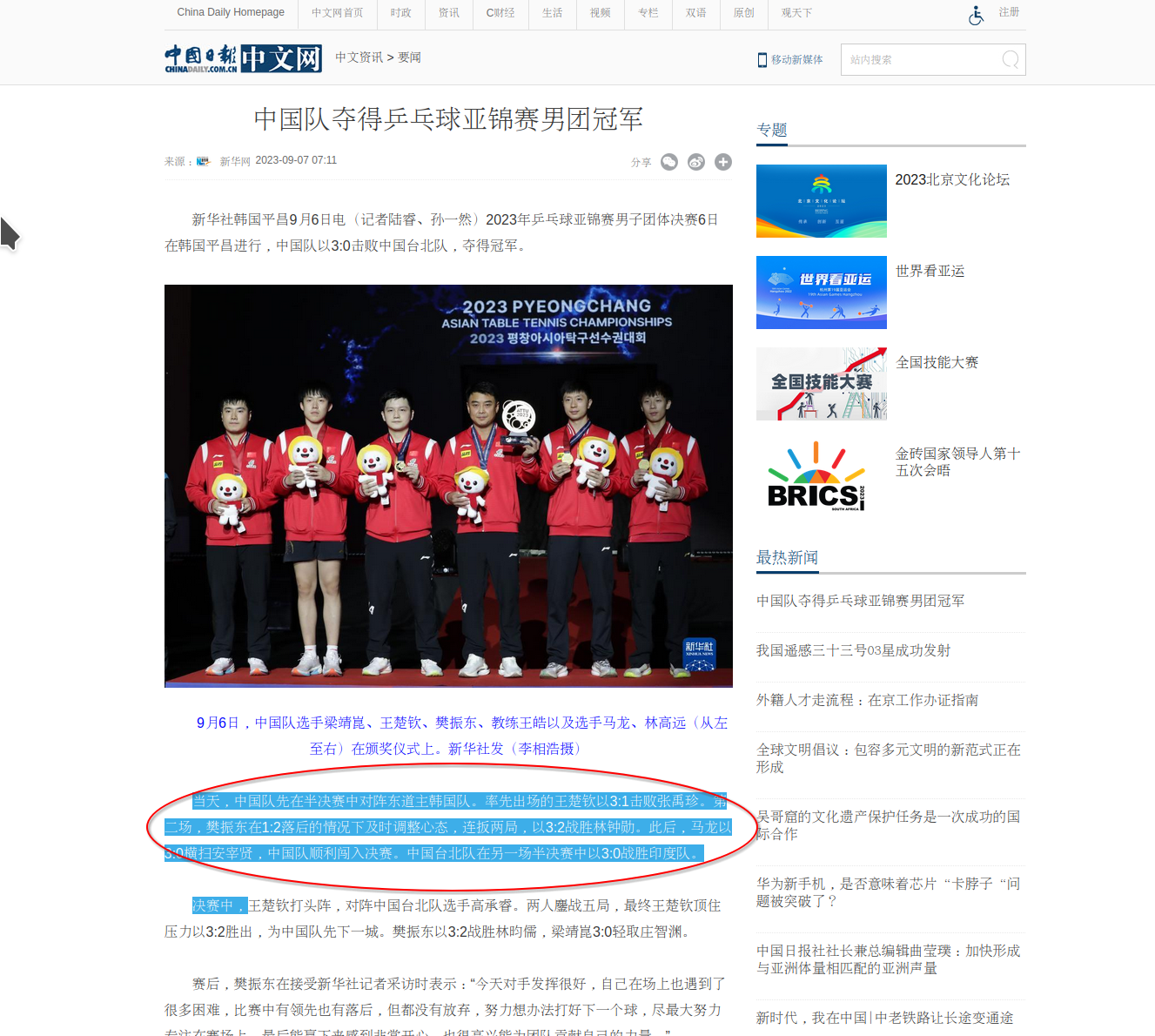
Not 100% clear, but I can triple click to get the first section in the red circle and holding CRTL + Shift + arrow key to select word by word. see screenshot
https://world.chinadaily.com.cn/a/202309/07/WS64f8ff86a310936092f20a1a.html
Geändert am von jonzn4SUSE
Jason said
Dropa 德罗帕 said
Again which is the Firefox language version? It's either Chinese Firefox or English Firefox Browser version.I said, Chinese
In the future it would move things along faster if you provide links and examples. It took me a minute to find something in Chinese.
Geändert am von jonzn4SUSE
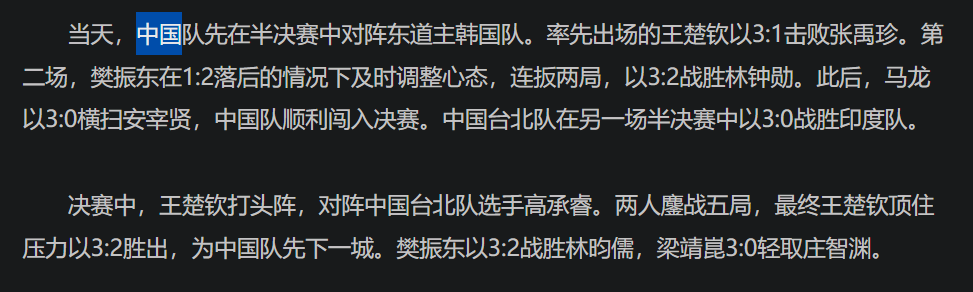
For example, in Chrome double-click will select “中国”(means “China”),but select “中国队先在半决赛中对阵东道主韩国队” in Firefox.
So what i want is select a Chinese word instead of a sentence.

Geändert am von Jason
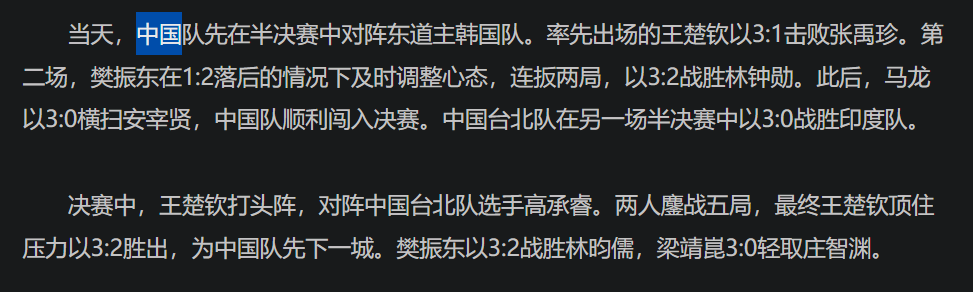
for example, in Chrome double-click will select “中国”(means “China”),but select “中国队先在半决赛中对阵东道主韩国队” in Firefox.
So what i want is select a Chinese word instead of a sentence.

Ausgewählte Lösung
This is fixed in Firefox 118 Beta, it currently requires going to about:config in the address bar and changing intl.icu4x.segmenter.enabled to true (Bug 1719535).
zeroknight said
This is fixed in Firefox 118 Beta, it currently requires going to about:config in the address bar and changing intl.icu4x.segmenter.enabled to true (Bug 1719535).
It's cool. Thank you very much