


PiP mode resize difference on Windows and Linux

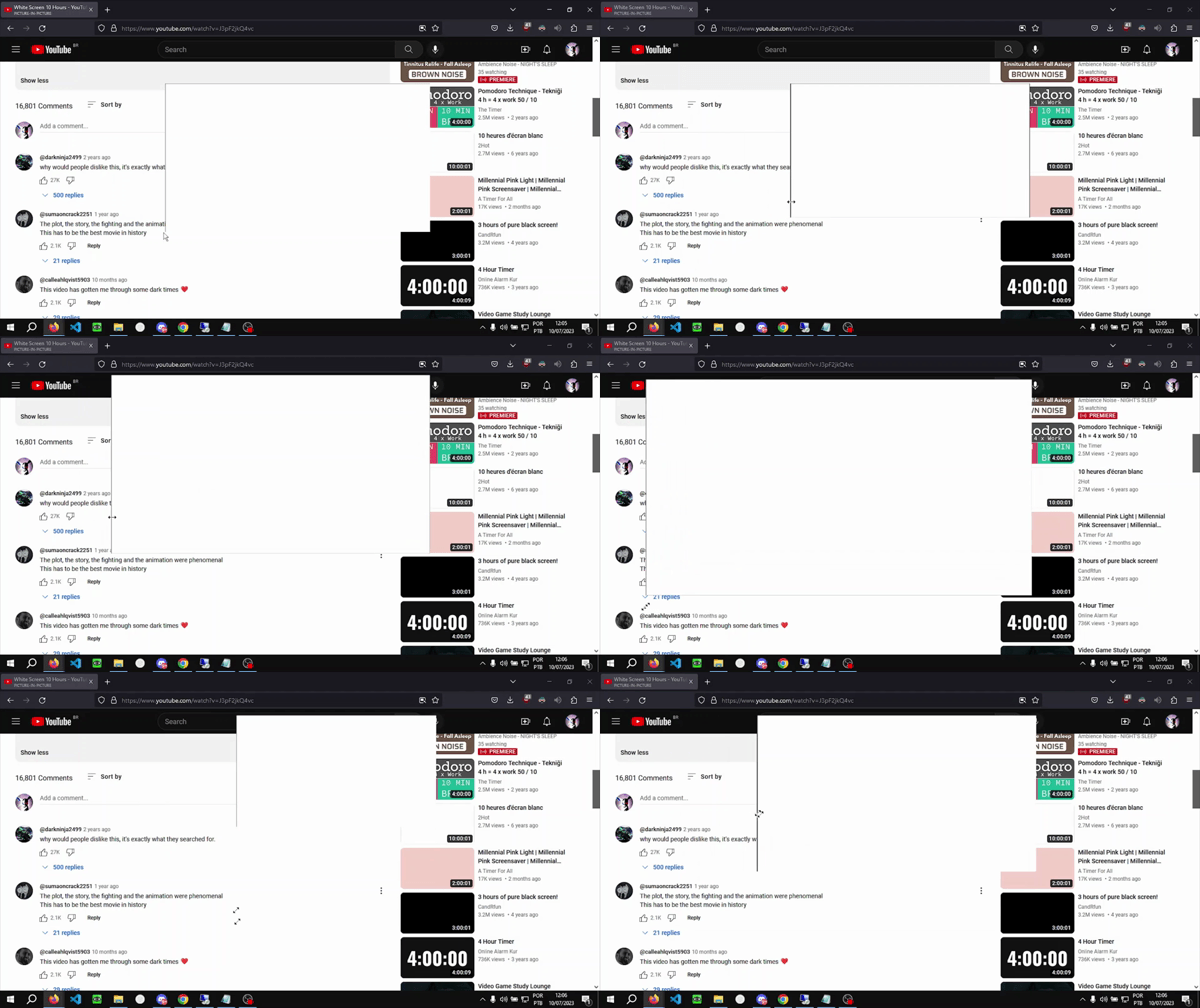
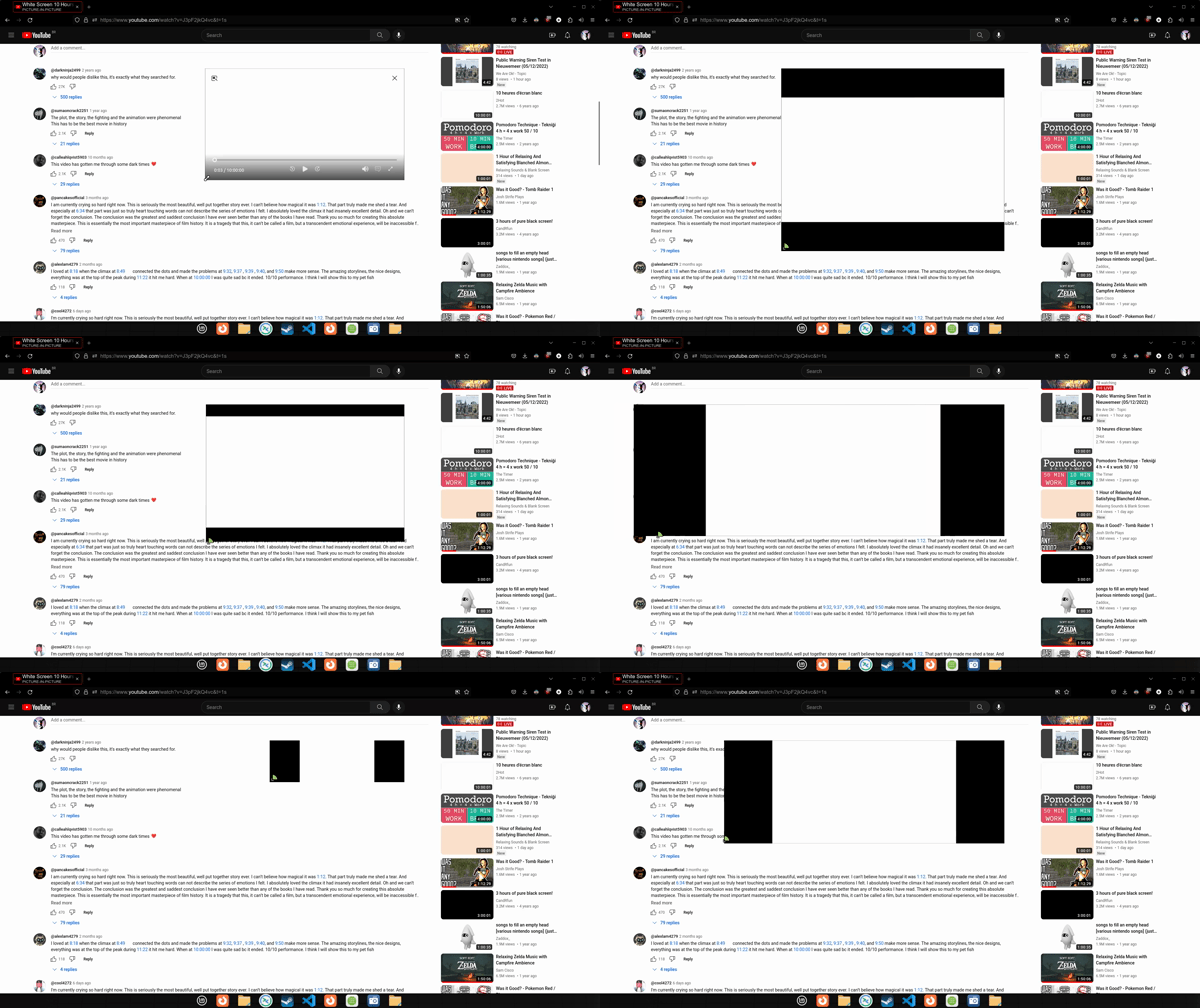
Hello. I recently moved from windows to Linux Mint, and noticed the behavior of the Picture in Picture window is different when resizing. On windows, the aspect ratio is kept. while on Linux, it is free form, making these black bars around the video, so I have to resize it very carefully to not show any black bars.
How can I make the PiP on Linux behave like on Windows? That means resizing keeping the aspect ratio.
Attached are the comparisons between Windows and Linux Mint.
Thank you very much!
Ausgewählte Lösung
Ok, so Cinnamon only runs on x11, and that's what is making it break (even though Chrome works just fine), My solution was to use the GNOME Desktop Environment, it looks way better than Plasma.
I'll stick with GNOME for now, until Cinnamon gets Wayland support. Thanks all for the help, I've learnt a lot about linux trying to fix this.
Diese Antwort im Kontext lesen 👍 1Alle Antworten (12)
Also, I would like to point out that holding Shift, Ctrl, Alt or any combination of these, don't work as well. Any help?
Try to update to the current release to see if this still happens as I'm not seeing this.
The PiP aspect ratio is locked for me on Ubuntu 23.04 Wayland.
Are you using Cinnamon, MATE or Xfce?
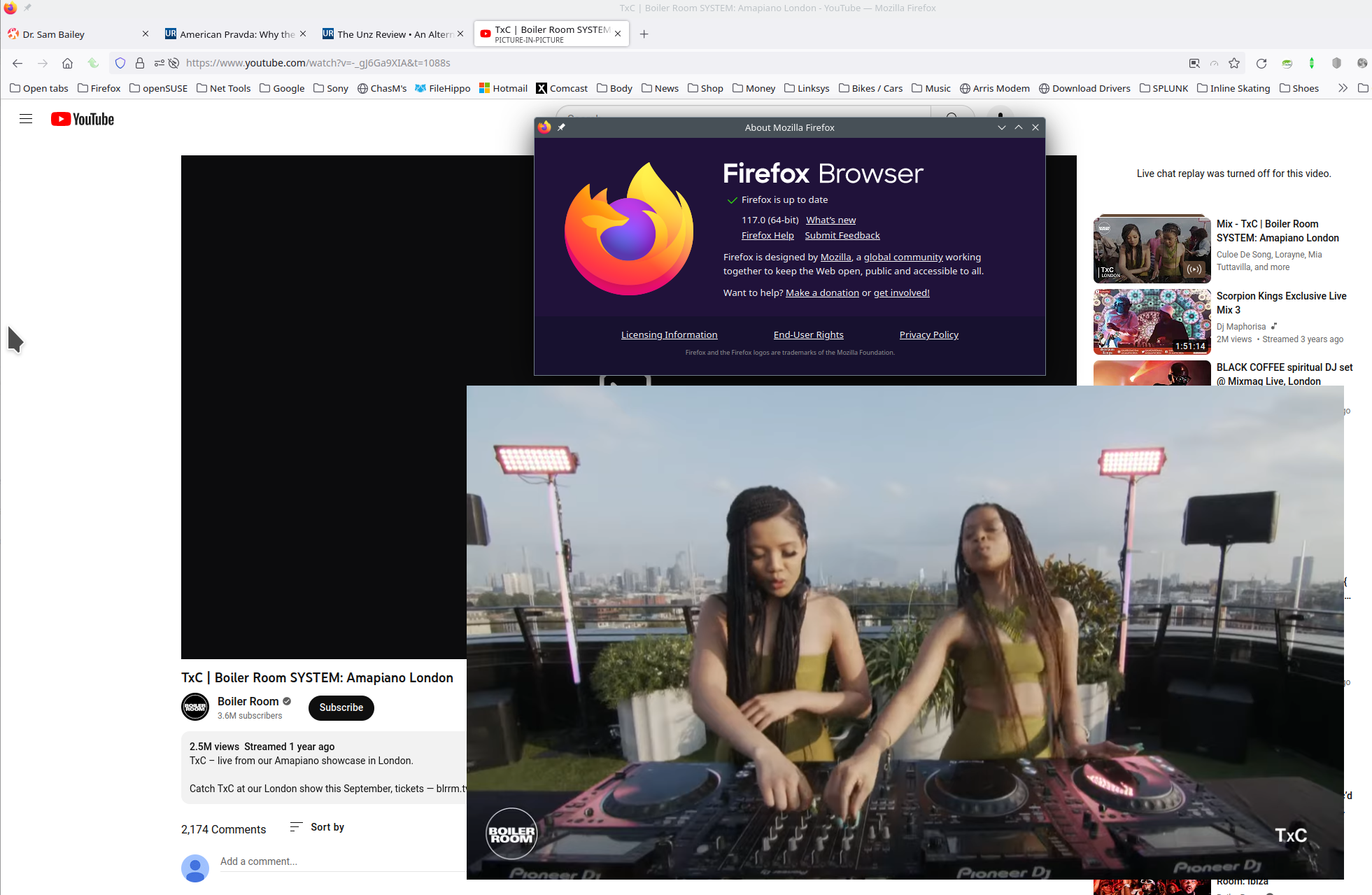
I can resize my PIP window with no bars. see screenshot Try downloading Firefox from Mozilla. Download, unzip, and run firefox-bin from the folder and see if you have the same issue. https://www.mozilla.org/en-US/firefox/all/#product-desktop-release
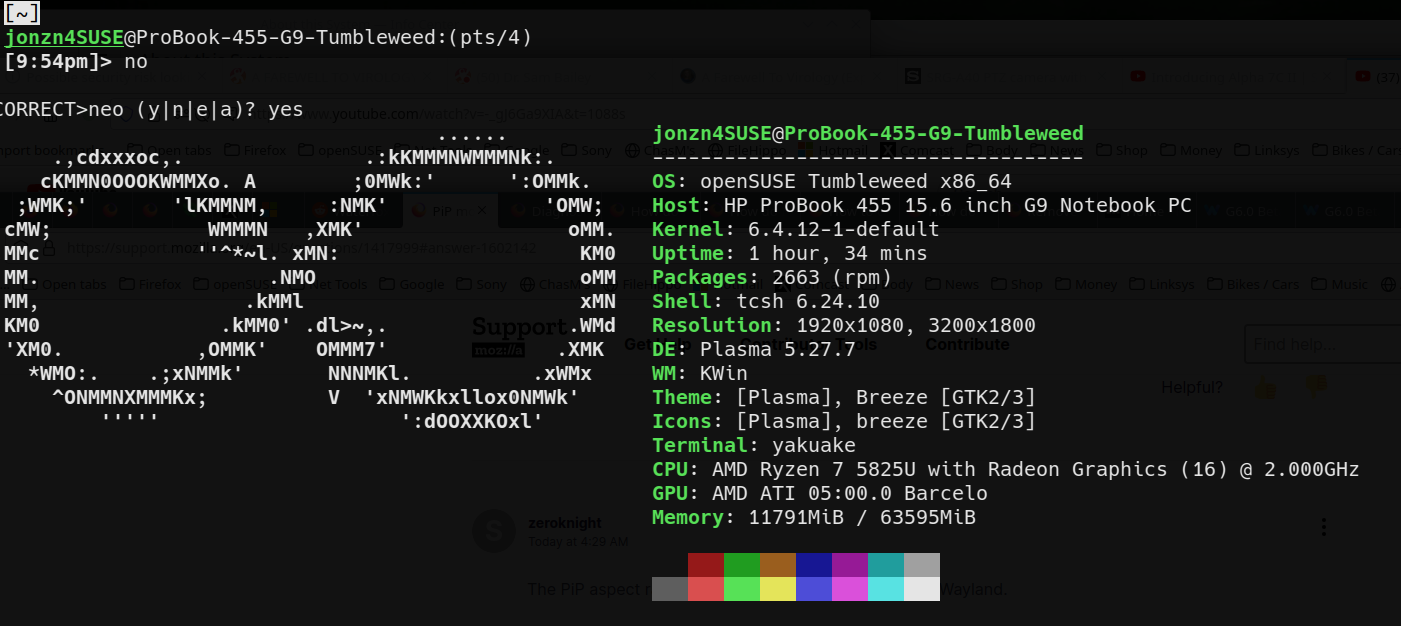
What Desktop? X11 or Wayland? Are you on a desktop (DIY) or laptop? What make and model? Graphic card(s) info? You can also just post a pic of neofetch results. see screenshot
Operating System: openSUSE Tumbleweed 20230904
KDE Plasma Version: 5.27.7
KDE Frameworks Version: 5.109.0
Qt Version: 5.15.10
Kernel Version: 6.4.12-1-default (64-bit)
Graphics Platform: X11
Processors: 16 × AMD Ryzen 7 5825U with Radeon Graphics
Memory: 62.1 GiB of RAM
Graphics Processor: AMD Radeon Graphics
Manufacturer: HP
Product Name: HP ProBook 455 15.6 inch G9 Notebook PC
Geändert am von jonzn4SUSE
jonzn4SUSE said
I can resize my PIP window with no bars. see screenshot Try downloading Firefox from Mozilla. Download, unzip, and run firefox-bin from the folder and see if you have the same issue. https://www.mozilla.org/en-US/firefox/all/#product-desktop-release
Just tried this method, and no luck, same issue.
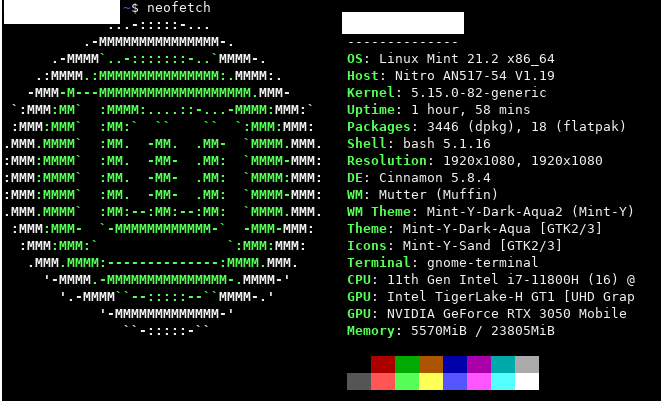
Here's my neofetch screen
zeroknight said
The PiP aspect ratio is locked for me on Ubuntu 23.04 Wayland. Are you using Cinnamon, MATE or Xfce?
It would be Cinnamon 5.8.4
Just out of curiosity, I've downloaded Chrome, and installed their official Picture in Picture extension, and it works just fine, the aspect ratio is kept, so I'm pretty sure it's a Firefox problem in my end. I tried looking everywhere on the about:config page, and nothing works. I don't know what else to do. I'm not switching because I love Firefox, but since I'm a youtube addict, I really want to find something that works.
Geändert am von buneco05
Are you in Wayland? Did you try KDE? Just for S&Gs fire up a usb live stick or VM of another OS and see if you have the same issue.
Try setting the environment variable MOZ_ENABLE_WAYLAND=1 if you are on Wayland.
I'm just starting at the linux universe, after some research, I finally get what you all are asking, apparently I wasn't using wayland. My workspace was Cinnamon(Default) using x11, after installing Plasma Wayland, it worked, but it feels like another pc. The problem was with Cinnamon itself apparently, now I will try to find a fix without changing the desktop entirely
Geändert am von buneco05
Ausgewählte Lösung
Ok, so Cinnamon only runs on x11, and that's what is making it break (even though Chrome works just fine), My solution was to use the GNOME Desktop Environment, it looks way better than Plasma.
I'll stick with GNOME for now, until Cinnamon gets Wayland support. Thanks all for the help, I've learnt a lot about linux trying to fix this.
Geändert am von buneco05
If you're done just mark it as resolved so it's off our plate and have a nice day.