


Windows 10 reached EOS (end of support) on October 14, 2025. If you are on Windows 10, see this article.

Hilfe durchsuchen

Vorsicht vor Support-Betrug: Wir fordern Sie niemals auf, eine Telefonnummer anzurufen, eine SMS an eine Telefonnummer zu senden oder persönliche Daten preiszugeben. Bitte melden Sie verdächtige Aktivitäten über die Funktion „Missbrauch melden“.

Weitere Informationen

Zoom jumps from 80% to huge

  • 2 Antworten
  • 0 haben dieses Problem
  • 45 Aufrufe
  • Letzte Antwort von PineGrove36

Zoom not working correctly

I'm unable to maximize a specific website (Craigslist state home pages) correctly by zooming. The page opens at 80% zoom, which is too small to read. If I use the mouse wheel or control +, the zoom indicates 90%, but it's so large that only a small part of the text on the page is visible, and 3/4 of the page is blank space. It looks more like 300% even though it says 90%.

I can open the page correctly in full screen using F11 or the double-headed arrow in the upper lefthand corner, but then I don't have access to the menu bar. Is this a problem with Firefox, my computer, or Craigslist? I don't have this problem with any sites except Craigslist home pages.

Solutions I've tried: Clicked on maximize in upper righthand corner; used mousewheel and F11 to change zoom; cleared all cookies and cache, opened in troubleshooting mode, selected "Zoom text only" (made it worse so I deselected it).

Thanks for your help! I use CL for job hunting so I'd like to solve this.
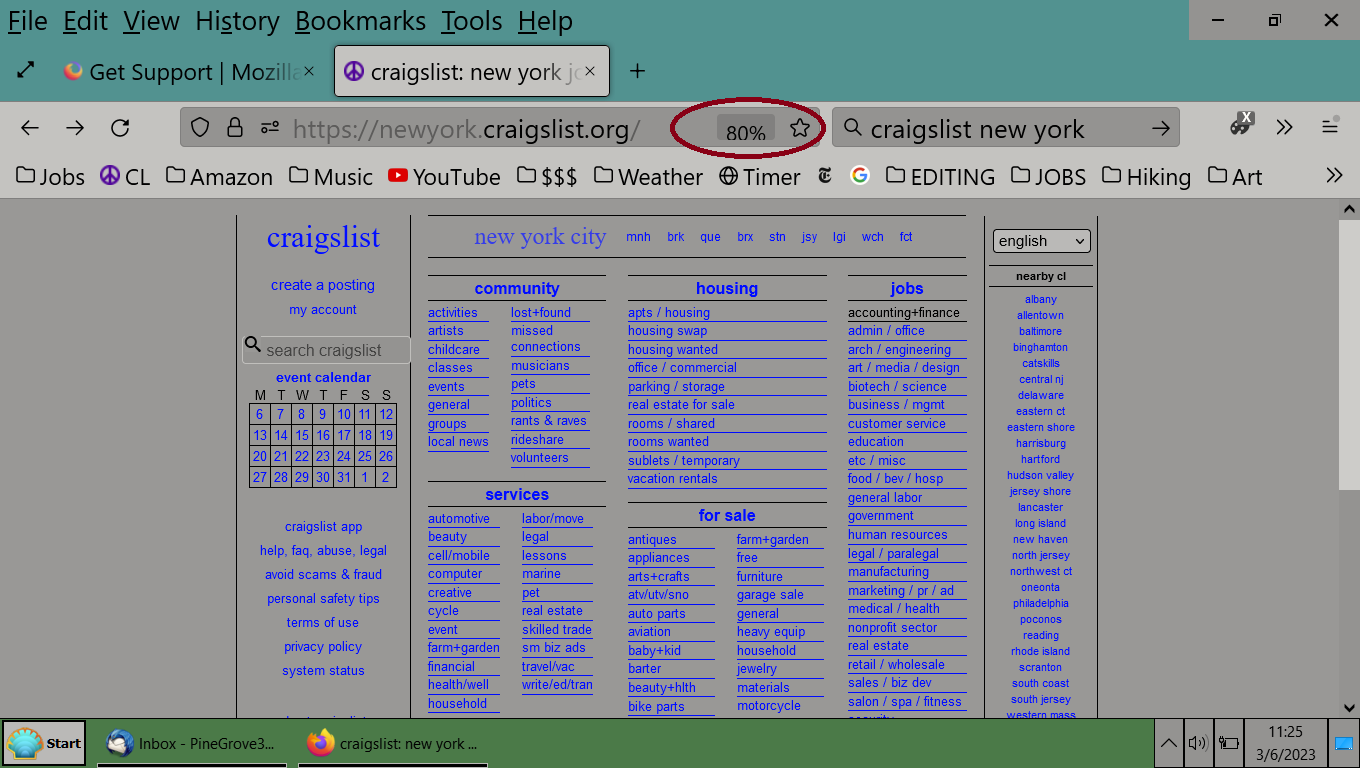
'''Zoom not working correctly''' I'm unable to maximize a specific website (Craigslist state home pages) correctly by zooming. The page opens at 80% zoom, which is too small to read. If I use the mouse wheel or control +, the zoom indicates 90%, but it's so large that only a small part of the text on the page is visible, and 3/4 of the page is blank space. It looks more like 300% even though it says 90%. I can open the page correctly in full screen using F11 or the double-headed arrow in the upper lefthand corner, but then I don't have access to the menu bar. Is this a problem with Firefox, my computer, or Craigslist? I don't have this problem with any sites except Craigslist home pages. Solutions I've tried: Clicked on maximize in upper righthand corner; used mousewheel and F11 to change zoom; cleared all cookies and cache, opened in troubleshooting mode, selected "Zoom text only" (made it worse so I deselected it). Thanks for your help! I use CL for job hunting so I'd like to solve this.
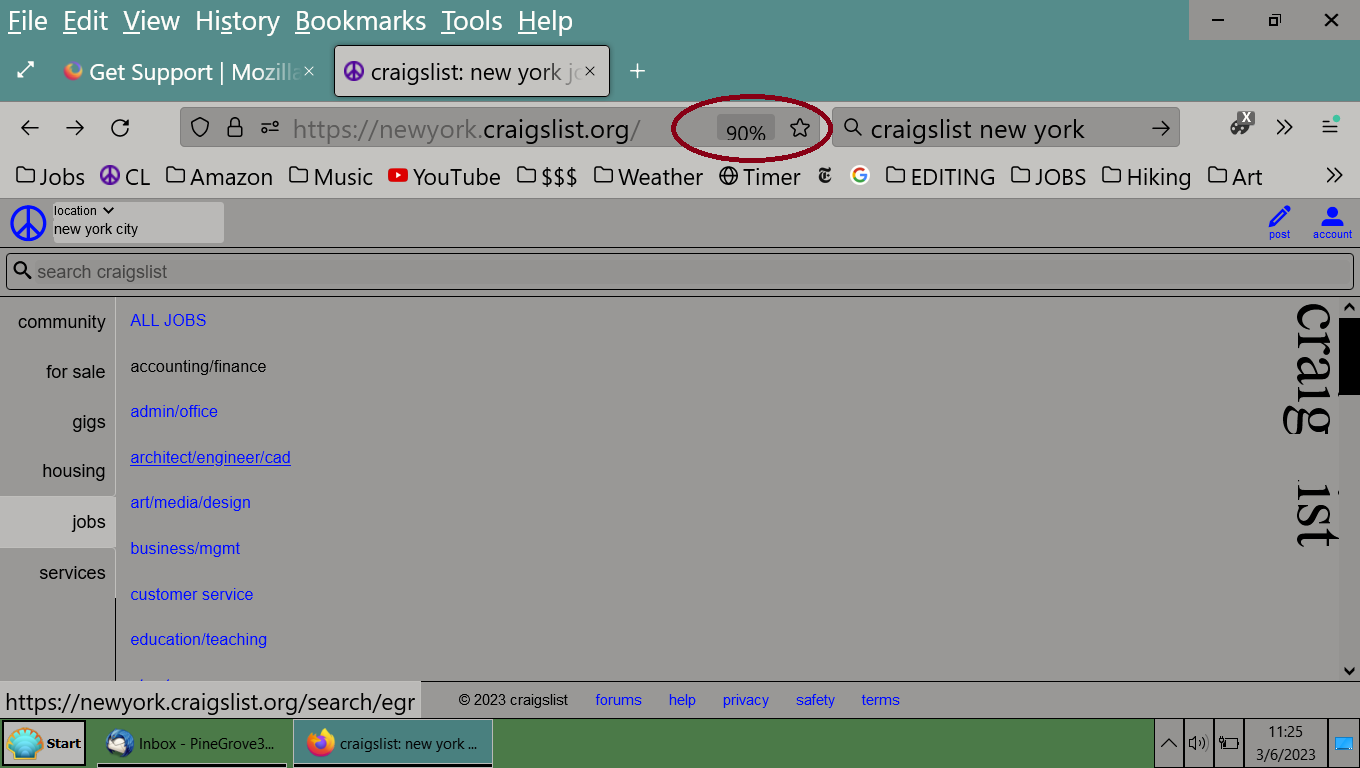
Angefügte Screenshots

Alle Antworten (2)

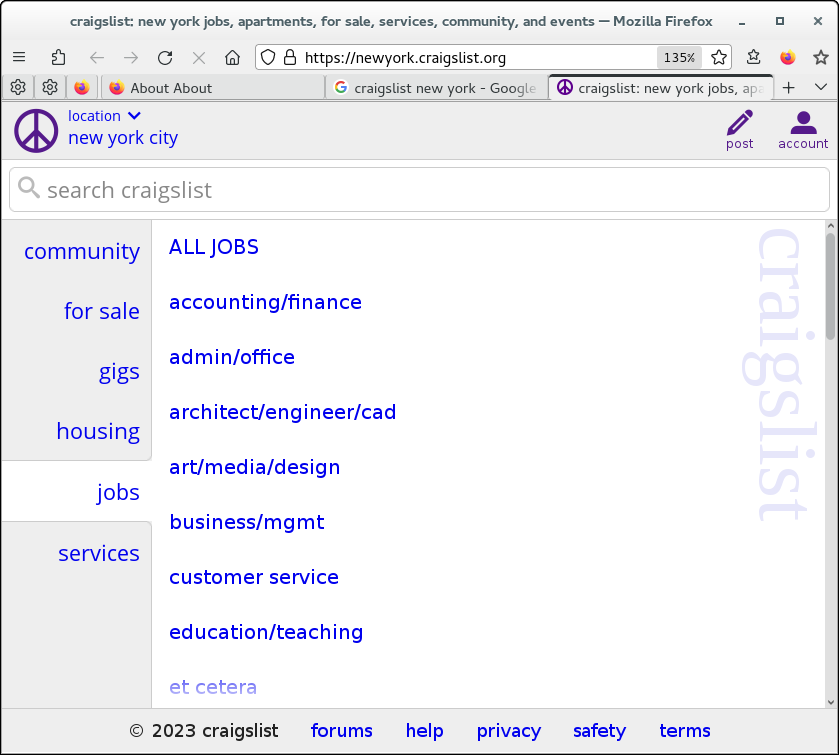
This is quite likely caused by the website using dynamic layout and adjusts to the dimensions reported via JavaScript. In your case it switches to mobile layout. I need to zoom in quite a lot (over 135% with a small window) to get this view.
So what is the solution to this problem, if it occurs only with one website (which I use frequently)?