


Theme creation question

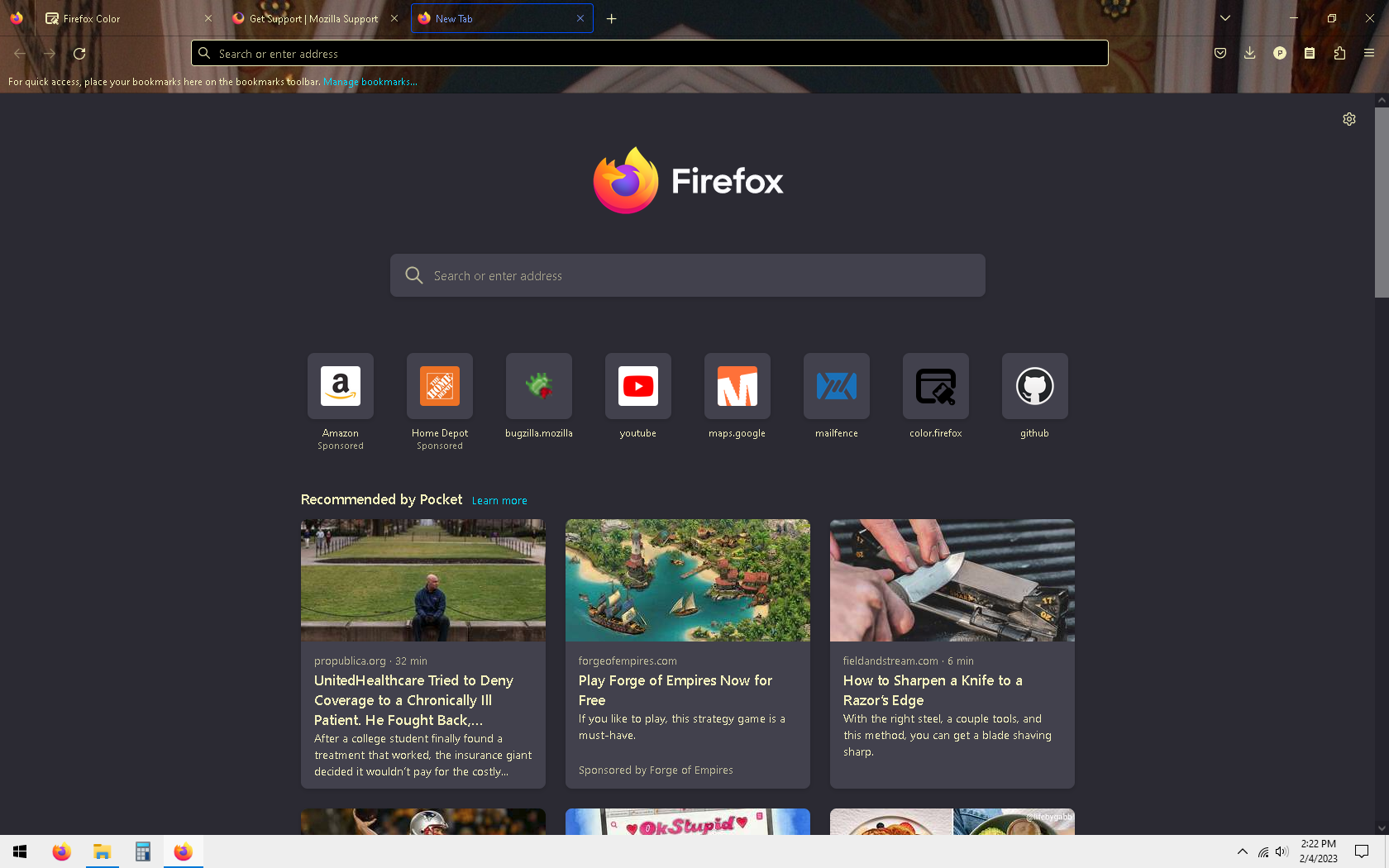
I've been making my own Firefox theme using the Firefox Color extension. I uploaded an image but I can't figure out how to show the image on the new tab screen. Setting the new tab page color to transparent only makes everything white. I know the image is uploaded correctly because I can see some of it in the toolbar and tab list. Is it possible to show the image on the new tab page?
Alle Antworten (1)
Ausgewählte Lösung
A theme can only style the user interface part of Firefox and not the browsing area, so you won't be able to do this via Firefox Color. For the Firefox Home page you could possibly do this via userContent.css in the chrome folder in the Firefox profile folder.
For the Firefox Home page, you can look on the Add-ons website for a suitable extension. https://addons.mozilla.org/firefox/addon/new-tab-tools/