Downloading Emails

When chosing to download an Email, the Email is downloaded as: 1. Subject. 2. From/To. 3. Date/Hour
Is it possible to change the order of the list?
I would like to save the emails as: 1. Date/Hour 2. Subject 3. From/To
If not possible, is it possible to adapt Mozilla in the near future?
Thanks
When chosing to download an Email, the Email is downloaded as:
1. Subject.
2. From/To.
3. Date/Hour
Is it possible to change the order of the list?
I would like to save the emails as:
1. Date/Hour
2. Subject
3. From/To
If not possible, is it possible to adapt Mozilla in the near future?
Thanks
Alle Antworten (3)
You can highlight a column and drag it to wherever you wish.
This does not change the "Save As" order. Only the view order.
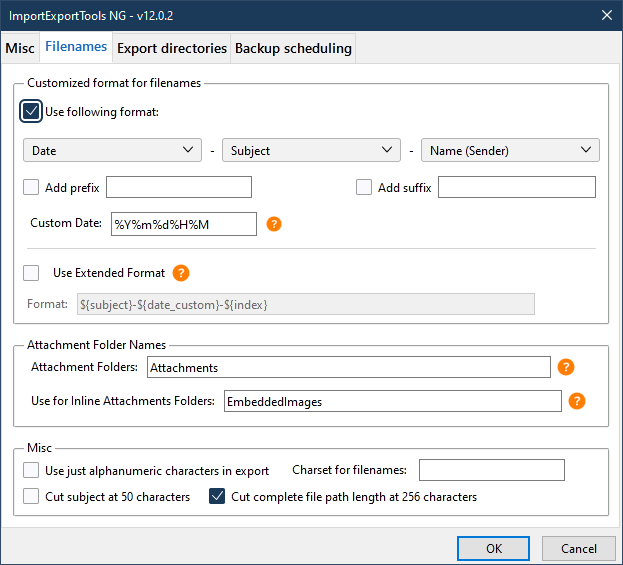
The file names can be set with the ImportExportTools NG add-on (see picture). Right-click a set of messages, Save selected messages, EML format.