


Firefox won't retain default browser status

I'm using - System: Kernel: 5.4.0-89-generic x86_64 bits: 64 compiler: gcc v: 9.3.0 Desktop: Cinnamon 5.0.6
wm: muffin dm: LightDM Distro: Linux Mint 20.2 Uma base: Ubuntu 20.04 focal
In Linux Mint System Settings Firefox is the default web browser. That is also confirmed on the command line. Firefox is version 94.0 for Linux.
In Firefox/Settings/General/Startup - "Firefox is not your default browser" is always bold. When I click "Make Default" it just checks "Always check if Firefox is your default browser". If I leave that checked and close and open Firefox the warning that Firefox is not the default always appears. This is causing issues opening links from other software. How do I get Firefox to retain default status? Linux Mint thinks it is the default already.
Ausgewählte Lösung
Try downloading Firefox, run it from the folder and then make it Default to see what happens.
https://www.mozilla.org/en-US/firefox/all/#product-desktop-release
Diese Antwort im Kontext lesen 👍 0Alle Antworten (4)
What's set in your system settings Default Application? see screenshot
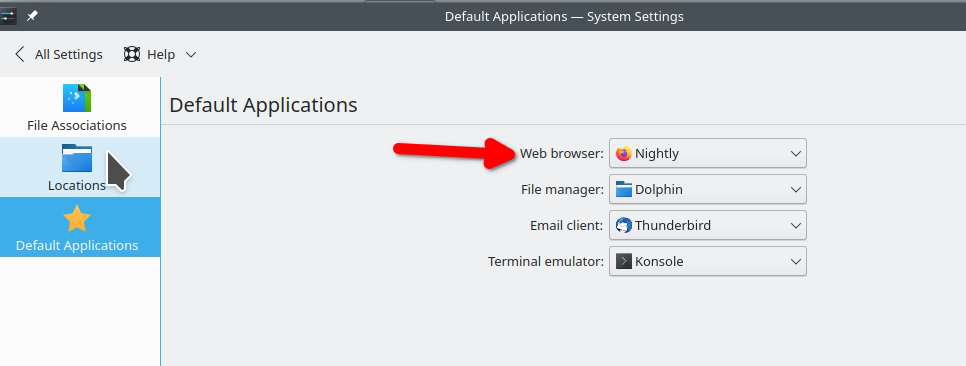
It was already set to Firefox. I installed Chromium and can set it as a default in Linux. In Firefox itself the "Make Default" only checks "Always check if Firefox is your default browser". It doesn't impact the default setting.
Ausgewählte Lösung
Try downloading Firefox, run it from the folder and then make it Default to see what happens.
https://www.mozilla.org/en-US/firefox/all/#product-desktop-release
The version in the folder that I downloaded is 94.0.1. The version in Software Manager is 94.0. I also tried Flatpak and that one didn't work either.
The version in the folder works. In the 94.0.1 version when I opened the Firefox settings and clicked to make Firefox the default I got the happy face in Firefox and the Linux system updated the default browser. However when I clicked on the email link it opened Chromium even thought the 94.0.1 shows up as default in the system. Hopefully, the version available to Software Manager will get updated.