

Dieses Thema wurde archiviert.
Bitte stellen Sie eine neue Frage, wenn Sie Hilfe benötigen.

Gelöst
Archiviert
Graphics not rendering

Hello!
Despite trying all the standard troubleshooting stuff (reset, refresh, reinstall), Firefox (latest version) won’t render websites properly.
Please help me – thanks beforehand!
Joakim
Hello!
Despite trying all the standard troubleshooting stuff (reset, refresh, reinstall), Firefox (latest version) won’t render websites properly.
Please help me – thanks beforehand!
Joakim

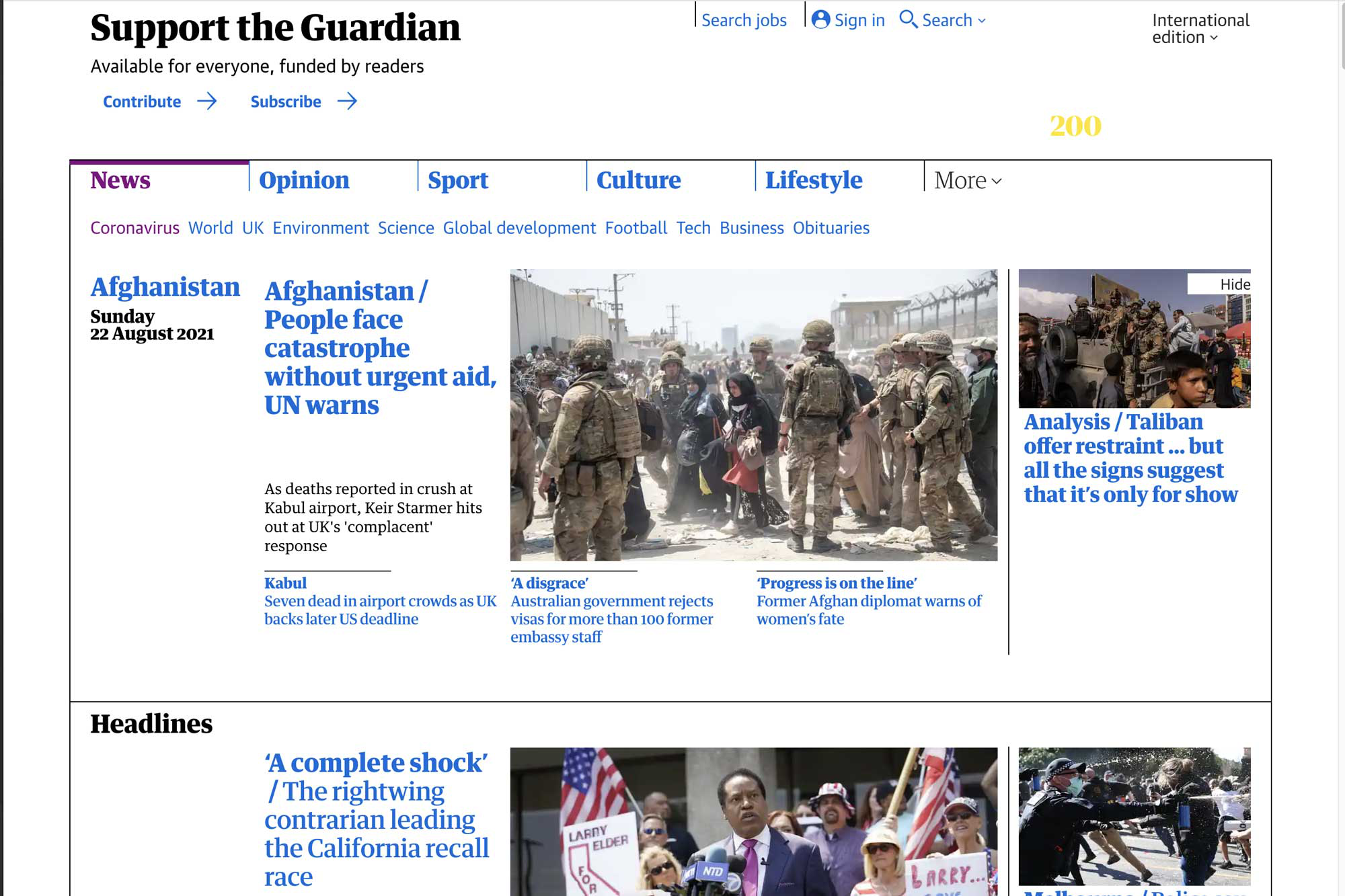
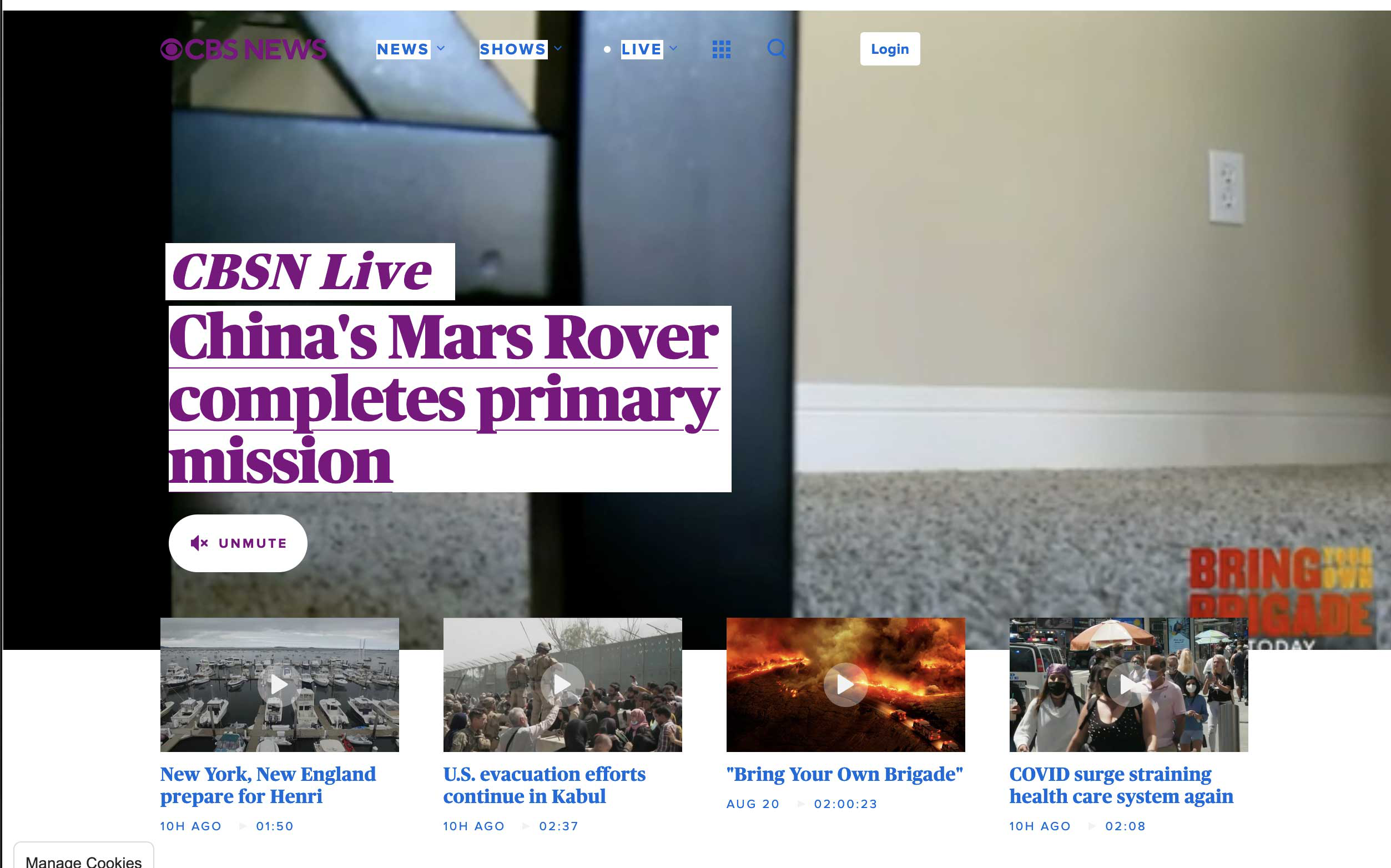
Alle Antworten (4)
Exact same issue here, Firefox is essentially unusable and I've had to fall back to Safari

Ausgewählte Lösung
cor-el said
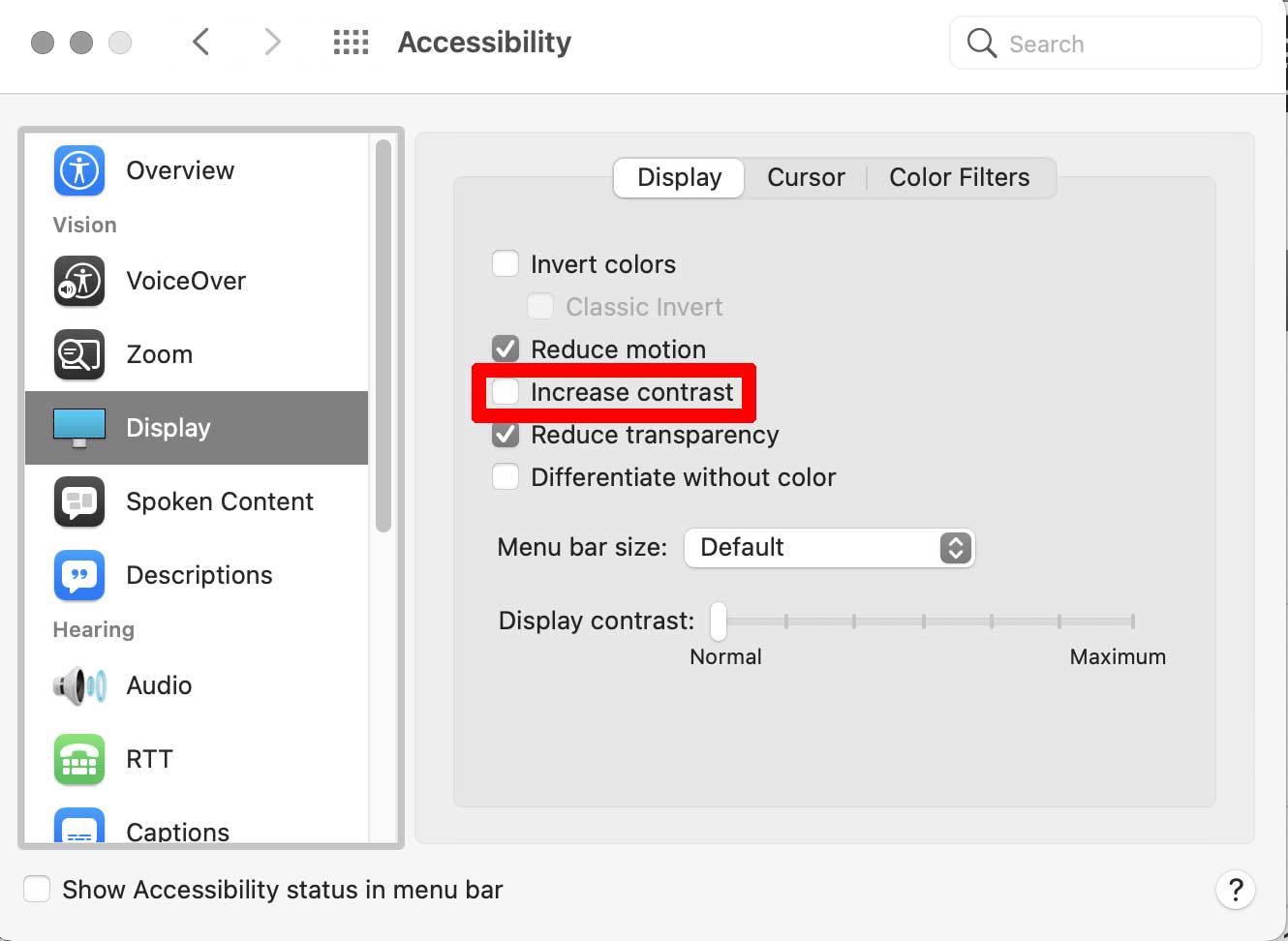
This could be a problem with High Contrast Mode on Mac. See "New" in the release notes. Firefox now automatically enables High Contrast Mode when "Increase Contrast" is checked on MacOS in the Accessibility settings.
Make sure you allow pages to choose their own colors.
- Settings -> General: Fonts & Colors -> Colors: "Override the colors specified by the page with my selections above"
Try "Never" if the default "Only with High Contrast themes" isn't working.
Thanks! That was it. Uncheck the "Increase Contrast" box and voila!
Glad to help. Safe Surfing.