


Change "tab" font size for older users of firefox
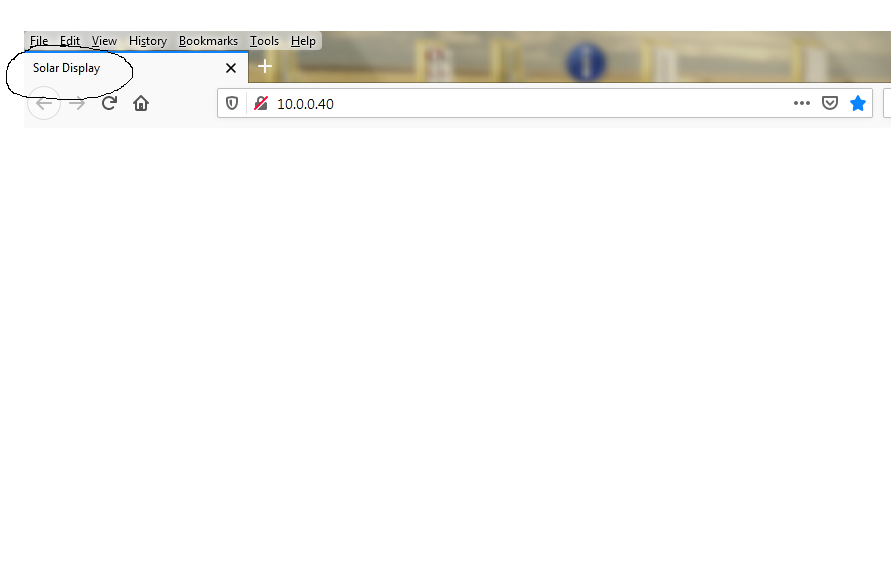
I need to change the font size that displays on the TAB in firefox browser. I am able to change the display size of the page, just need to change the font on the TAB.
I am using the current Firefox Browser for Windows.
Thank you.
Ausgewählte Lösung
You can set layout.css.devPixelsPerPx to 1.0 (default is -1) on the about:config page. Adjust its value in 0.1 or 0.05 steps (1.1 or 0.9) until icons or text looks right.
- modifying layout.css.devPixelsPerPx affects user interface and web pages (global zoom)
You can open the about:config page via the location/address bar. You can accept the warning and click "I accept the risk!" to continue.
Firefox has a Zoom section in Options/Preferences to set the default zoom level for web pages in case you need to compensate for the adjustment of layout.css.devPixelsPerPx.
- Options/Preferences -> General -> Language and Appearance -> Zoom
Alle Antworten (3)
Ausgewählte Lösung
You can set layout.css.devPixelsPerPx to 1.0 (default is -1) on the about:config page. Adjust its value in 0.1 or 0.05 steps (1.1 or 0.9) until icons or text looks right.
- modifying layout.css.devPixelsPerPx affects user interface and web pages (global zoom)
You can open the about:config page via the location/address bar. You can accept the warning and click "I accept the risk!" to continue.
Firefox has a Zoom section in Options/Preferences to set the default zoom level for web pages in case you need to compensate for the adjustment of layout.css.devPixelsPerPx.
- Options/Preferences -> General -> Language and Appearance -> Zoom
Geändert am von cor-el
Apparently I have not explained the problem as the suggested solution made the web page larger but now the TAB font.
The Zoom setting in Options/Preferences only affect the page zoom for web pages if that is what you used. I mentioned this because adjusting layout.css.devPixelsPerPx on the about:config page affects the full Firefox browser window, so you first need to adjust layout.css.devPixelsPerPx to get the user interface looks correct and when you are satisfied you can use the Zoom setting to correct the appearance of web pages in case the pref made pages look too large.