


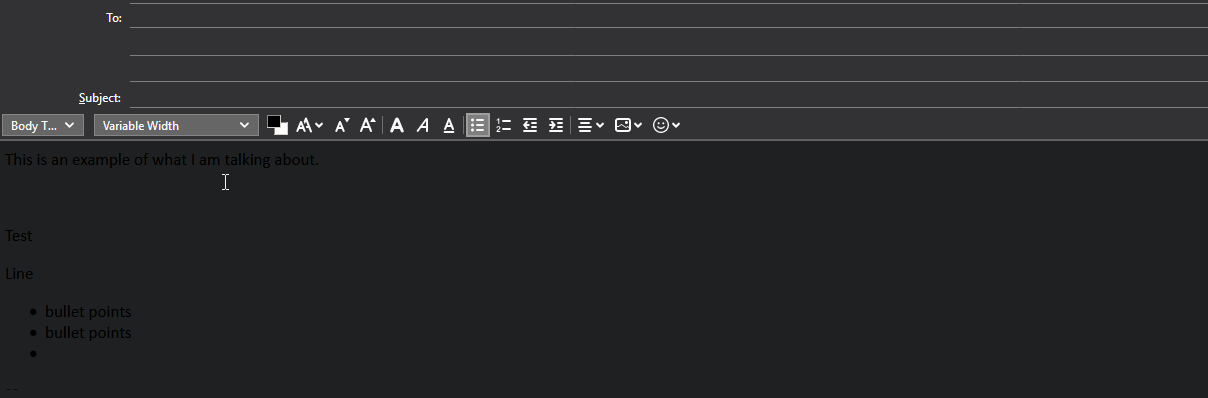
In the compose messages windows the background is black and my text is blacker.
This is most likely a problem with TT Deep Dark, but I can't get rid of the preferences that is doing this.
What I have done so far is:
Uninstall, Reinstall
Change Text Background Color
Remove TT Deep Dark theme, set original theme as default
Unchecked box use system colors.
Geändert am von Bridger
Alle Antworten (3)
What do you have for Tools/Options/Display/Formatting/Colors (see picture)? Maybe you have to change the override setting.
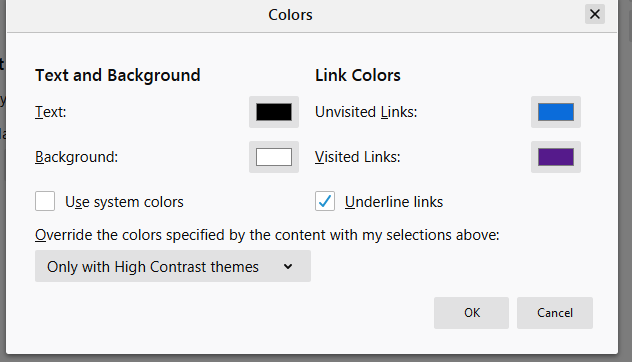
Thank you sfhowes for commenting, I have text as black and background as white what it should be but it does not override what I showed in the screeenshot.
Tools/Options/Advanced/General/Config. editor, right-click a preference, Modify, for these prefs.:
msgcompose.background_color msgcompose.text_color
Black = #000000, white = #FFFFFF
https://html-color-codes.info/
Also, double-click the pref. msgcompose.default_colors to false.