


no correct website rendering

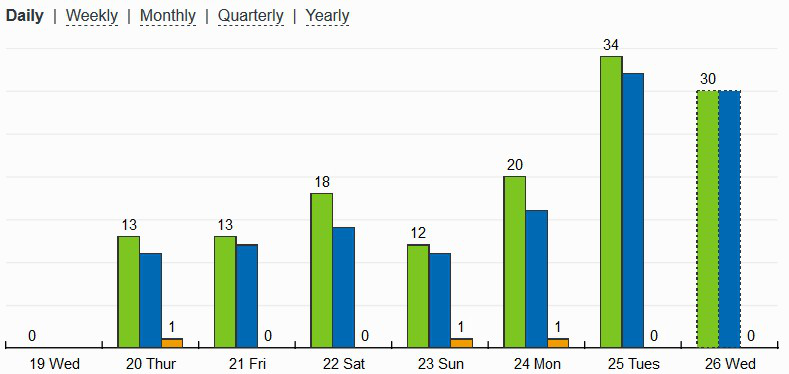
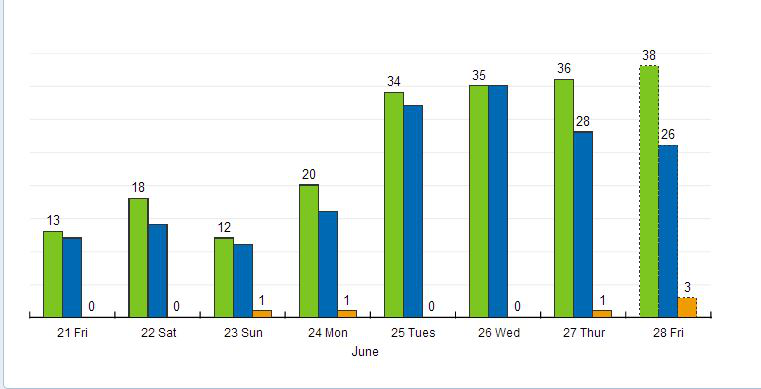
With Firefox and only with firefox I have a rendering problem with statcounter summary. My stats summary should look as in uploaded image but also with labels on every bar in summary image. In other browsers there are no rendering problems Thanks
Ausgewählte Lösung
Problem solved. It was a statcounter problem
Diese Antwort im Kontext lesen 👍 0Alle Antworten (15)
It's clear. I see the correct image with Chrome, Edge, IE. Not with firefox. The problem now is just of Mozilla developers. Ciao

Please provide a public link (no password) that we can check out. No Personal Information Please !
I had no issue using v54 or v66.
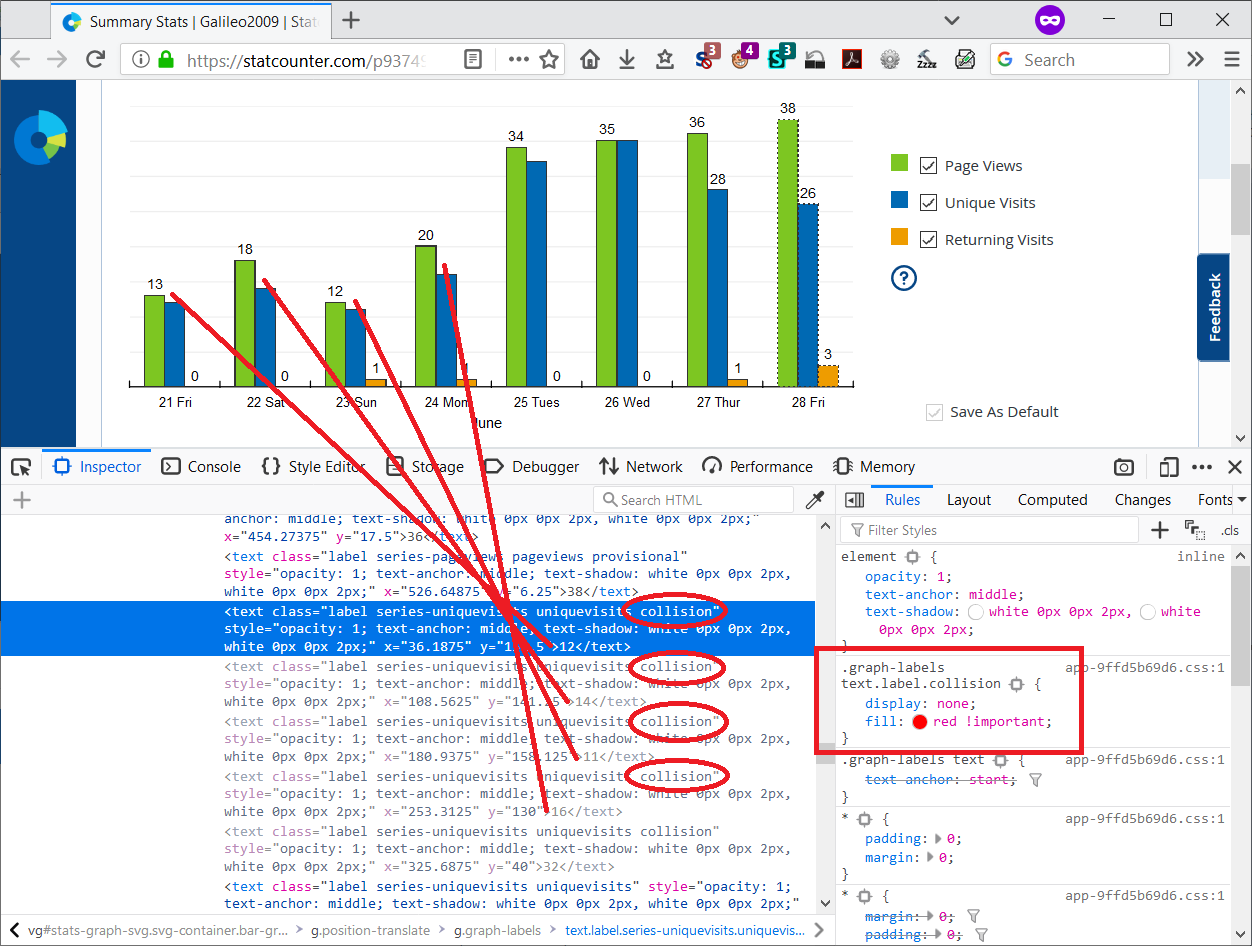
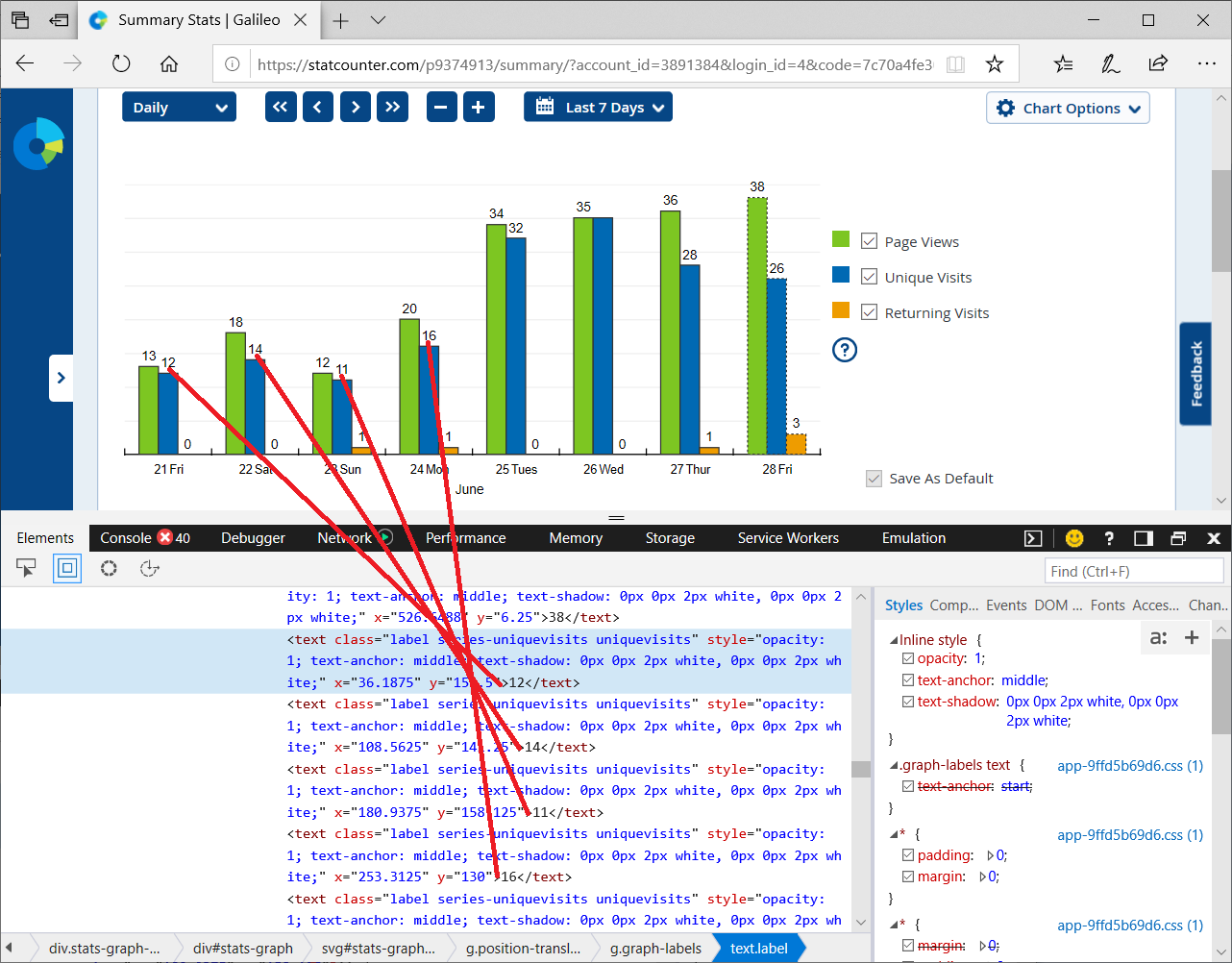
Thanks for the link. When I look at how the text labels on top of the columns are set up, I see that many of them have an extra designation -- class name collision -- which triggers a rule to hide them. I have attached a screenshot from Firefox and one from Edge for comparison. I haven't looked at the site's script to try to understand why only the Firefox labels are marked that way.
Hmmm . . . . . . Check your zoom controls.
<Control> (Mac=<Command>) + (plus) enlarge - (minus) reduce 0 (zero) restore
FredMcD said
I had no issue using v54 or v66.

In your screenshot, you'll notice there are missing numerals on top of some of the blue columns. That is the problem. Something is different in the SVG code of the graphs in Firefox vs. other browsers.
When I switch from "Bar Chart" to "Line Chart" it adds the numbers to the blue line for Sat. 22th and Mon. 24th ..... (and of course for the last two days, just like on the "Bar Chart").
jscher2000 said
In your screenshot, you'll notice there are missing numerals on top of some of the blue columns
I missed that.
Note that current is 67.0.4.
Ausgewählte Lösung
Problem solved. It was a statcounter problem
That was very good work. Well done. Please flag your last post as Solved Problem as this could help others with the same problem.