

Dieses Thema wurde archiviert.
Bitte stellen Sie eine neue Frage, wenn Sie Hilfe benötigen.

Archiviert
Expand a feed folder

Hello. I'm new to Thunderbird and I am not familiar with a way to expand a folder of feeds when I want to go through them individually. Any help would be appreciated.
Hello.
I'm new to Thunderbird and I am not familiar with a way to expand a folder of feeds when I want to go through them individually. Any help would be appreciated.
Alle Antworten (2)
sfhowes said
Double-click Blogs & News Feeds in the folder pane to expand or collapse the list, or click the > widget.
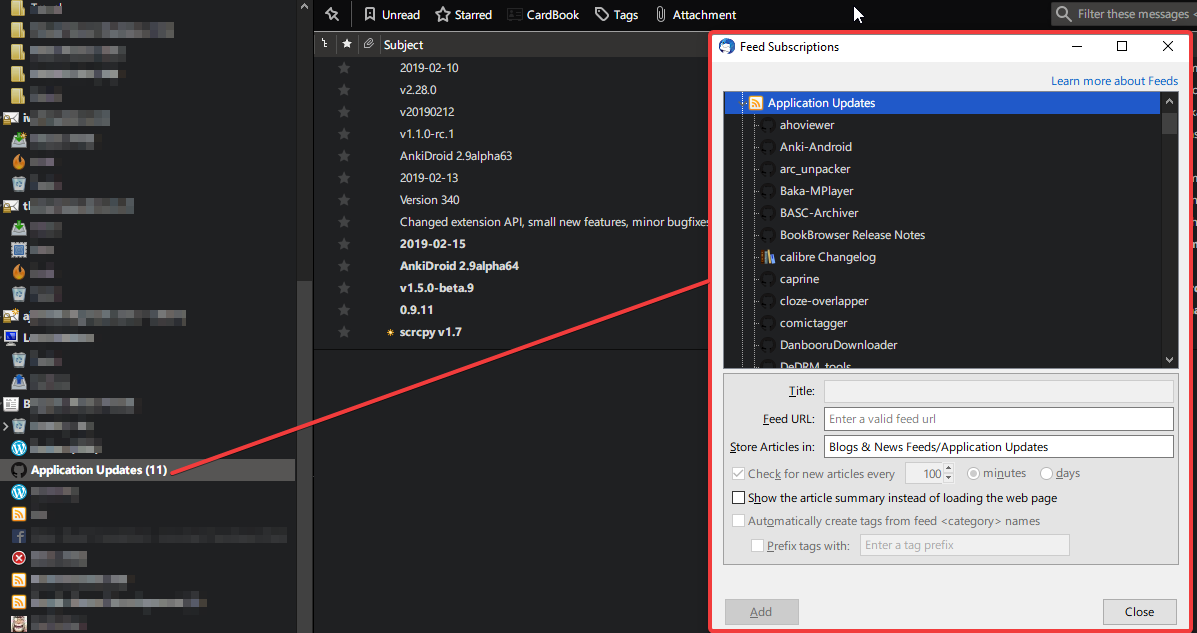
Thank you for your response. I am aware of that. What I want to expand is a folder inside Blogs & News Feeds containing a number of feeds like in the image attached. As you can see, there is no > widget and double click does nothing.
sfhowes said
OK, as I understand it, you have a folder with multiple feeds that you wish to view all at once, like Unified view for mail folders. I think there is a way described here: https://support.mozilla.org/en-US/questions/1076544 https://superuser.com/a/668099 If that's what you want, it's easily achieved by selecting the parent folder, File/New/Saved Search, adding the individual feeds to 'Select the folders to search', and choosing 'Match All Messages'.
Thank you. That did the trick.