


How do I remove line numbers in copy & paste of code?

When I copy and paste, for example wordpress child theme style.css (or other css) line numbers are automatically copied. Not good at all! Cannot paste that code into another css file without the laborious task of removing each line-number. I've search extensively for the solution but surely there is a simple option to 'on - off' in preferences? What else?
Ausgewählte Lösung
Hey, I found it! The problem is not Firefox at all. Rather, latest Wordpress update introduced 'CodeMirror' which has linenumber build in. My work-around is adding .CodeMirror-linenumber {display:none;} into css. I'm not a programmer :-)
Diese Antwort im Kontext lesen 👍 0Alle Antworten (7)
If you copy from raw code then you shouldn't get line numbers.
From where are you copying the CSS code?
I want to copy it from within wordpress dashboard as its convenient and I can access the Theme Customiser's Additional Css. Wordpress/ Dashboard/ Appearance/ Theme/ Child Theme's Editor
How about the link? So others can see what it says.
Doesn't that page allow to see the raw code like on the DXR website for Firefox?
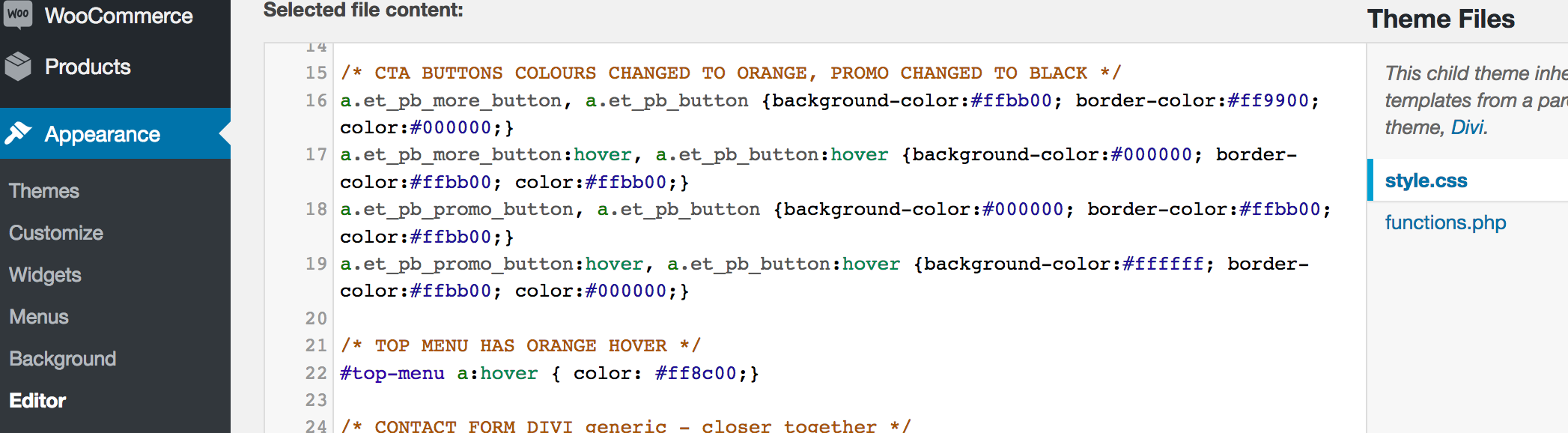
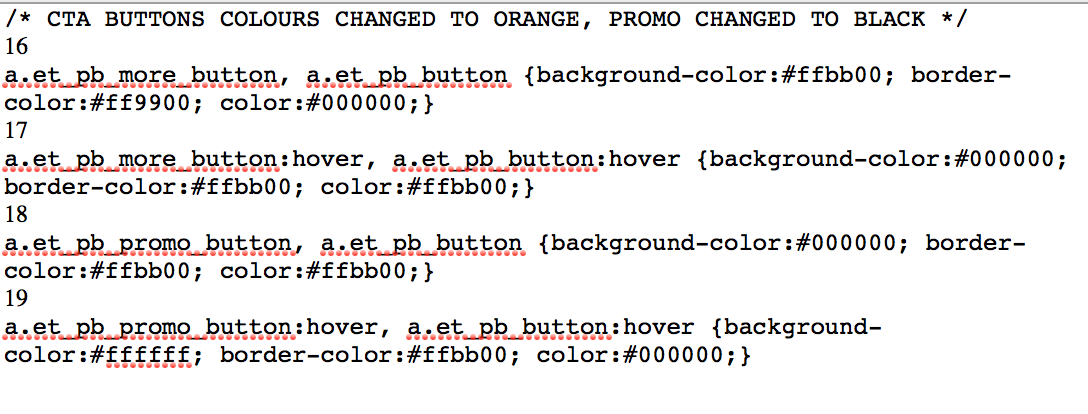
Thanks for your replies :-) I've included screen shots 1st of child theme's style.css (as seen from within wordpress admin's Appearance/Editor). You'll notice the line numbers at left. 2nd screenshot if result of copy and paste into text editor. Line numbers have been imported which is not good for editing and pasting back. This didn't use to happen!
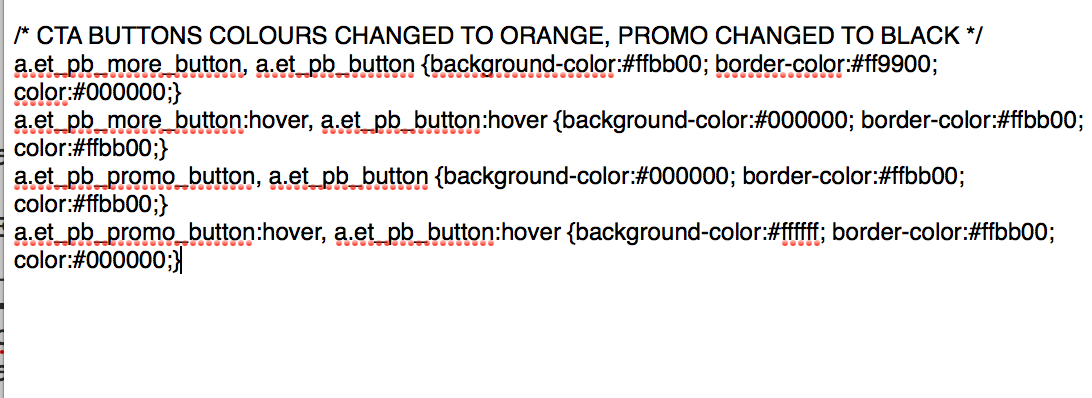
Update - I went into cPanel to copy & paste same css code from style.css - :-) its good there - no line numbers (see screenshot). So, issue is within wordpress. Now, logging into cPanel to work on css for website is not very practical. Better to do it in worpress admin. Any ideas how Firefox can get around the 'line number adding' issue?
Ausgewählte Lösung
Hey, I found it! The problem is not Firefox at all. Rather, latest Wordpress update introduced 'CodeMirror' which has linenumber build in. My work-around is adding .CodeMirror-linenumber {display:none;} into css. I'm not a programmer :-)
Geändert am von Firefox-love