


Disappearing/missing bookmark folders, but they show in HTML export file

I'm having whole folders of 100's of bookmarks disappear. I can search for them in the bookmark search bar and they are there. They are also there under the correct folder if I export and look at the HTML backup file.
I've already tried to export, delete, and re-import the file but it does not work.
The only way I could get them back in is go to html file, search for the missing bookmark in firefox, delete the bookmark from the bookmark menu, go to the site and re-add the bookmark..
Alle Antworten (3)
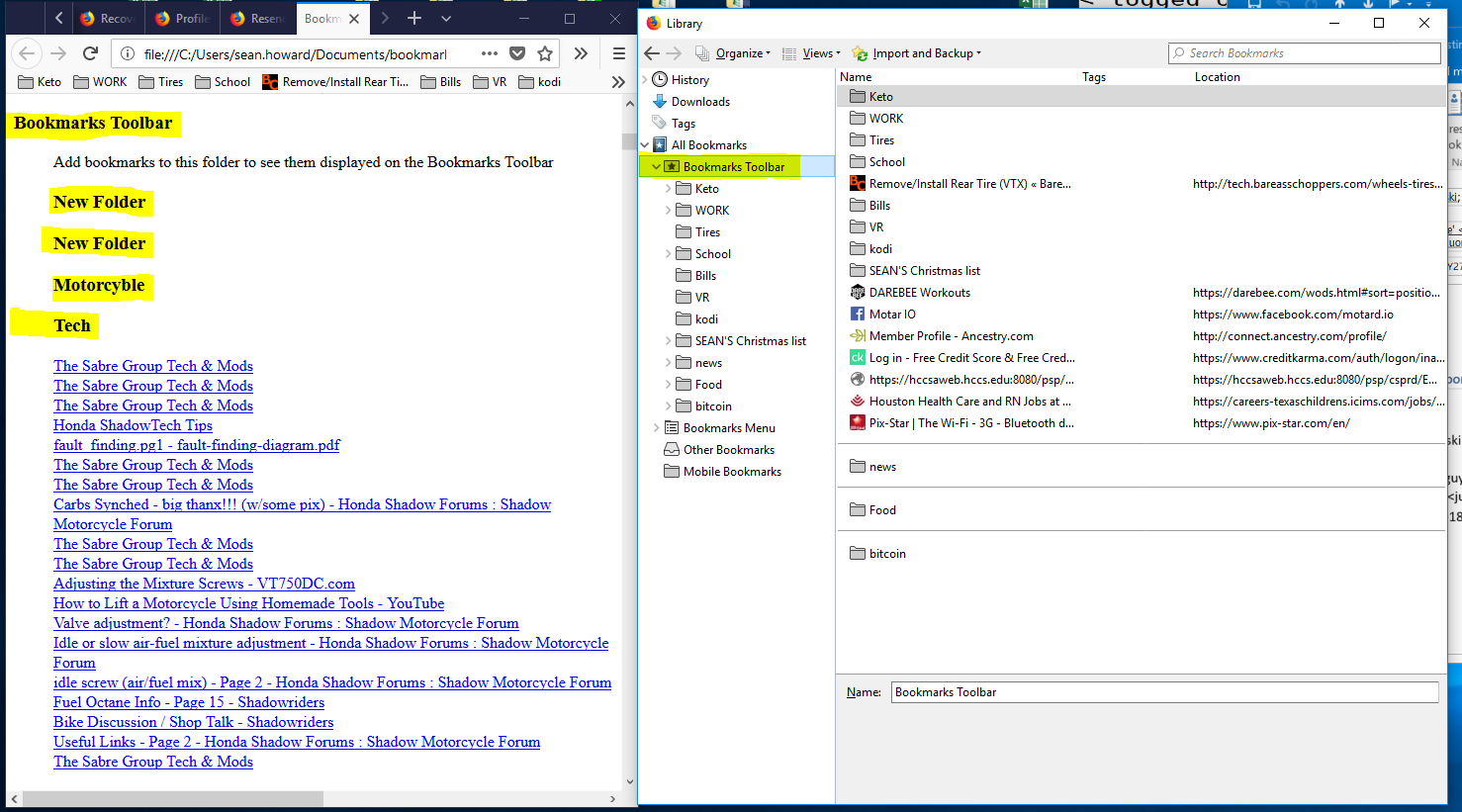
screenshot of bookmarks and export.
Missing folders but you can see them in the export.
That's troubling.
Could you check something: in your export, right-click the Bookmarks Toolbar heading and choose Inspect Element. This should open the Inspector in the lower part of the tab, with that heading highlighted.
The "real" Bookmarks Toolbar folder should have this attribute:
<h3 add_date="number" last_modified="number" personal_toolbar_folder="true">Bookmarks Toolbar</h3>
If that is not present, you may be looking at a copy folder on your Bookmarks Menu rather than the real thing.
You can check if you can find those bookmarks in the Bookmarks Menu folder.