


Windows 10 reached EOS (end of support) on October 14, 2025. If you are on Windows 10, see this article.

Hilfe durchsuchen

Vorsicht vor Support-Betrug: Wir fordern Sie niemals auf, eine Telefonnummer anzurufen, eine SMS an eine Telefonnummer zu senden oder persönliche Daten preiszugeben. Bitte melden Sie verdächtige Aktivitäten über die Funktion „Missbrauch melden“.

Weitere Informationen
Archiviert

How to avoid Firefox Survey in automated tests?

belym.andrey

Hello,

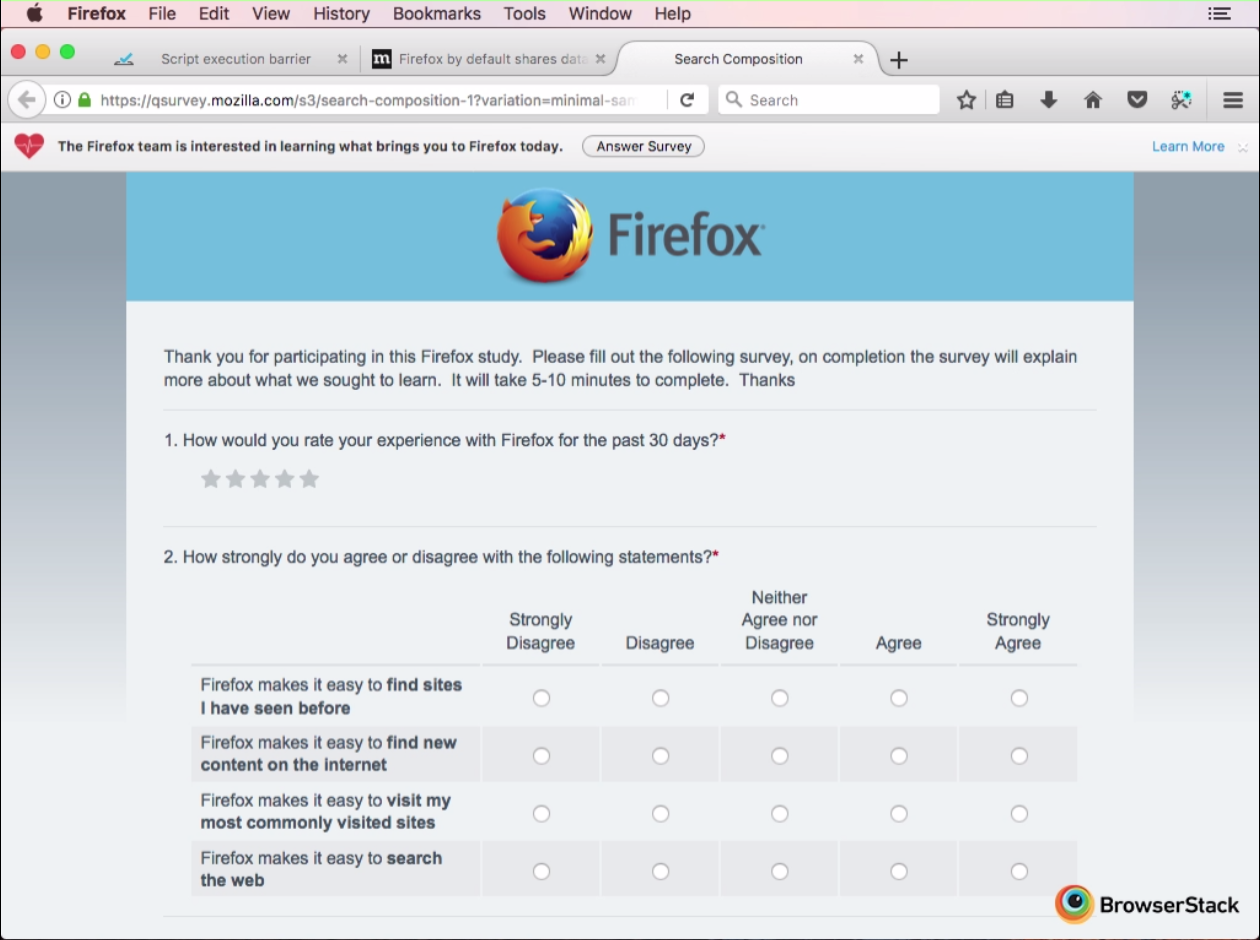
I have problem with Firefox 56 on macOS. After a week from the last update, browser started to show a toolbar "The Firefox team is interested in learning what brings you to Firefox today". Also, some time after starting (exactly 4:30) it opens a new tab with qsurvey.mozilla.com URL. It's a problem, because we use Firefox to run automated tests, and when a new foreground tab opens, browser will suspend test execution in background tab.

I was unable to upload a screenshot, so there is a screencast link: https://devexpress-my.sharepoint.com/personal/andrey_belym_devexpress_com/_layouts/15/guestaccess.aspx?docid=045ca75f312254839a72a786974495ba6&authkey=AeNiHiZtgNOXBT5zAztJb_s, rewind it to 4:30 to see the toolbar and the survey.

Maybe there is something in about:config that can prevent it from showing?

Hello, I have problem with Firefox 56 on macOS. After a week from the last update, browser started to show a toolbar "The Firefox team is interested in learning what brings you to Firefox today". Also, some time after starting (exactly 4:30) it opens a new tab with qsurvey.mozilla.com URL. It's a problem, because we use Firefox to run automated tests, and when a new foreground tab opens, browser will suspend test execution in background tab. I was unable to upload a screenshot, so there is a screencast link: https://devexpress-my.sharepoint.com/personal/andrey_belym_devexpress_com/_layouts/15/guestaccess.aspx?docid=045ca75f312254839a72a786974495ba6&authkey=AeNiHiZtgNOXBT5zAztJb_s, rewind it to 4:30 to see the toolbar and the survey. Maybe there is something in about:config that can prevent it from showing?

Alle Antworten (2)

I've uploaded screencast to YouTube: https://youtu.be/67zUsP0XgfU?t=278
Hera ya go : https://support.mozilla.org/en-US/kb/shield?as=u&utm_source=inproduct

Please let us know if this solved your issue or if need further assistance.