


thunderbird is unstable - using lots of memory and CPU, and just keep opening Windows [win10]

this on a Dell Laptop. windows 10 was forced onto it.
The problem started in late June. but would stop. It kept on getting worse. Now we cannot open mail, or send.
I suspect it might be some glitch in the Operating system, (Swag- gut pulled out of the air feeling) We have down loaded the latest version and also tried to down load the beta version (which did not work it seems).
How do we extract all the saved and archived messages,? in case we need to "retire this lap top- at least from emails.
Geändert am von Wayne Mery
Alle Antworten (10)

The problem started in late June.
What exactly is the problem?
It my mother in laws lap top. thunderbird opens, and then it opens a page, and then another, it happens so fast right now, the only way to stop it is by task manager. I am not sure what the actual pages are, they just pop up and then the main Thunderbird dashboard shows up for a fraction of a second and another duplicate page pops up and so on.
In June it was only a couple of popup pages. And with time more and more. It got to the point it ran for multiple minutes before stopping. Now it seems to keep running and jamming up to entire laptop.
I do not have the laptop with me. It normally connects via a VErizon FIOS connection.
Last wednesday, the laptop lost it's IP address. Which leaves to laptop operating system as a possible suspect.
thunderbird opens, and then it opens a page, and then another,
Please post a screenshot illustrating the problem. https://support.mozilla.org/kb/how-do-i-create-screenshot-my-problem
the laptop lost it's IP address.
That isn't related to Thunderbird.
Geändert am von christ1
The IP address ...?... just giving all the info which may or may not be relevant.
I will have to post the screen shot Monday evening EST.
Assuming I can take a screen shot while it consumes all the CPU, memory etc.
Geändert am von Wayne Mery
> I will have to post the screen shot Monday evening EST.
Try starting in safe mode https://support.mozilla.org/en-US/kb/safe-mode-thunderbird
Here is the screen shot. It just keeps opening home pages. We cannot open any folders, the help button to run in safe mode doesn't work. Task manger showed that Thunderbird was using every bit of memory,that was available. It was the only thing on except Chrome so I had instruction to do a screen shot
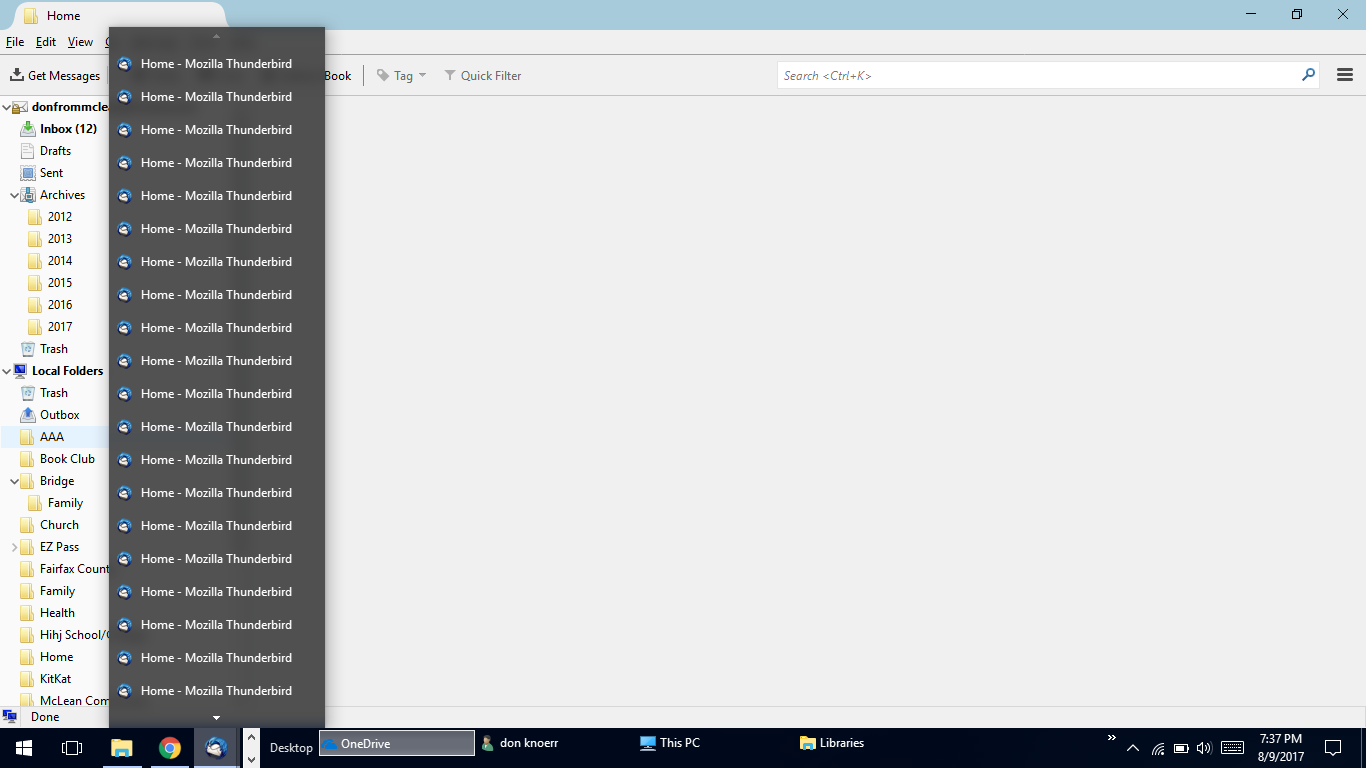
I don't know what you did, and what all those windows are, but you'll need to close all those other windows, until only the one shown in your screenshot is left. For that last one use File (Alt-F) - Exit
Indeed, close all the windows, one at a time.
Start in safe mode https://support.mozilla.org/en-US/kb/safe-mode-thunderbird
Then go to help | troubleshooting and get a list of the extensions and post it here
well the only thing we did was open Thunder bird And maybe try to open a folder. Sometimes it starts opening up windows before we get to do that.
I could try to close the the windows, but they keep opening up. about 2 or 3 windows per second. I have not been able to get "help tab" to open before the windows start opening. (no help tab - no safe start) The only way to shut it down is via task manager. it was using 1.3 GigaB of memory.
And we have completely uninstalled and reinstall the latest version of T-bird.
So. Back to the part of the first question where (what file) are the local message folders saved in. If I could find that, we could/might salvage the saved messages and put them on a new machine.
And if you have any ideas about getting T-bird working on this machine, please offer them.
Kill THunderbird. Make certain thunderbird.exe does not exist in taskmangager
Find your Thunderbird profile directory.
Delete session.json
Start Thunderbird in safe mode.
Disable all your addons using thunderbird menu
At help | troubleshooting copy the list of extensions and paste it here