How to make Thunderbird use correct user account?
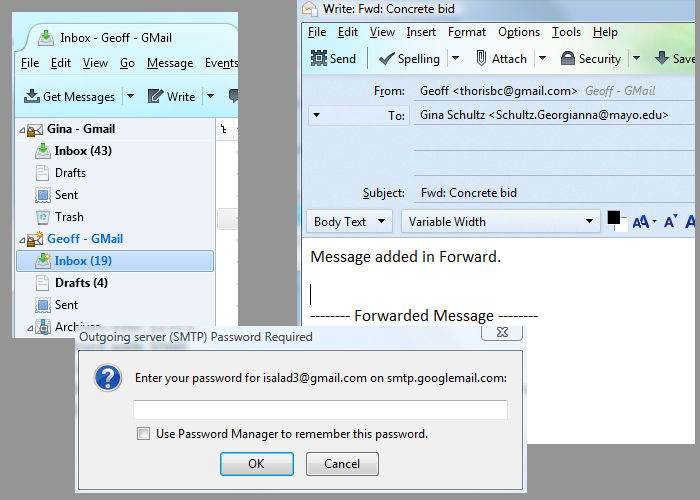
My wife and I use Thunderbird (Windows) exclusively; it is the default mail application. When I Send/Forward a message (making sure I am the sender in "From:"), the message is sent through my wife's account rather than mine. Kept getting people replying to me via my wife's account, thought I changed default settings so that it wouldn't happen, but continues to be a problem. It was revealed to me when I tried to Forward a message after my wife recently changed her password.
Thanks, Geoff
Ausgewählte Lösung
I wish I could have marked "Yes & No". I believe you were right, but it looks confusing going through the "Tools>Account Settings>Outgoing Server (SMTP):" because no matter which account you are in, there is only one place to make a selection. But if you select the account you want and open the account that way, you can make changes there in each account. And most certainly does help to change name of each "Outgoing Server (SMTP)" account. Thanks tons!!!
Please mark this question resolved. Geoff
Diese Antwort im Kontext lesen 👍 0Alle Antworten (2)

This is a gmail quirk, They silently replace the "from:" address by whatever is associated with the SMTP setting used to send the message.
You are sending using your wife's SMTP settings. Create another SMTP set-up for yourself and set your account to use it. At present it will be set to use the wife's SMTP set-up.
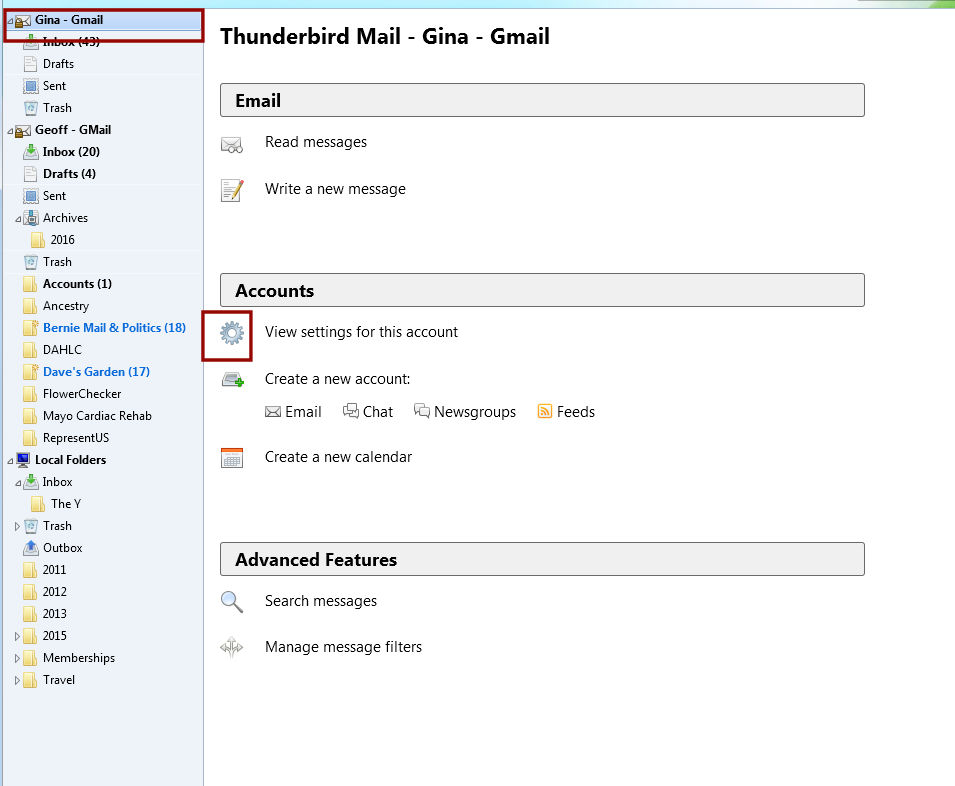
Go to Tools|Account Settings.
The last "account" in the list is "Outgoing Server (SMTP)" - here you'll find your wife's settings. Make a new one and copy the settings from the existing one, but using your own incoming account's login and password.
Give the two SMTP entries distinctive names/descriptions so you can tell which is which. The default "gmail" label isn't very helpful. ;-)
Then under your own incoming account's settings, "Outgoing server" needs to be set to use your own SMTP set-up.
Ausgewählte Lösung
I wish I could have marked "Yes & No". I believe you were right, but it looks confusing going through the "Tools>Account Settings>Outgoing Server (SMTP):" because no matter which account you are in, there is only one place to make a selection. But if you select the account you want and open the account that way, you can make changes there in each account. And most certainly does help to change name of each "Outgoing Server (SMTP)" account. Thanks tons!!!
Please mark this question resolved. Geoff