


Thunderbird: How to remotely push synchronization settings change to many users within the same domain?

Hello,
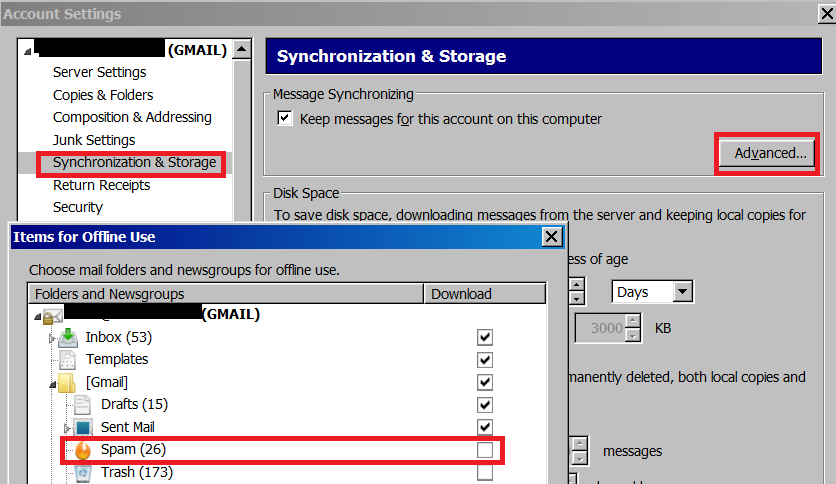
In efforts to save disk space on user PC's we would like to deselect the SPAM folder from our users Advanced Synchronization & Storage settings. Rather than manually change the setting on 200+ user PC's, are there any methods available to us for making this change on many accounts / systems within the same domain? We are using Thunderbird with Gmail / IMAP.
Thank you for your time, -Jared
Alle Antworten (4)
What works depends on what your doing.
If every user has only one Gmail account and it is account number one say, then you could use a lock file See http://kb.mozillazine.org/Locking_preferences
Hi Matt,
Thank you for the timely response. We don't necessarily need to lock the setting in. Most of our users don't know enough to fiddle around with the advanced / sync settings in Thunderbird. Is there another option available for simply un-ticking a box in the advanced sync settings? Again, we have 200+ users, all with a single account on Gmail / IMAP, and would prefer not to have to change this setting manually for each user.
Thanks again, -Jared
I can not lead you as my experience in such things is not high. But the preferences files is a JS file so it is in plain text format. (prefs.jc). The lock information gives you the layout of the preferences in the file.
Establish which preference is toggled by your change and use some JavaScript to update the entry. You will need to change the individual preference as the actually user credentials are in there as well. so replacing the file is not really an option.
You could also use a user.js file to supply your overrides. That way the preferences are basically restore to your default on restart and you get to substitute a whole file instead of part of one. See http://kb.mozillazine.org/User.js_file
Hi Matt,
Thanks again for the info. It looks like we will give the Lock file a try.
-Jared