


everytime while opening a new window/tab in firefox a new tab with the "Einstellungen" appears automatically.

hello,
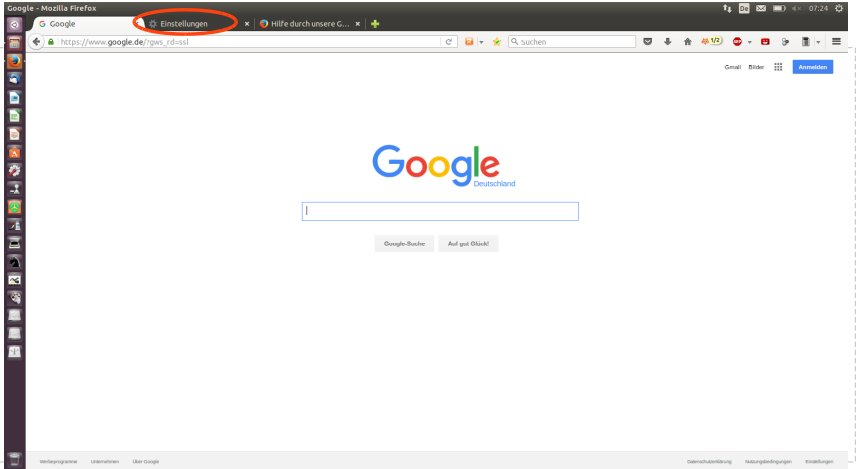
the problem is: everytime when I open a new window/tab in firefox a new tab "Einstellungen" appears automatically. for example: I pressed the home-button - in this case google - and i got google in this tab ....and automatically another tab with the settings of mozilla. see the pic
I use mozilla firefox 43.0 under ubuntu linux.
thx for help
robert
Ausgewählte Lösung
Firefox uses a vertical bar ('|') to separate multiple home pages. You can check the home page setting to see if the about:preferences page is included as one of the home pages (|about:preferences#general).
This can happen if you click "Use Current Page(s)" to set the home page and about:preferences is open in a tab. You can pin the tab with the about:preferences page via the right-click context menu of the tab to prevent including about:preferences to the home page setting if you want to use this button in "Options/Preferences > General". To set a single page as the home page you can drag the globe/padlock to the toolbar Home button.
Alle Antworten (8)
see here the pic

Type about:config<enter> in the address bar. If a warning screen comes up, press the Be Careful button. At the top of the screen is a search bar. Type browser.startup.homepage.
Carefully check it's value.
@FredMcD: pls see the new pic ...what to do?
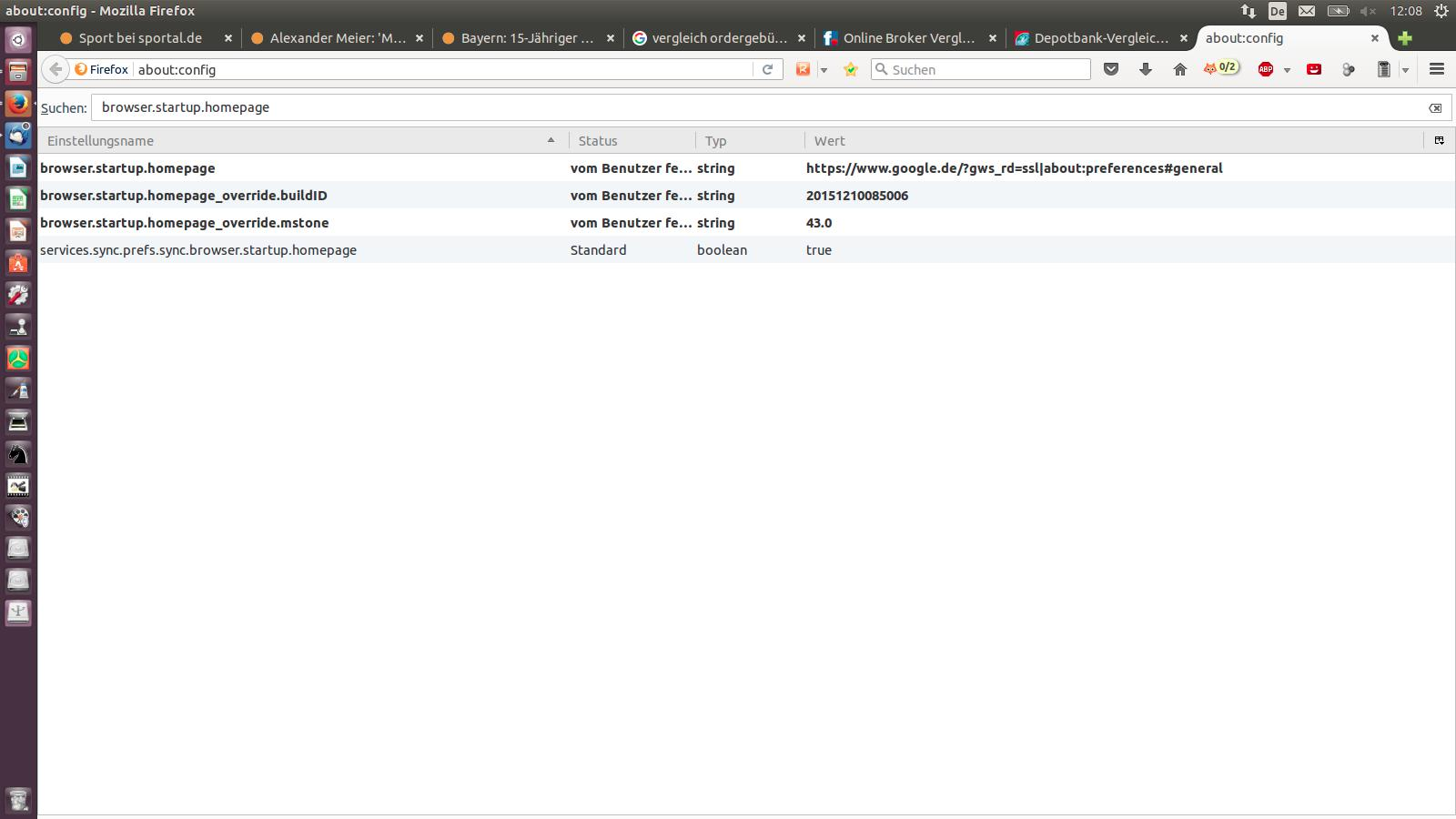

Looking at the value of the browser.startup.homepage pref I'd say Firefox does exactly what you told it to do. That's opening the two URLs you specified.
problem solved: deleting the passage "about:preferences#general in the preferences of the startpage is the solution!
Ausgewählte Lösung
Firefox uses a vertical bar ('|') to separate multiple home pages. You can check the home page setting to see if the about:preferences page is included as one of the home pages (|about:preferences#general).
This can happen if you click "Use Current Page(s)" to set the home page and about:preferences is open in a tab. You can pin the tab with the about:preferences page via the right-click context menu of the tab to prevent including about:preferences to the home page setting if you want to use this button in "Options/Preferences > General". To set a single page as the home page you can drag the globe/padlock to the toolbar Home button.
cor-el said
Firefox uses a vertical bar ('|') to separate multiple home pages. You can check the home page setting to see if the about:preferences page is included as one of the home pages (|about:preferences#general). This can happen if you click "Use Current Page(s)" to set the home page and about:preferences is open in a tab. You can pin the tab with the about:preferences page via the right-click context menu of the tab to prevent including about:preferences to the home page setting if you want to use this button in "Options/Preferences > General". To set a single page as the home page you can drag the globe/padlock to the toolbar Home button.
hi cor-el,
thx for your answer, which helped me very much.
greets robert