


When i press the down arrow key when the field is empty to see a list of all the entries in search mozila home page i see only two of them.Why this happening?

When i press the down arrow key when the field is empty to see a list of all the entries in search mozila home page i see only two of them.Why this happening when i have type more than two words?
Alle Antworten (9)
Start Firefox in Safe Mode to check if one of the extensions (Firefox/Tools > Add-ons > Extensions) or if hardware acceleration is causing the problem.
- Switch to the DEFAULT theme: Firefox/Tools > Add-ons > Appearance
- Do NOT click the Reset button on the Safe Mode start window
Still have the problem. As you see at the image i have press down arrow key and there is only 2/4 entries. Before there was a list of all my entries for example kickass - hotmail - nyaa - subs4free. Now its only two of them.
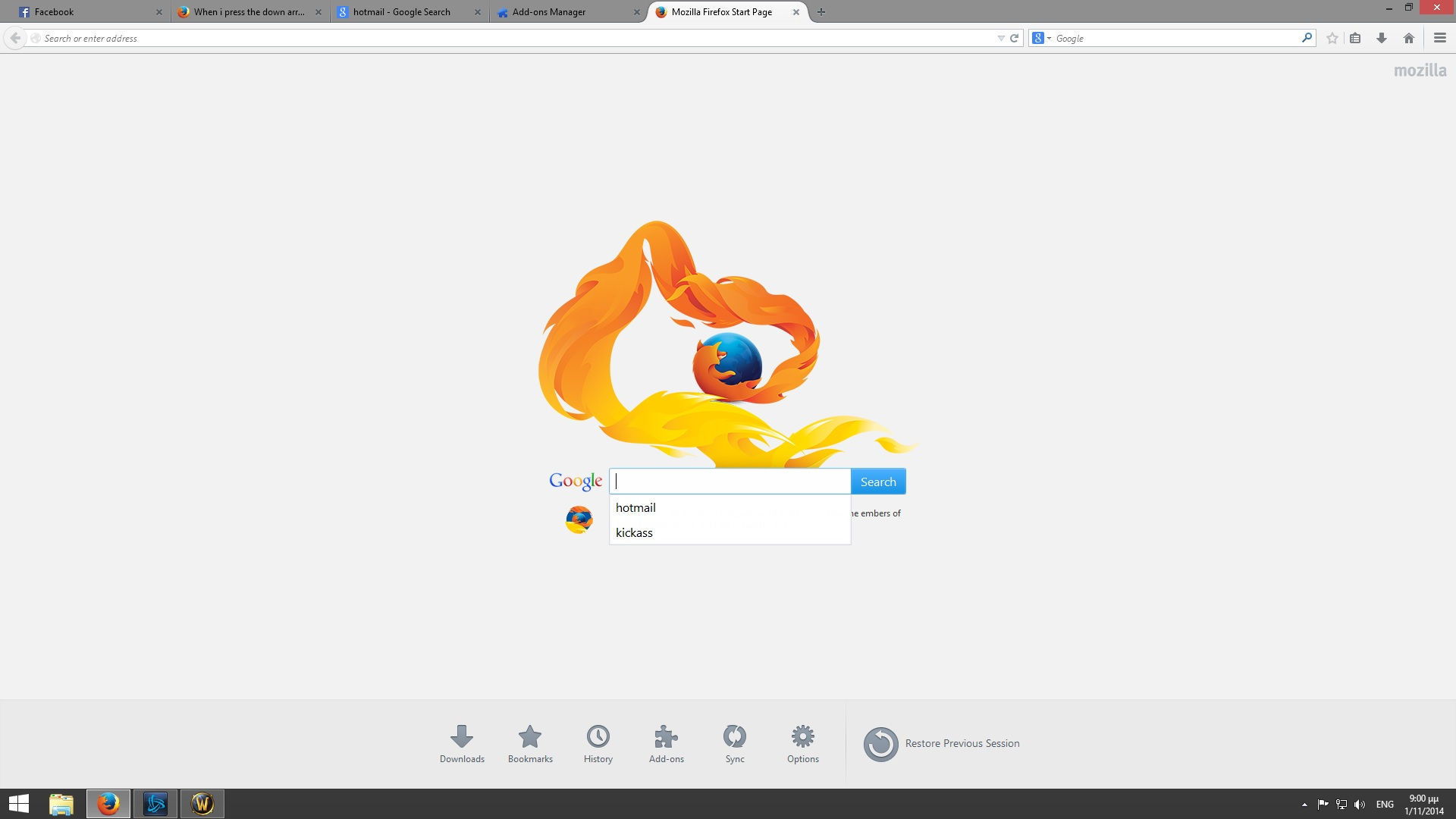
Did you recently reset your history? The search bar gives you predictions based on what you've already searched. Try this: type "Help" into that bar and search it, then come back to the page with the search bar and pull down that prediction menu. Does "Help" show up? If you want those original entries like Hotmail to show up again, just re-search them in that bar and they then should show up.
In current Firefox releases the search bar on the about:home page and the about:newtab page have an autocomplete=off attribute that prevents Firefox from saving form data and now show search suggestions just like you get on the regular Google search page.
If you still see suggestions with no search terms present then those might be leftover from the time that this page didn't had the autocomplete=off attribute.
I want to have all my entries when i press down arrow key when the field is empty in search bar.Not just the 2 of 4.I want to see 4/4. Now when i press down arrow key its only the 2 of them and not all.
I see what you mean. To anyone who's having trouble understanding: on Firefox's home page with the search bar, if you type in some searches, it will save it in the prediction pop-up, but if you, say, do 4 searches of search 1, search 2, search 3, and search 4 in order, only two random ones will appear. I'm not really sure how to change the amount of predictions it shows, but if you just type in the first few letters of what you want to search, it will come up as a prediction. They must've changed the amount of searches displayed in an update.
That's what I mean. Thanks mate! Before there was all of them. So can we change the amount of searches?
To be honest, I don't think there's a way to change the amount of searches displayed. It's just one of those new, unnecessary updates that Firefox has gotten in the last few months. Mozilla is going downhill. I'm sure that some people around here might know some shady hacks to change the amount of results shown, but for now, I guess you'll have to deal with your issue. I'm sorry.
Hmmm!!?? Anyway mate thanks :D