


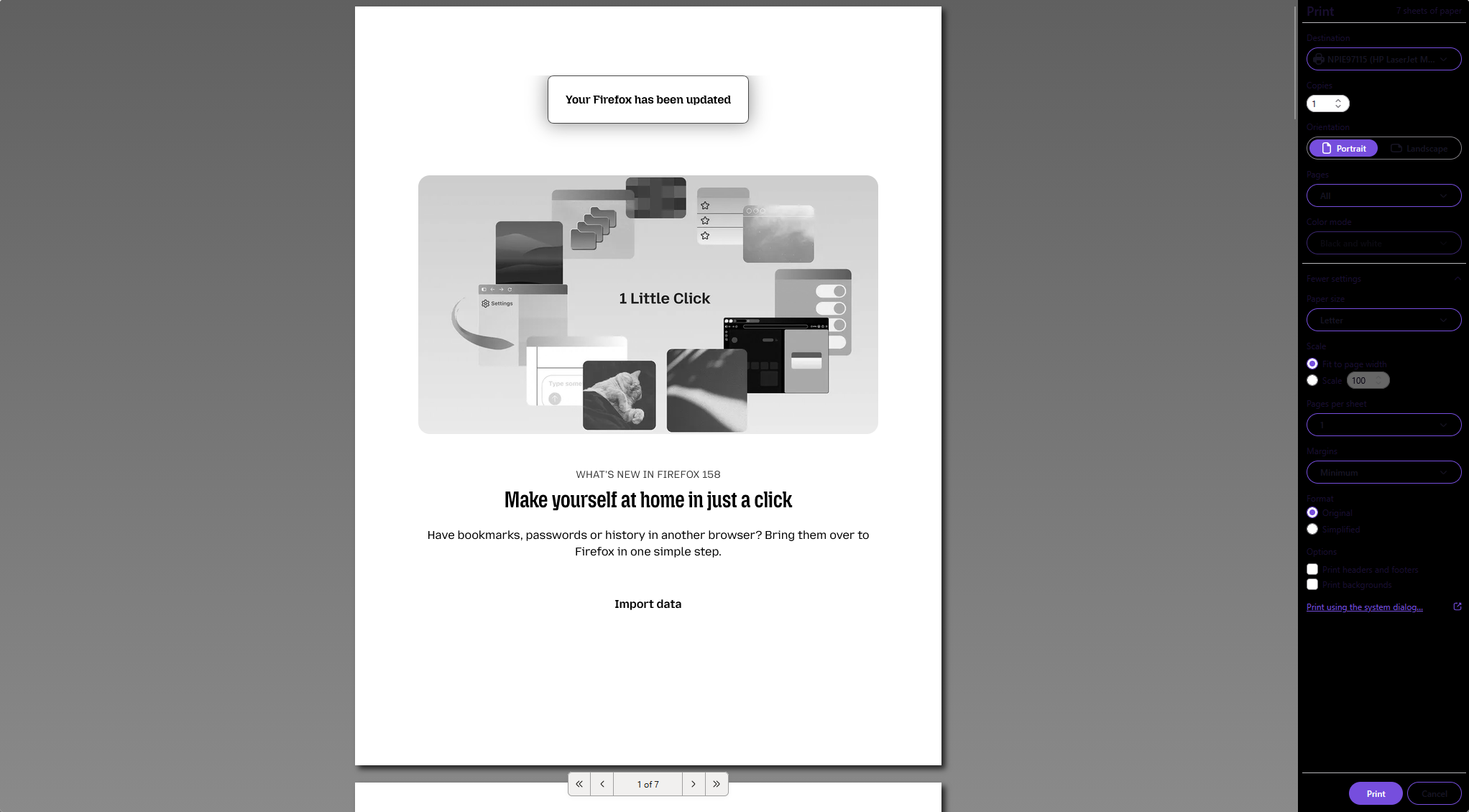
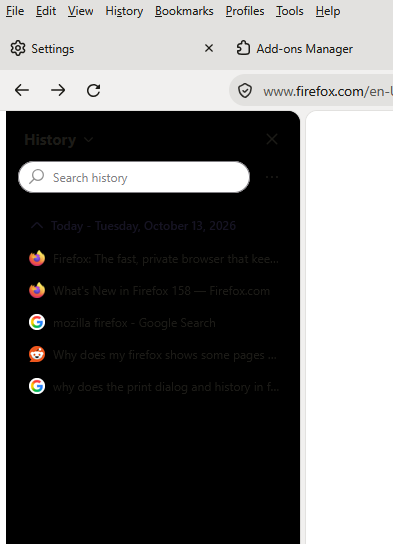
My History and Print Dialog boxes have black backgrounds, making them difficult to use - I am using a light colored theme
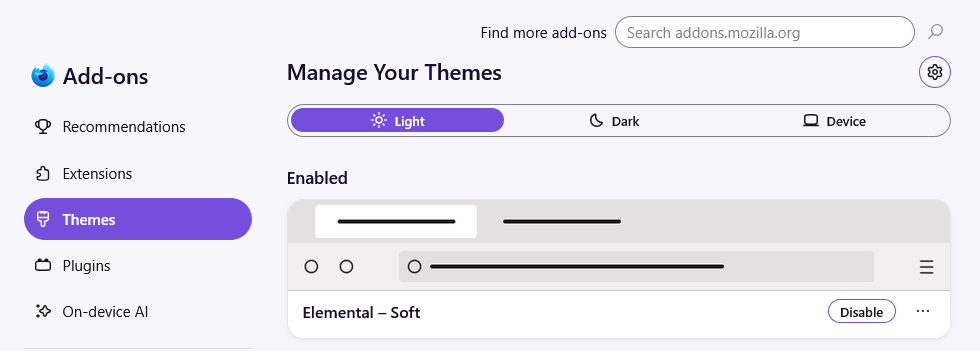
I know that I can change the appearance of Firefox with themes. I am currently using a light-colored theme called Elemental - Soft. Even still, whenever I go to print something or look at my history the backgrounds are black, which makes them hard to see properly. I have tried using the default theme in Firefox but this problem still exists. I'm using no other extensions or plug-ins to make my browser do this.
Second, is there any way to get rid of the purple highlights around boxes such as the ones in the print dialog screen? I really dislike this color.
Thanks
Valgt løsning
Oh, I solved it. The first response to this thread from Agent virtuel suggested how to change the purple. I did this. I noticed in the userChrome file that I had a "background-color: black;" setting. This must have been from a while ago, although I'm unsure. Anyway, I changed it to white and re-launched Firefox, and it solved both problems: it got rid of the annoying purple outlines and it made the background on my history and print windows white. Thanks for the help, did not need to create a new profile.
Alle svar (4)
Bonjour
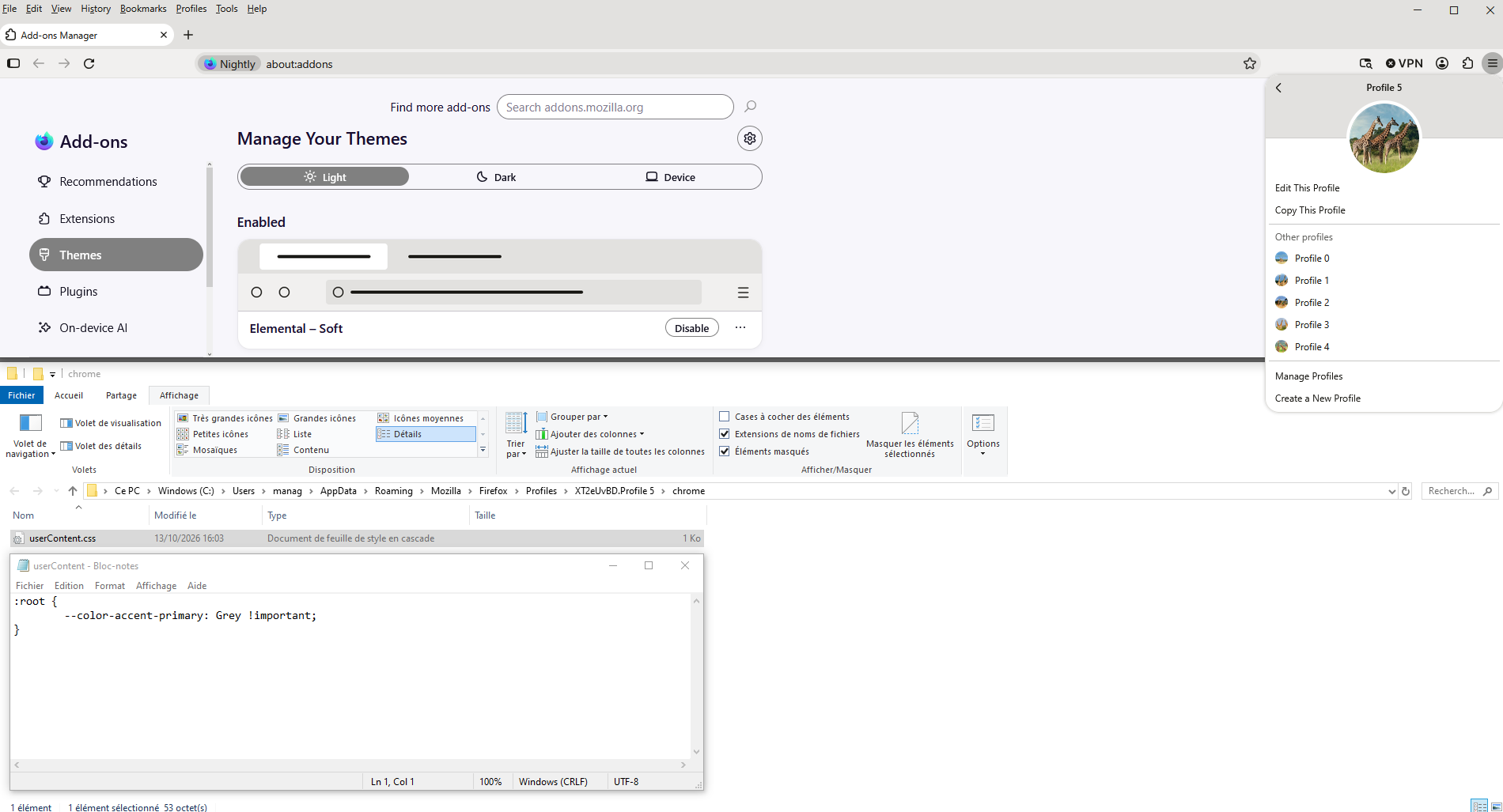
Is there any way to get rid of the purple highlights around boxes
A space for users to give product feedback https://support.mozilla.org/en-US/kb/what-mozilla-connect
A similar discussion thread https://support.mozilla.org/en-US/questions/1609524
Below, an experiment with userContent.css
Manage Firefox profiles https://support.mozilla.org/en-US/kb/profile-management
Have you tried a new profile
No I have not created a new profile. I'm assuming if I do this I will lose all of the info associated with the current profile, right? Or can I move the data over?
Valgt løsning
Oh, I solved it. The first response to this thread from Agent virtuel suggested how to change the purple. I did this. I noticed in the userChrome file that I had a "background-color: black;" setting. This must have been from a while ago, although I'm unsure. Anyway, I changed it to white and re-launched Firefox, and it solved both problems: it got rid of the annoying purple outlines and it made the background on my history and print windows white. Thanks for the help, did not need to create a new profile.