


Not restoring tabs after accidental browser closure

Open previous windows and tabs is set to ON. Browser is not restore tabs.
Alle svar (3)
Hello! I'm not sure why the issue of not restoring tabs after accidentally closing the browser occurs, but under normal circumstances, Firefox should display the option to restore previous tabs when reopened after an abnormal closure. If it doesn't display, you can click on "More" in the upper right corner (like this "☰"), then click on "History", and then click on "Restore Previous Browsing". This should solve your problem
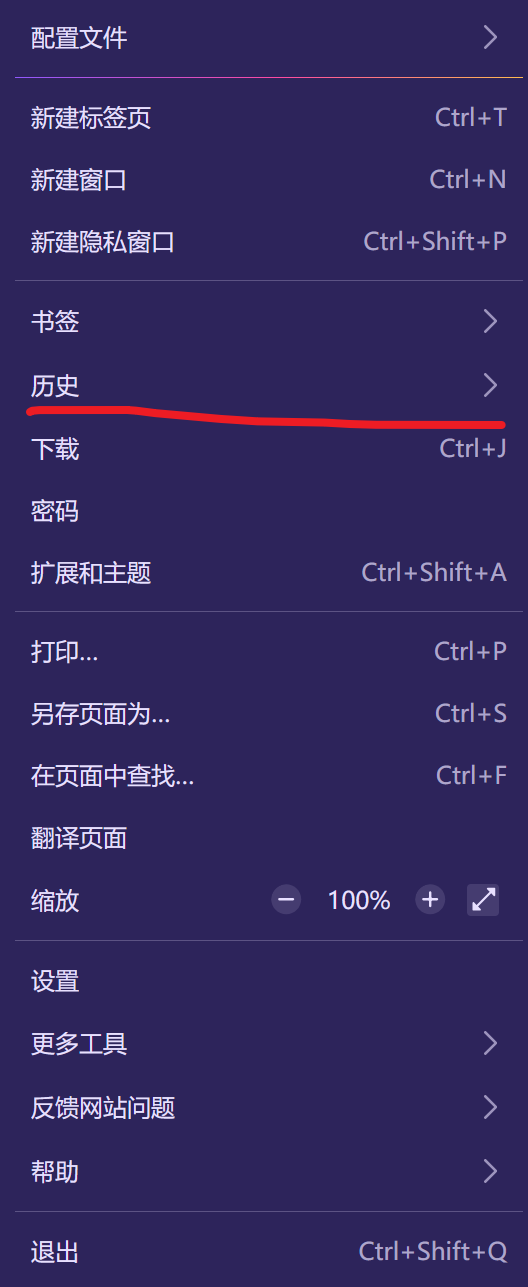

Open previous windows and tabs is set to ON, but its hit or miss whether accidentally closed browser or closed itself. I forget to check your somewhat hidden suggestion, which is after the fact. There should be a prompt to restore either upon closing and/or reopening. FYI running Windows 151.0.1 with expired Windows 10(enrolled in ESU program).
LTJL 说
Open previous windows and tabs is set to ON, but its hit or miss whether accidentally closed browser or closed itself. I forget to check your somewhat hidden suggestion, which is after the fact. There should be a prompt to restore either upon closing and/or reopening. FYI running Windows 151.0.1 with expired Windows 10(enrolled in ESU program).
Hello! Your situation is a bit special. Firefox will store the currently opened tab in a session file (usually called "sessionstore.jsonlz4"). Generally speaking, your situation is caused by the following reasons: The session file is damaged. If Firefox closes abnormally, this file may stop halfway through writing, and Firefox will not use this session file when restoring 2. Deleted by the cleaning software. If you use "disk cleaning", optimization tools, and antivirus software for privacy protection, these software may delete this session file. Hope to help you!