


Windows 10 reached EOS (end of support) on October 14, 2025. If you are on Windows 10, see this article.

Søg i Support

Avoid support scams. We will never ask you to call or text a phone number or share personal information. Please report suspicious activity using the “Report Abuse” option.

Læs mere

How do I get rid of the Firefox Terms of Use and Privacy Notice page?

  • 2 svar
  • 2 har dette problem
  • 27 visninger
  • Seneste svar af Agent virtuel
  • Åben

Please see summary

Please see summary

Alle svar (2)
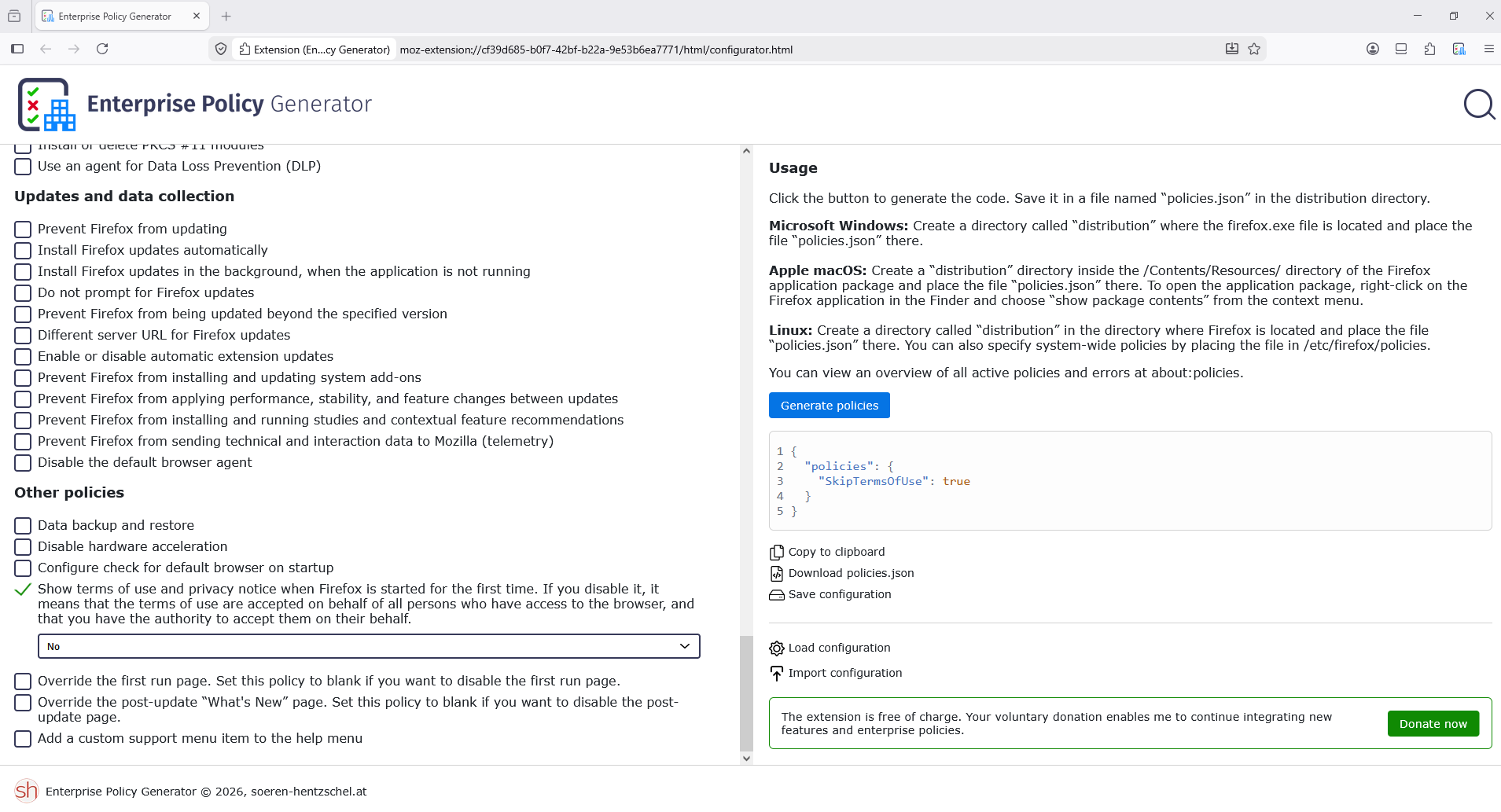
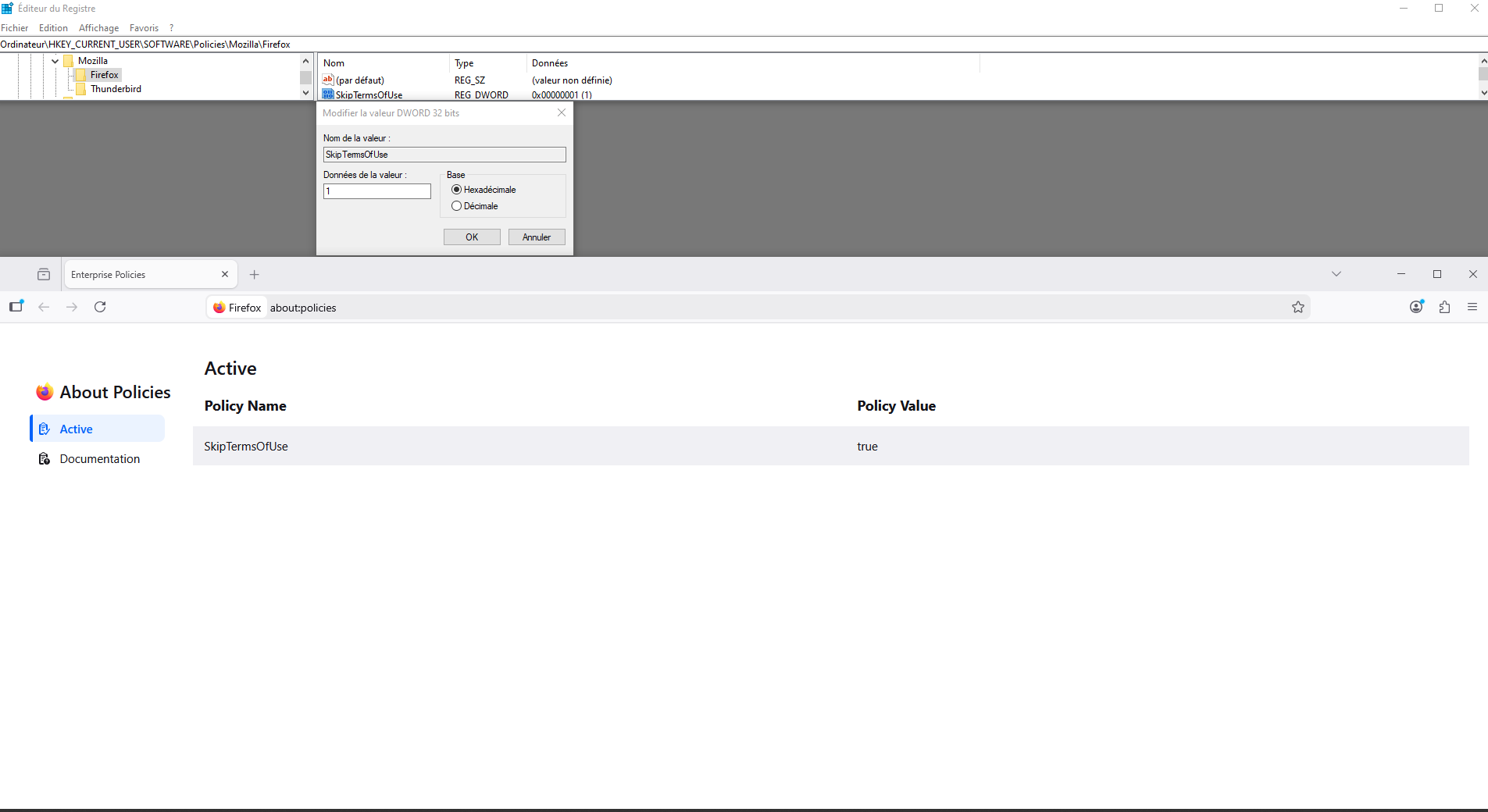
Another way, you can use the Windows registry. HKEY_LOCAL_MACHINE\SOFTWARE\Policies\Mozilla\Firefox Or HKEY_CURRENT_USER\SOFTWARE\Policies\Mozilla\Firefox
Stil et spørgsmål

Du skal logge ind på din konto for at svare på et indlæg. Start et nyt spørgsmål, hvis du ikke har en konto endnu.