


I have one single web page that always displays offset to the left andtoo large to use

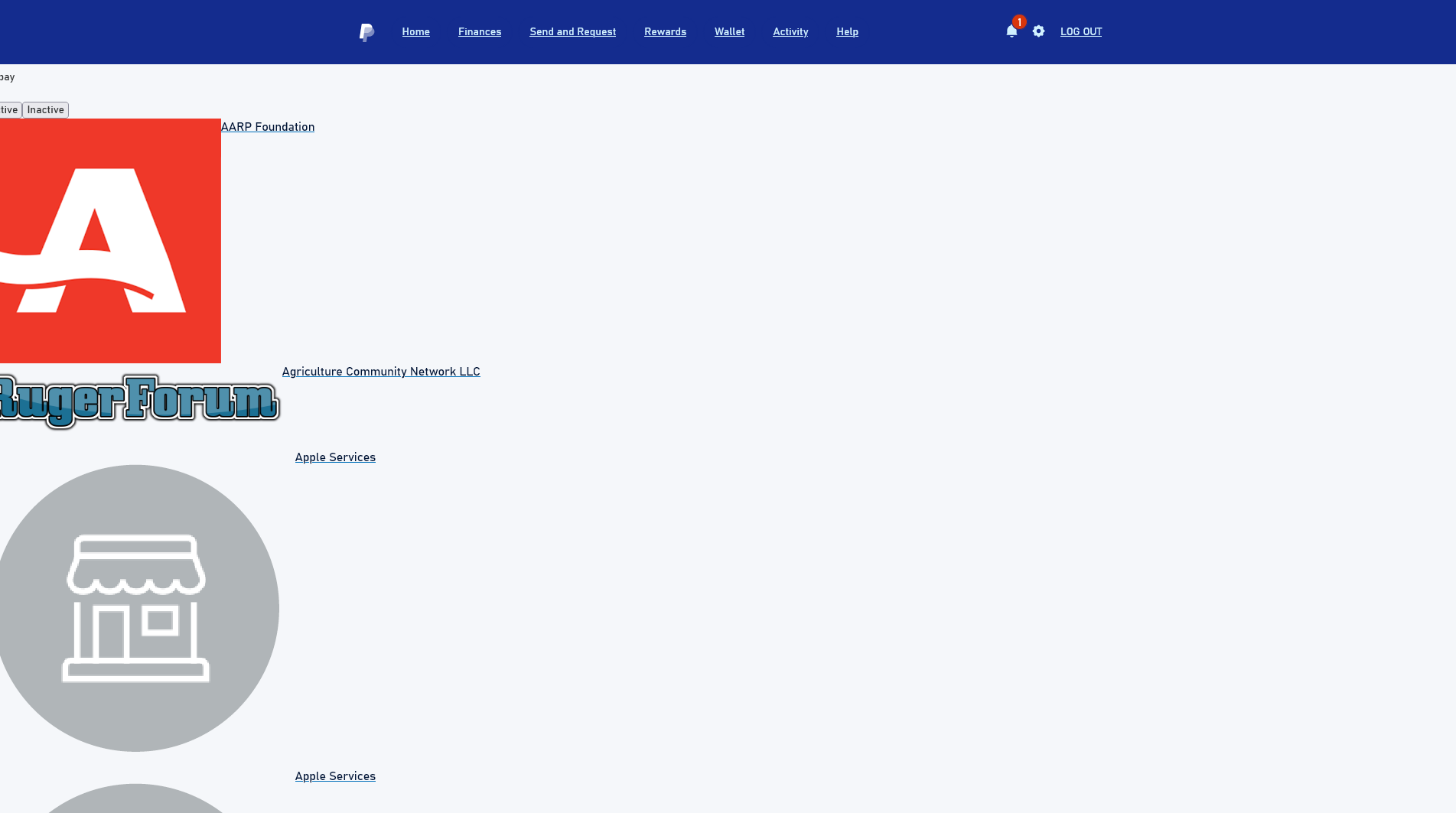
Using Firefox, 148.02, on windows 10, 22H2, 19045.6937. .I have a single page on Paypal that initially displays correctly then almost immediately becomes very large and shifts to the left. See attached image.
I see it correctly in Edge. Have tried minimizing and restore, reduced screen then restored, tried F11 full screen. No help. Tried various scaling and Firefox zoom settings. They don't help and every other page is distorted. This is the only page I have a problem with. It's got to be how that page sees Firefox. I've talked to Paypal support, they say they have no problem. Can't find anything on Mozilla/Firefox help
Alle svar (3)
Hi Rene
Do you have any add-ons installed in Firefox?
You get this when CSS files are blocked or otherwise fail to load.
If you use extensions ("3-bar" menu button or Tools -> Add-ons -> Extensions) that can block content (Adblock,NoScript,DuckDuckGo PE,Disconnect,Ghostery,uBlock Origin,Malwarebytes), always make sure such extensions do not block content.
- make sure your extensions and filters are updated to the latest version
- https://support.mozilla.org/en-US/kb/troubleshoot-extensions-themes-to-fix-problems
You can check for issues with Enhanced Tracking Protection and Total Cookie Protection. Firefox shows a purple shield instead of a gray shield at the left end of the location/address bar in case Enhanced Tracking Protection is blocking content.
- click the shield icon for more detail and possibly disable the protection
You can check the Web Console for relevant-looking messages like about blocked content.
I missed your extensions listed in the Question Details and you appear to have quite a few of the ones I listed above, so you need to find out which is responsible for your issue.
Adblock Plus - free ad blocker
DuckDuckGo Privacy Essentials
Ghostery Privacy Ad Blocker
Privacy Badger