


How to get rid of the hp-search bookmark ?

When opening a new window, I get this https://hp-search.com/?path=firefox/newtab&u=7548f4ddec01b2d6&subid=11119&channel=default
When opening a new window, I get this https://hp-search.com/?path=firefox/newtab&u=7548f4ddec01b2d6&subid=11119&channel=default
Valgt løsning
Alle svar (2)

Valgt løsning
Settings > Home > Set [New tabs] to Blank Page
Click on image below
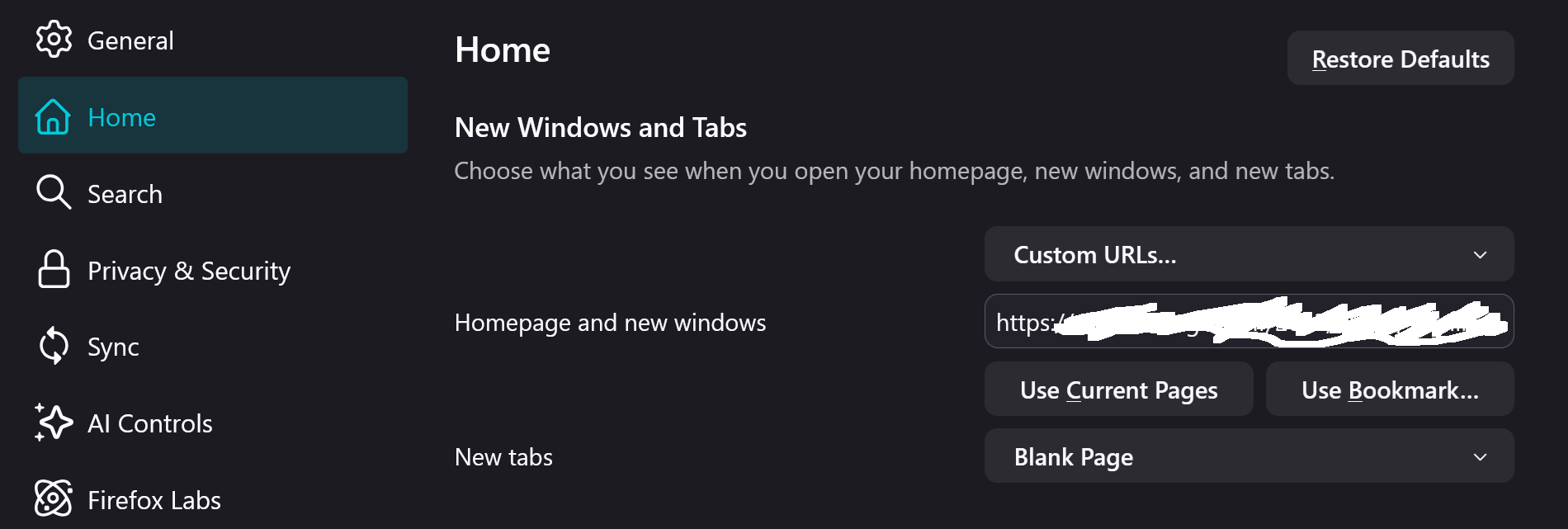
Ændret af smile3 den
Thanks ! That was an easy solution. I was trying to search way too deep.
Cheers !