Firefox 147.0.4 on macOS 26.3 does not work via SOCKS proxy (but works fine on Windows)

Firefox 147.0.4 on macOS 26.3 does not work via SOCKS proxy.
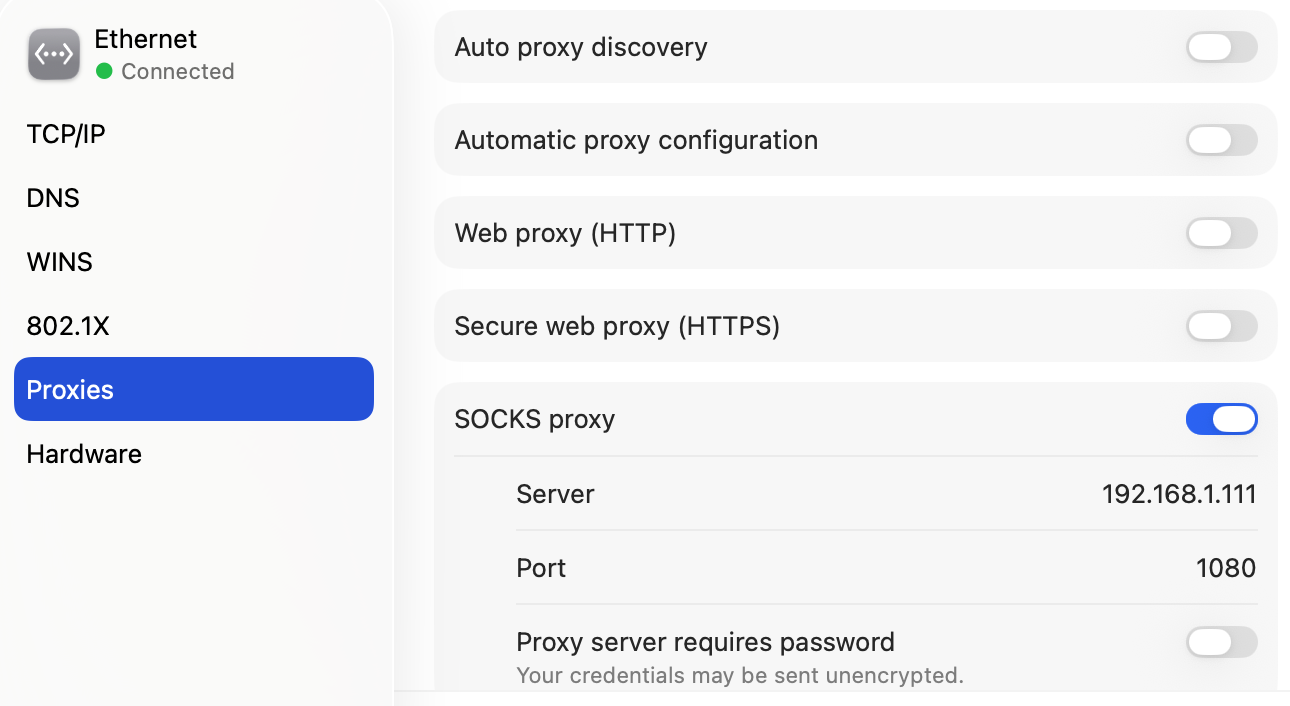
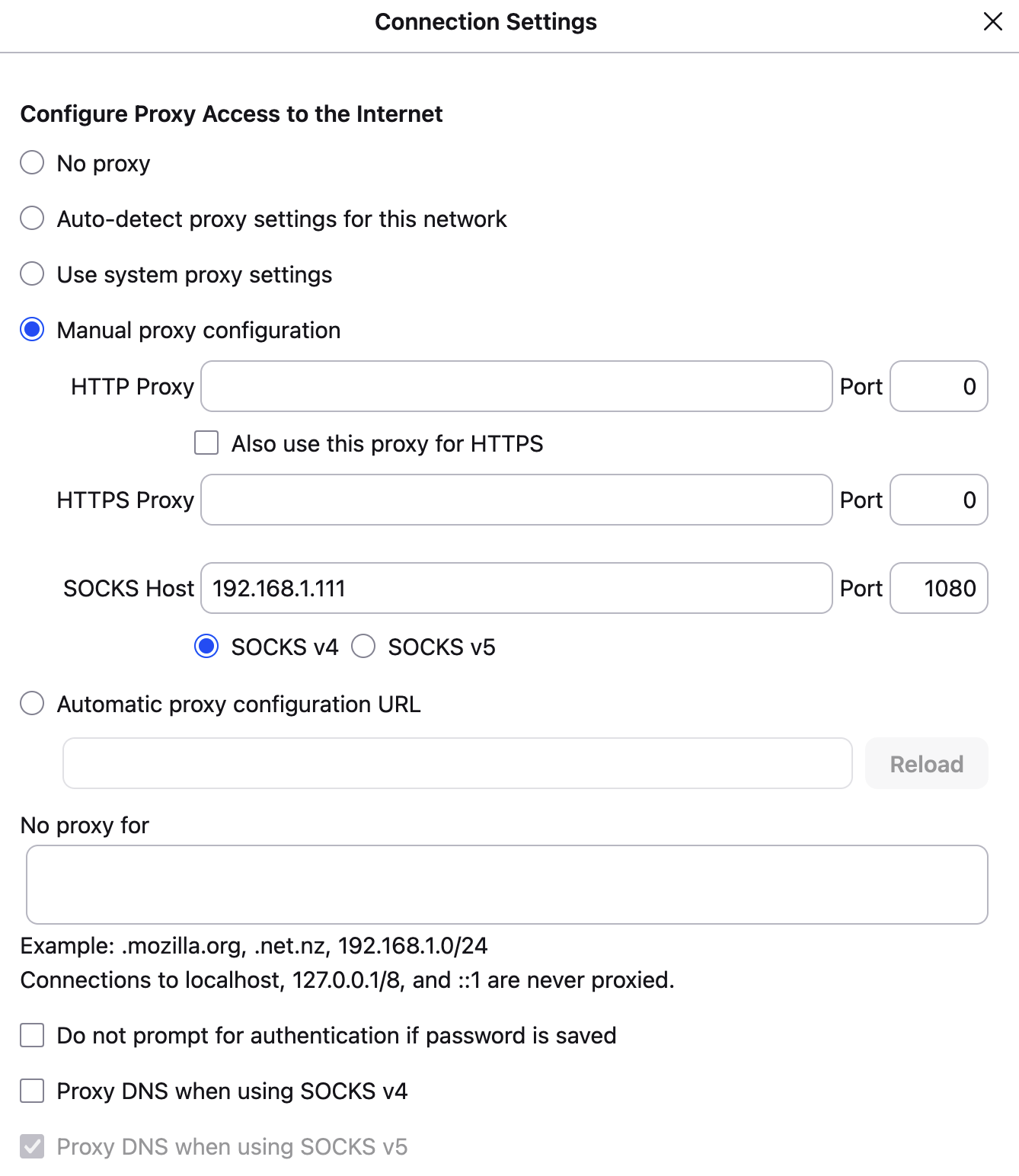
Firefox 147.0.4 on Windows 11 x64 works fine via the same intranet SOCKS proxy, with exactly the same settings.
The advantage of Firefox is its flexibility. It supports its own SOCKS proxy settings, independent of systems-wide ones. Unfortunately, it seems this Firefox feature is broken on macOS (but Windows version works perfectly).
Safari 26.3 (21623.2.7.11.6) and DuckDuckGo 1.177.0 (625) web-browsers that use system-wide macOS SOCKS proxy settings also works fine with this intranet proxy server. So it seems SOCKS proxy server itself is OK, and the problem is confined to Firefox on macOS.
Has anyone seen Firefox 147 on macOS work via SOCKS proxy? Is there a principal difference between how Firefox handles SOCKS proxy on macOS vs. Windows? What might be the best way to address the problem on macOS?
Thanks!
Valgt løsning
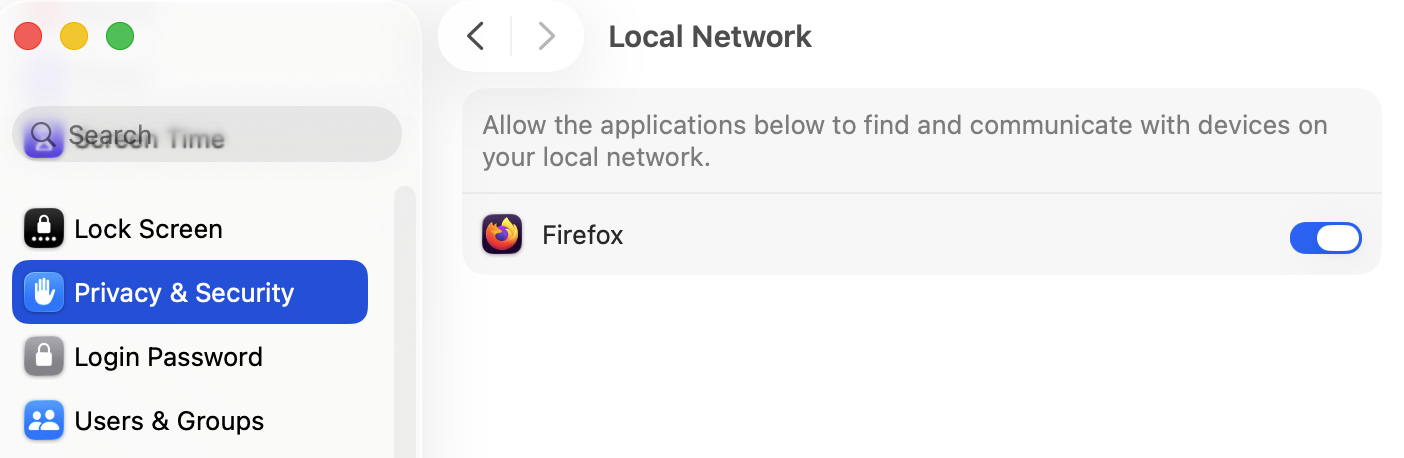
Apparently, the problem was caused by the relatively new permission "Allow the applications below to find and communicate with devices on your local network" that had been introduced in macOS 15 Sequoia in 2024: https://support.apple.com/guide/mac-help/control-access-to-your-local-network-on-mac-mchla4f49138/mac
When the option is manually enabled for Firefox in macOS 26.3 Tahoe, in Settings -> Privacy & Security -> Local Network -> "Allow the applications below to find and communicate with devices on your local network", Firefox begins to communicate with the Internet via SOCKS proxy in the local network.
Læs dette svar i sammenhæng 👍 0Alle svar (1)
Valgt løsning
Apparently, the problem was caused by the relatively new permission "Allow the applications below to find and communicate with devices on your local network" that had been introduced in macOS 15 Sequoia in 2024: https://support.apple.com/guide/mac-help/control-access-to-your-local-network-on-mac-mchla4f49138/mac
When the option is manually enabled for Firefox in macOS 26.3 Tahoe, in Settings -> Privacy & Security -> Local Network -> "Allow the applications below to find and communicate with devices on your local network", Firefox begins to communicate with the Internet via SOCKS proxy in the local network.