


Missing Topics in Firefox Home
Firefox 146.0.1 (aarch64) macOS 26.2 (25C56) on M2 Pro
Hello.
I'm dealing with a strange issue that began with Firefox 146.0 and continues with 146.0.1. I previously blocked categories I do not care about such as Parenting, Cooking, and others. When doing so, for some reason some of my followed topics including Sports, NFL and NHL no longer appear along with the rest of the topics I've followed. (Please notice only followed sports-related topics disappeared...)
Checking the settings for Firefox Home shows no blocked topics (even those I have explicitly blocked), and checking what I can think to think via about:config shows me nothing I can edit to get my desired topics back.
So, I'm not sure what to edit to get my missing topics back. If they were blocked because of some bug, i cannot see blocked topics in the Firefox Home settings, so I cannot unblock them if that's what would need to be done. Has anyone else experienced this? If so, were you able to resolve it or are you aware of some BugZilla or GitHub issue I can watch for this one?
Any help will be certainly be appreciated. Thank you in advance.
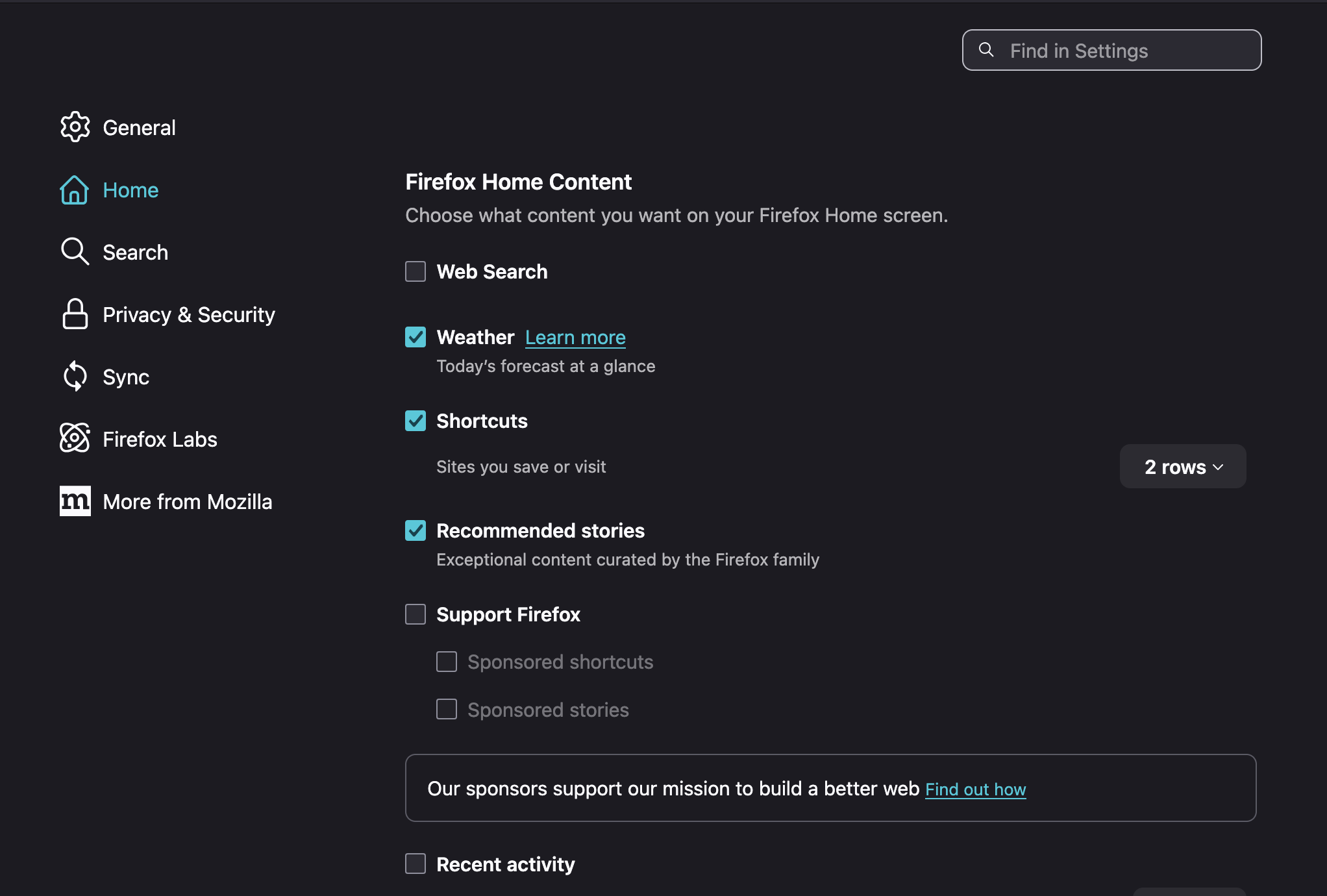
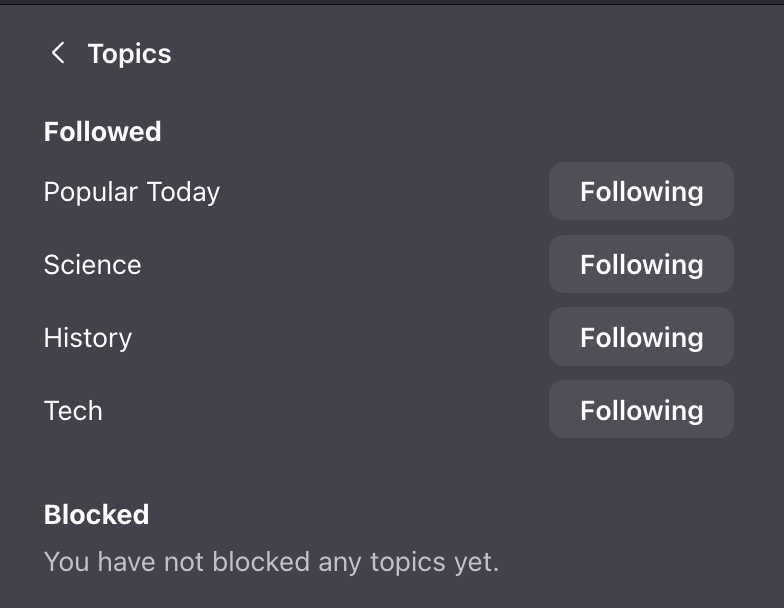
Ændret af forty-six&two den
Alle svar (1)
New Firefox version since my initial post is "147.0.1 (aarch64)".
Can anyone out there including Mozilla volunteers provide any guidance on this? I cannot solve this on my own. The followed/blocked topics are not in aboutLconfig nor in prefs.js (unless it's encoded data that is encoded again as Base64 which I have painstakingly looked into in the prefs.js), nor in anything related to the about:home in the same profile directory. And the "missing' topics I mentioned a while ago are not followed, they still are not shown as blocked, and never come up as suggested (actually nothing else comes up as suggest at all any longer). I would really like to get this fixed or just stop using it because the lack of a response of any kind after a month leads me to believe no one is going to help.
This has persisted across Firefox updates since I posted my request for input and help.
I'd really appreciate someone pointing me in the right direction such as what needs to be cleared out to get the about:home (this happens on about:newtab too of course) back to a blank slate with topics settings, how to file a bug for it if it's not already a bug I haven't found on my own, etc.
Thank you in advance, again.
P.S. Nothing about the above screenshots has changed, so I'm not posting them again - please see above. If i can or need to provide more data, then I will.
Ændret af forty-six&two den