


Windows 10 reached EOS (end of support) on October 14, 2025. If you are on Windows 10, see this article.

Søg i Support

Avoid support scams. We will never ask you to call or text a phone number or share personal information. Please report suspicious activity using the “Report Abuse” option.

Læs mere

Shortcuts Unaccessible from Web Address Bar with an Open Tab

  • 2 svar
  • 10 har dette problem
  • 290 visninger
  • Seneste svar af jbr
  • Åben

Hi,

With a browser tab open to any website, I’m no longer able to use a saved shortcut upon tapping into the web address bar.

Tapping the address bar brings up the keyboard and screen as normal, except with a faded background. As soon as you try selecting a saved item it sends you back to the existing open web page.
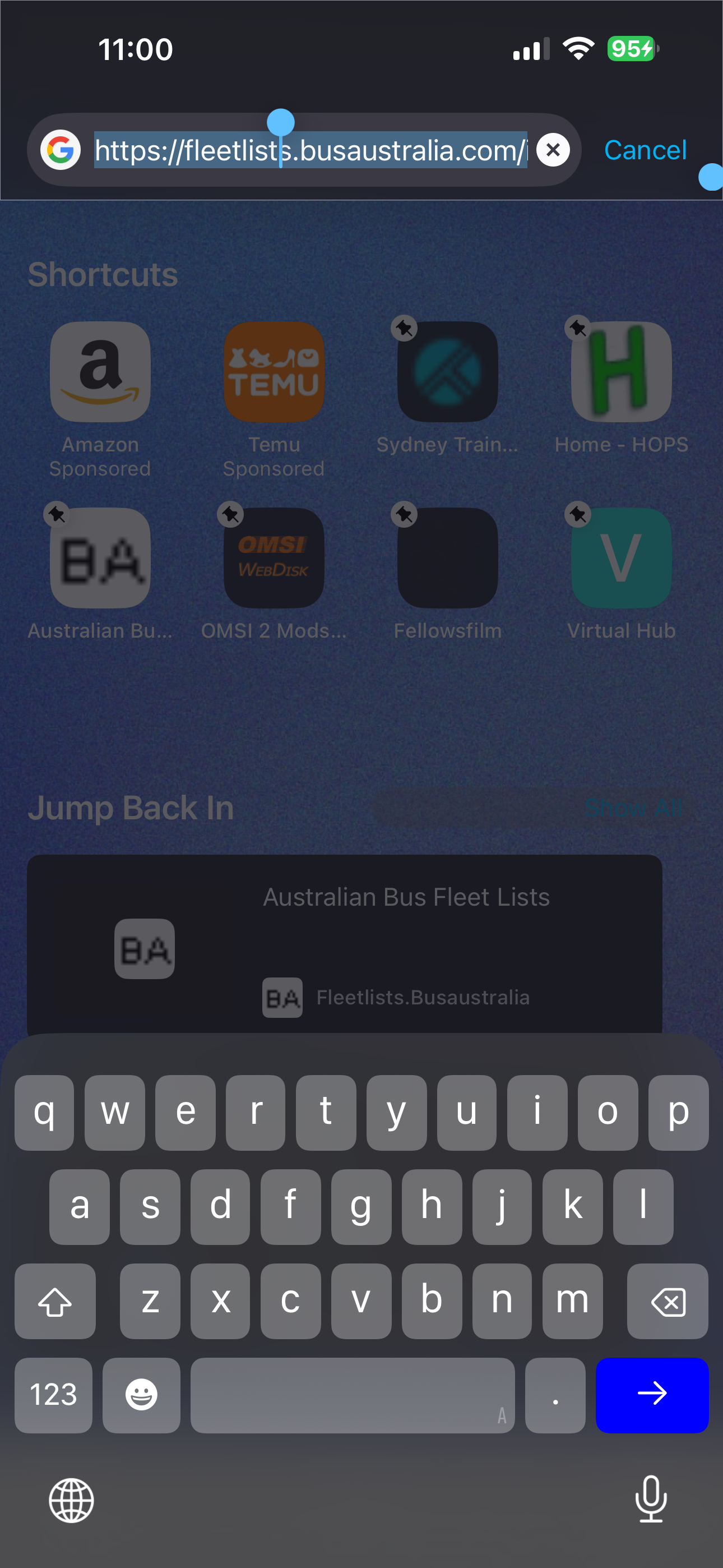
Hi, With a browser tab open to any website, I’m no longer able to use a saved shortcut upon tapping into the web address bar. Tapping the address bar brings up the keyboard and screen as normal, except with a faded background. As soon as you try selecting a saved item it sends you back to the existing open web page.
Vedhæftede skærmbilleder

Alle svar (2)

I have found this exact problem also. related trouble report

Ændret af Firefox_Fan den

In case you have any "custom URL" set as your new tab, there was a bug for such setup preventing tapping the icons, that should have been fixed in this week's v150.1 — if you wanna try updating, to see if it resolves for you?

For some subset of users there was also a feature being rolled out last year that briefly resulted in this overlay causing the icons not being active — but that got resolved hopefully promptly back then, before shipping to more folks, however please do feel free to report back if this issue still persists for you. Thanks!

Stil et spørgsmål

Du skal logge ind på din konto for at svare på et indlæg. Start et nyt spørgsmål, hvis du ikke har en konto endnu.