


firefox & youtube tv

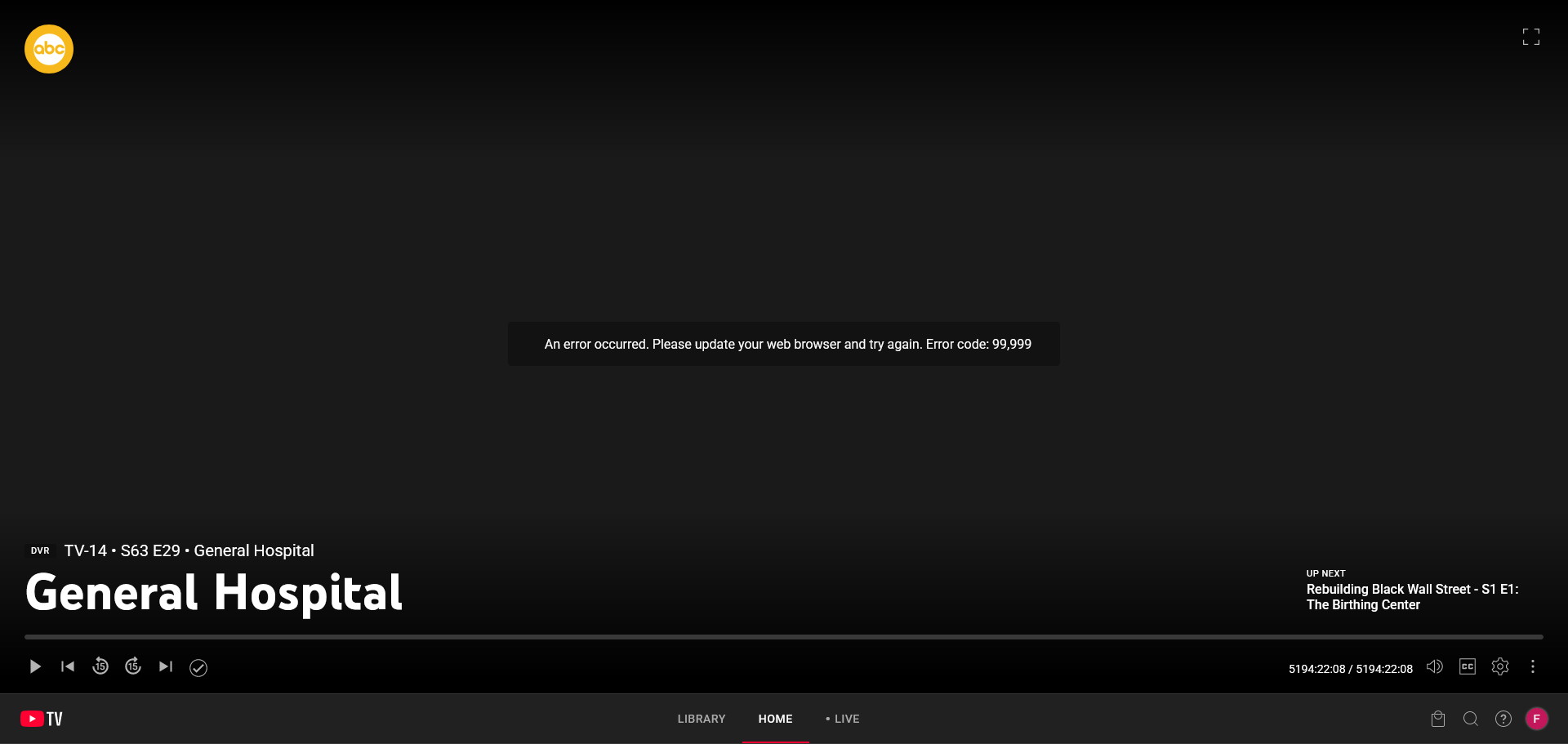
for some reason my youtube tv claims it needs to be updated so can not watch tv in settings it claims to be the latest version 115.29 but google claims it is 144.01 so have no clue how to update if that is why I can not watch tv trying to ask mozilla is pointless with there b/s excuses which is part of firefox
Valgt løsning
thanks but for some reason have no clue how but I got youtube tv back so thanks anyways
Alle svar (10)
also everything was fine went away for 3 days came back to this aggravation and love to fix this aggravation google gives people
Hi,
You seem to be on Windows 7, and if so, there's no way for you to upgrade to Firefox 144. Firefox 115 is the last supported Firefox version for Windows 7, and you should be on ESR 115 (ESR stands for Extended Support Release).
Unfortunately, it's not uncommon for the websites to drop support of old operational systems / browser versions, and that's what might have happened.
What you can try is to trick Google by "saying" to them that you use Firefox 144. For instance, this extension should be able to help with that.
Nevertheless, I've filed a bug report, so that this issue has a chance to be investigated.
Valgt løsning
thanks but for some reason have no clue how but I got youtube tv back so thanks anyways
well I got the damn update web browser and error code 99,999 again after I had to reboot from desktop freezing while I had to leave for 155 mins damn I wish I knew what was happening
Ændret af Libra925611 den
I would contact google but 1 it is impossible to contact them 2 I have no clue how to do what you claim in tricking them as I am not a technology person/dictionary bottom line you can not contact google
What I suggested:
- Add User-Agent Switcher and Manager to Firefox.
- If its icon appears on the toolbar, click it, otherwise click the general extensions icon (a puzzle) and select User-Agent Switcher and Manager in the list.
- Select one of the latest Firefox versions and click Apply.
well will not let me install it as it claims it is not compatible with 115.29.0 and I am not a technology person/dictionary so I am at a loss at what to friggin do......all I can say is all this b/s is so not easy as you all claim.....I even reinstalled firefox for windows 7 and same thing and as much as LO LOATH CHROME is also claims the same damn thing for chrome I'll just wait a couple of days and pray it mysteriously come back on it's own like last time and not be able to watch tv I also clicked on the puzzle and it did nothing
just what I thought thanks for your non help and total assuming the only puzzle I saw was a screen shot and sorry I am not a technology person/dictionary and have no clue what you want me to do
sorry to have bothered you have no idea why you even bothered replying when you just ignore