location permission

how can I get firefox to stop asking for location permission?
how can I get firefox to stop asking for location permission?
Alle svar (1)
Hi, there is a setting for this.
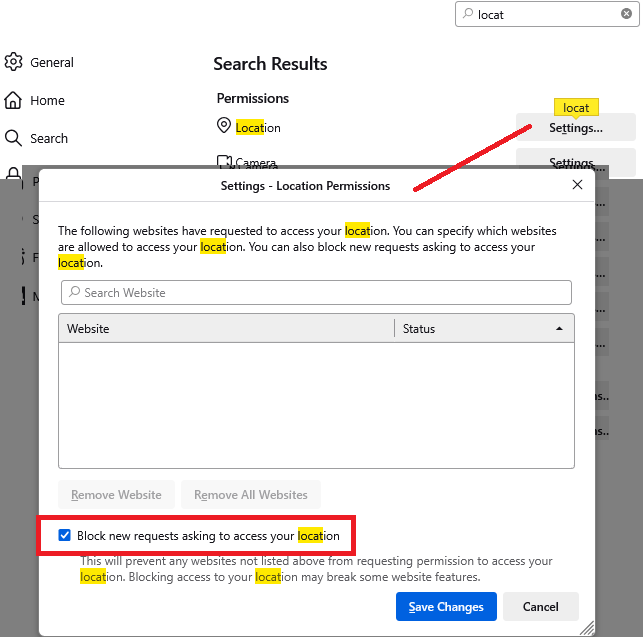
Open the Settings page, then in the tiny search box, slowly type locat until the Permissions section comes into view. To the right of Location, click Settings... In the box that pops up, check the box for
"Block new requests asking to access your location"
Example screenshot attached:
Firefox may silently show an icon on the toolbar to signal that there was a request, but it won't drop a panel.