


Windows 10 reached EOS (end of support) on October 14, 2025. If you are on Windows 10, see this article.

Søg i Support

Avoid support scams. We will never ask you to call or text a phone number or share personal information. Please report suspicious activity using the “Report Abuse” option.

Læs mere

Force dark mode in zen browser

  • 1 svar
  • 1 har dette problem
  • 31 visninger
  • Seneste svar af Paul

I visit an app called tool finder and this happen on my zen browser the banner automatically becomes dark and all the text are not visible. And I tried to troubleshoot it by this process: 1. I tried to compare my desktop snipping tool to capture the page looks and its dark. Then when I try using the screenshot tool from the zen browser it becomes white. The second image is the screenshot from the zen browser 2. I switch the workspace and use my second workspace and when I tried the link it also becomes okay.

I want to know how to fix this issue because I haven't seen anyone having this kind of issue. Thank you and I am currently inloving using this zen browser and hopefully this problem will be fix immediately because I want to see the look and feel and the right color in my screen. Thank you!
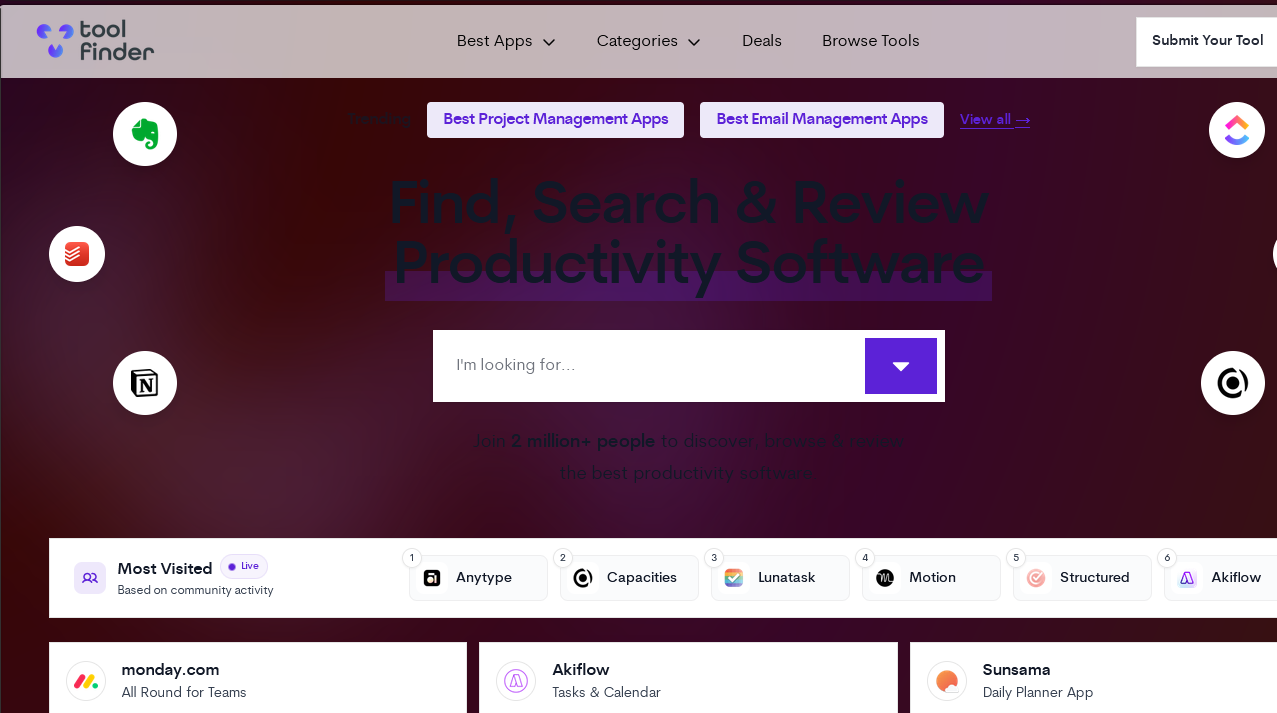
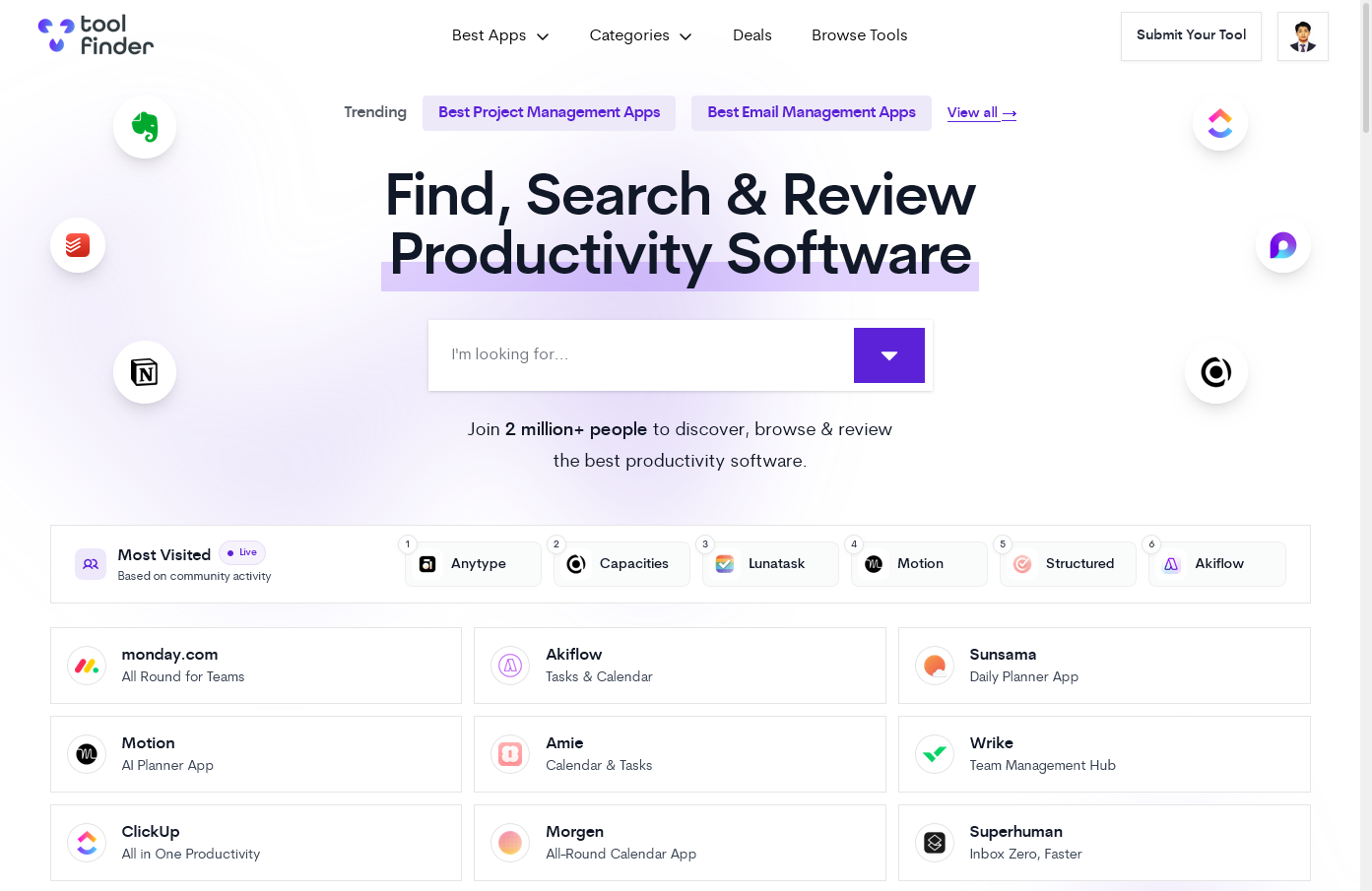
I visit an app called tool finder and this happen on my zen browser the banner automatically becomes dark and all the text are not visible. And I tried to troubleshoot it by this process: 1. I tried to compare my desktop snipping tool to capture the page looks and its dark. Then when I try using the screenshot tool from the zen browser it becomes white. The second image is the screenshot from the zen browser 2. I switch the workspace and use my second workspace and when I tried the link it also becomes okay. I want to know how to fix this issue because I haven't seen anyone having this kind of issue. Thank you and I am currently inloving using this zen browser and hopefully this problem will be fix immediately because I want to see the look and feel and the right color in my screen. Thank you!
Vedhæftede skærmbilleder

Alle svar (1)

Hi

This does not sound like an issue with Firefox, but is something that the Zen Browser support team should be able to help you with.