


need to copy msgFilterRules.dat but file greyed out

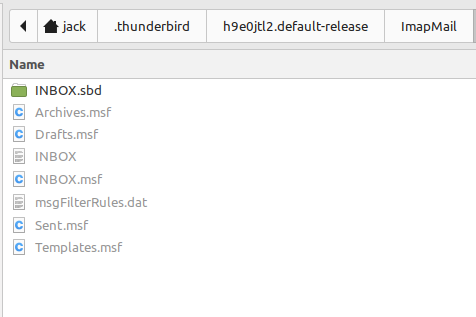
Thunderbird. Trying to export filters by copying and saving msgFilterRules.dat then pasting into settings for Thunderbird on another computer. The file is greyed out and inaccessible. Advice on how to be able to copy this file from one computer and then paste it into second computer Thunderbird.
Many Thanks
Alle svar (3)
This is a function of the OS. I suggest you exit Thunderbird, use WIndows FIle Explorer (assuming you are using WIndows) to do the copy.
Actually, I am on Mint. Sorry, I should have flagged that up front but Windows is something I have not used since the 1990's so sometimes I forget it exists. I have tried through terminal and I have tried through file system but I can't seem to access. Any further help much appreciated.
Sorry, at this point, it seems it is a Linux question, and I am a novice at that. Good luck.