Cookies DEFAULT

How do I set Cookies to DEFAULT to 'Allow for Session' When 'Use Default' box is Checked. I would like ALL Website cookies to be set to 'Allow for Session' THEN if I have a Site that I want Cookies set to 'Allow' I would set just that particular Site.

Alle svar (1)
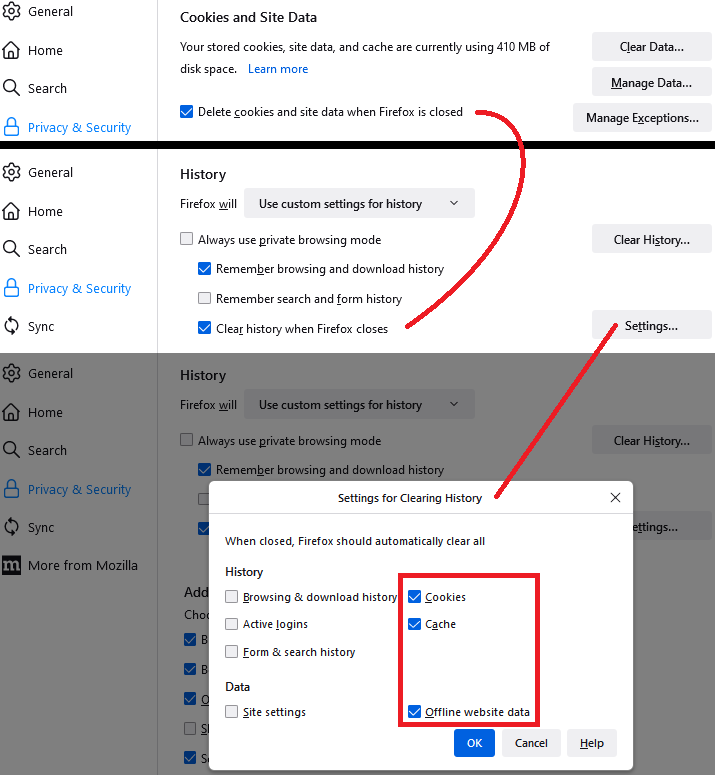
A few versions ago, Firefox changed how it handles persistent versus session cookies. If you set Firefox to delete cookies when it closes -- which has the same effect as setting cookies to delete at the end of the session -- then you won't have to set Allow for Session permission, only Allow permission for cookies you want to be retained for your next session.
You can see the coordination between these settings on the Settings page, Privacy & Security panel, across the Cookies and Site Data section and the History section: