


Firefox Android
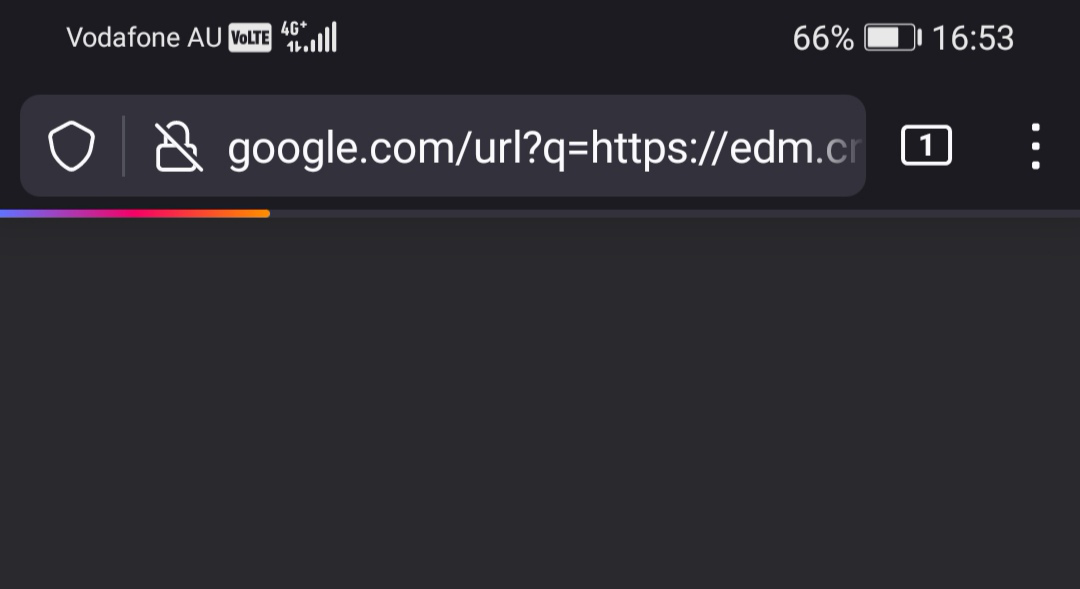
Why, when I click on a URL while using Firefox on my Android phone, is it always invoked in the address field via google.com? I get that Android is Google, but does anyone know a way to disable this totally unnecessary, and privacy-destroying, functionality?
Alle svar (4)
Hi John
I am not sure what you mean by invoked in the address field via Google - when I select links, the pages open without going back to a Google page.
You can change the default search provider under the Search options in the Firefox for Android Settings menu.
Hi Seburo,
The attached screen grab shows you what I mean. I tapped a hyperlink in an email and, as usual, it is executed via a google.com call rather than just loading the URL.
No other browser does this, either the OEM version loaded on my Huawei P30 Pro or Brave.
Cheers, John.
John Hampshire
t: [number removed]
m: [number removed]
[email removed]@gmail.com
Ændret af NoahSUMO den
Gmail always registers your in-mail urls and clicks. It can be hidden in different browsers, but it always goes through a google server.
Please read this article. There's an addon, you can install in the Nightly version, or you can just switch to DuckDuckGo or anything else.