


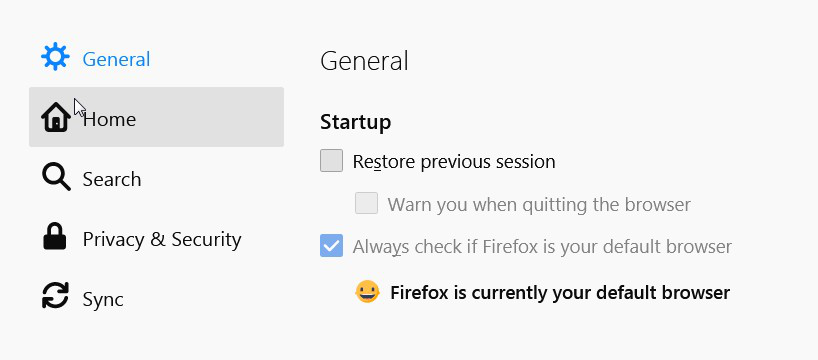
cant open Privacy & Security in Options

The Privacy & Security is fade-out and I'm able to select this option to make changes.
Valgt løsning
Try entering this in the url bar: about:preferences#privacy You may need a new profile: https://support.mozilla.org/en-US/kb/profile-manager-create-remove-switch-firefox-profiles With Firefox closed, you can copy files from the old profile after renaming their new equivalents: https://support.mozilla.org/en-US/kb/recovering-important-data-from-an-old-profile
Læs dette svar i sammenhæng 👍 0Alle svar (1)

Valgt løsning
Try entering this in the url bar: about:preferences#privacy You may need a new profile: https://support.mozilla.org/en-US/kb/profile-manager-create-remove-switch-firefox-profiles With Firefox closed, you can copy files from the old profile after renaming their new equivalents: https://support.mozilla.org/en-US/kb/recovering-important-data-from-an-old-profile