


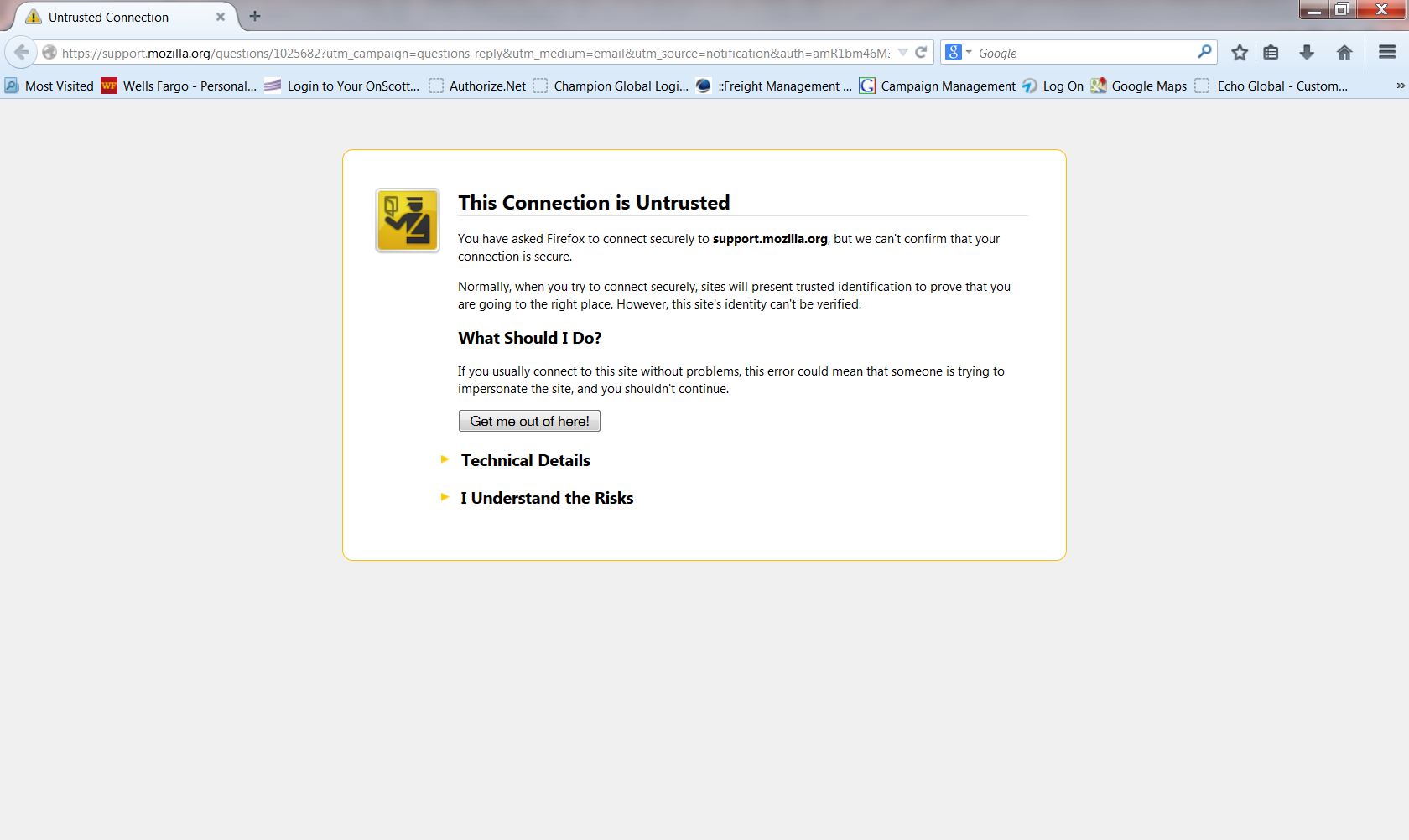
I get this when attempting to use Firefox to access most websites:

This Connection is Untrusted
You have asked Firefox to connect securely to www.wellsfargo.com, but we can't confirm that your connection is secure.
Normally, when you try to connect securely, sites will present trusted identification to prove that you are going to the right place. However, this site's identity can't be verified. What Should I Do?
If you usually connect to this site without problems, this error could mean that someone is trying to impersonate the site, and you shouldn't continue.
Valgt løsning
Excellent. Can you then mark the thread as 'Solved' please? Thank you.
Læs dette svar i sammenhæng 👍 1Alle svar (13)

Do you get a prompt to add a security exception?
No, just the warning message. I have Dl and uninstalled Firefox maybe 6 times but the problem persists.
Can you post a screenshot of the error? https://support.mozilla.org/en-US/kb/how-do-i-create-screenshot-my-problem
Click to see screenshot
Click to see screenshot
If this was an attempt to post a link, it didn't work.
Here it is
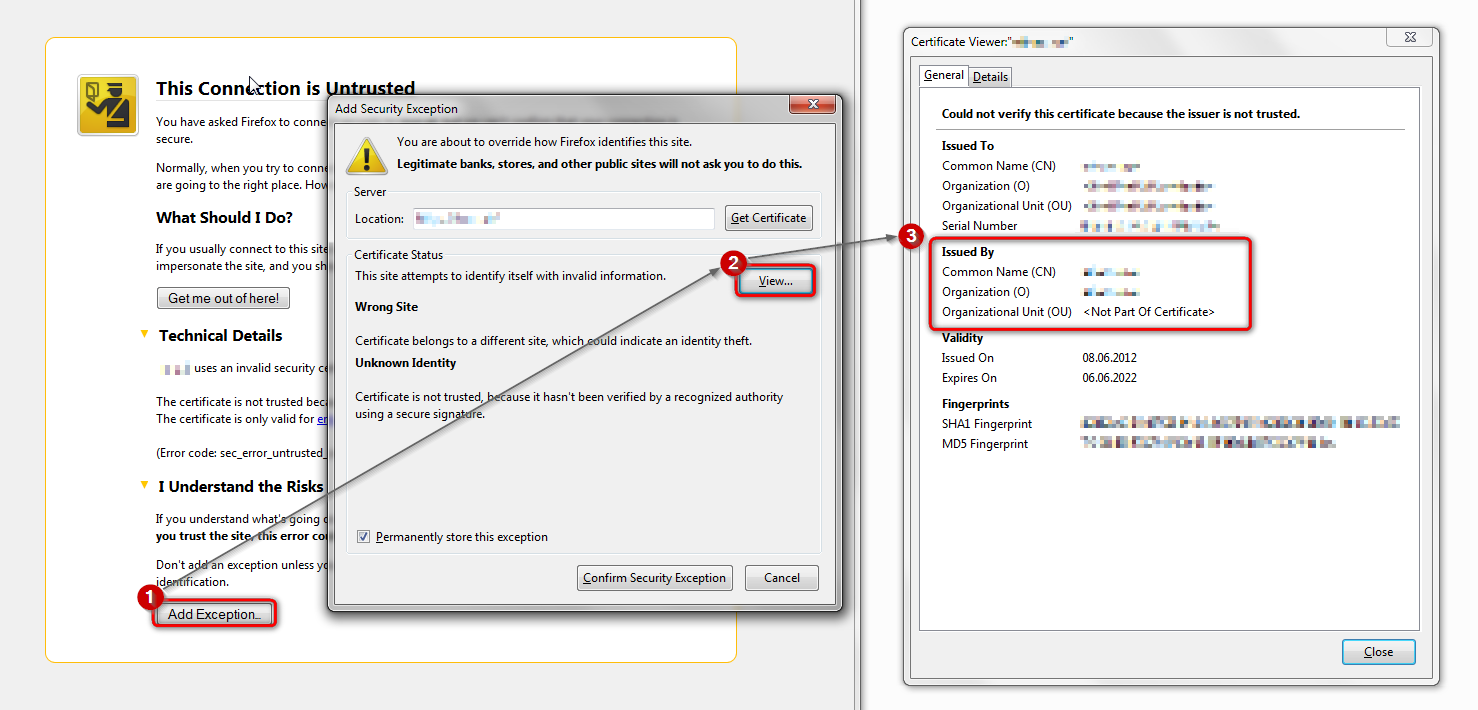
Please attempt to add an exception at the bottom of the error page & inspect the certificate (see the attached screenshot for instructions). Do not actually confirm the security exception.
Who is the issuer of the certificate?
Another screenshot of the certificate viewer window would be nice.
Here is the screenshot
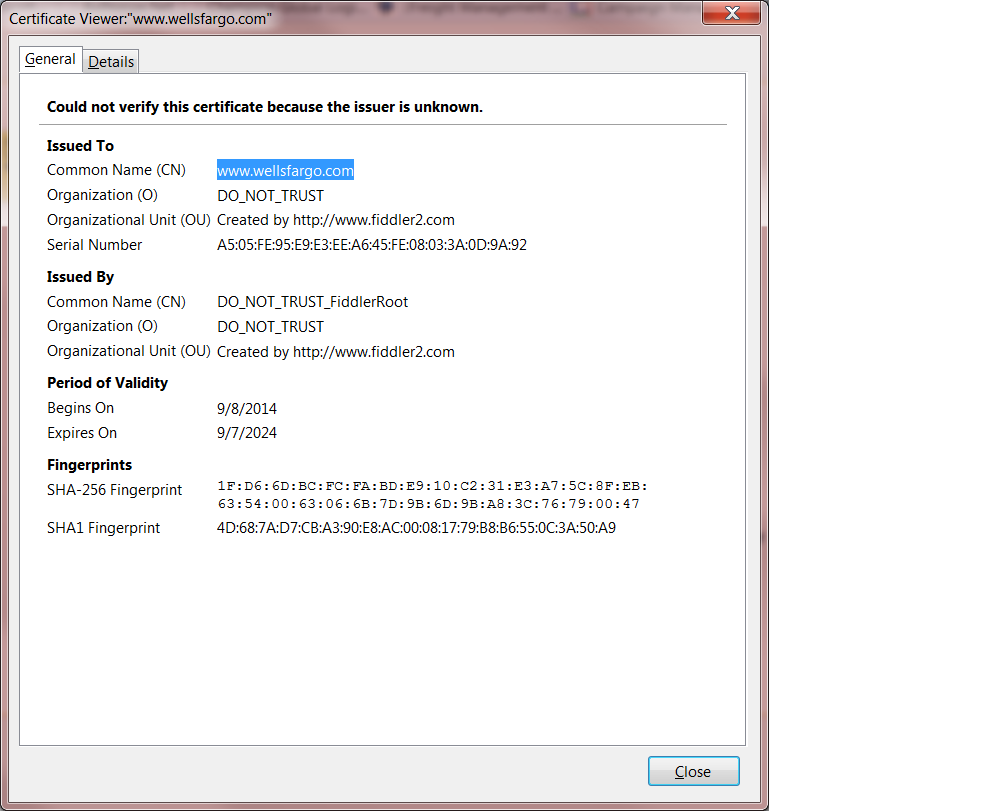
You have a software FiddlerRoot, or BrowserProtect installed on your computer. It does intercept your secure connections and sends it's own certificate instead of the website's certificate. This is why Firefox is complaining about it.
Getting rid of FiddlerRoot should fix it.
Also see https://support.mozilla.org/en-US/kb/troubleshoot-firefox-issues-caused-malware
Ændret af christ1 den
Thanks for your help.
I've been using FF for many years as my #1. This just came up in September. My Norton 360 didn't detect it and doesn't detect it when I run scans. I'll try the Malware recommendations.
Thanks again
FiddlerRoot (DO_NOT_TRUST_Fiddlerroot) usually indicates unwanted software being installed named similarly to BrowserSafeguard, BrowserSafe, SafeGuard
The problem is resolved. I tried several of the recommended malware removal programs. I believe it was removed by SUPERantispyware. Nice to have Firefox back.
Thanks again for your help.
Valgt løsning
Excellent. Can you then mark the thread as 'Solved' please? Thank you.