

This thread was archived.
Please ask a new question if you need help.

Archived
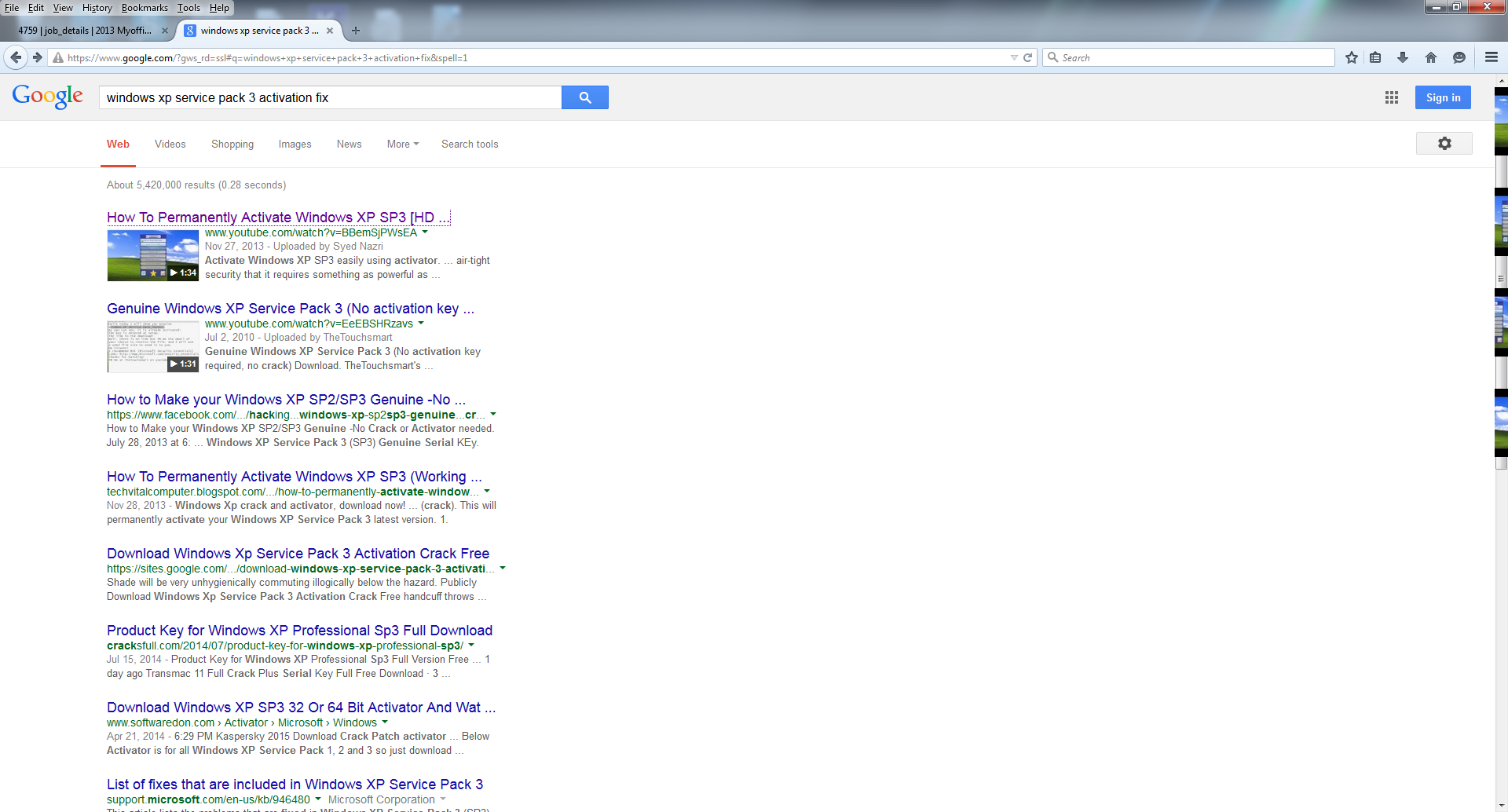
Sometimes when I visit a website, I notice that the scoll bar and or icon to open a drop down menu, changes to a random image found on the webpage.

When You move your move over them, the image disappears and the normal scroll and drop down icons are showing. First I thought it was on one website, but know I notice it on other websites.
When You move your move over them, the image disappears and the normal scroll and drop down icons are showing. First I thought it was on one website, but know I notice it on other websites.
All Replies (2)
Image below
You can try to disable hardware acceleration in Firefox.
- Tools > Options > Advanced > General > Browsing: "Use hardware acceleration when available"
You need to close and restart Firefox after toggling this setting.
Start Firefox in Safe Mode to check if one of the extensions (Firefox/Tools > Add-ons > Extensions) or if hardware acceleration is causing the problem.
- Switch to the DEFAULT theme: Firefox/Tools > Add-ons > Appearance
- Do NOT click the Reset button on the Safe Mode start window
Modified by cor-el