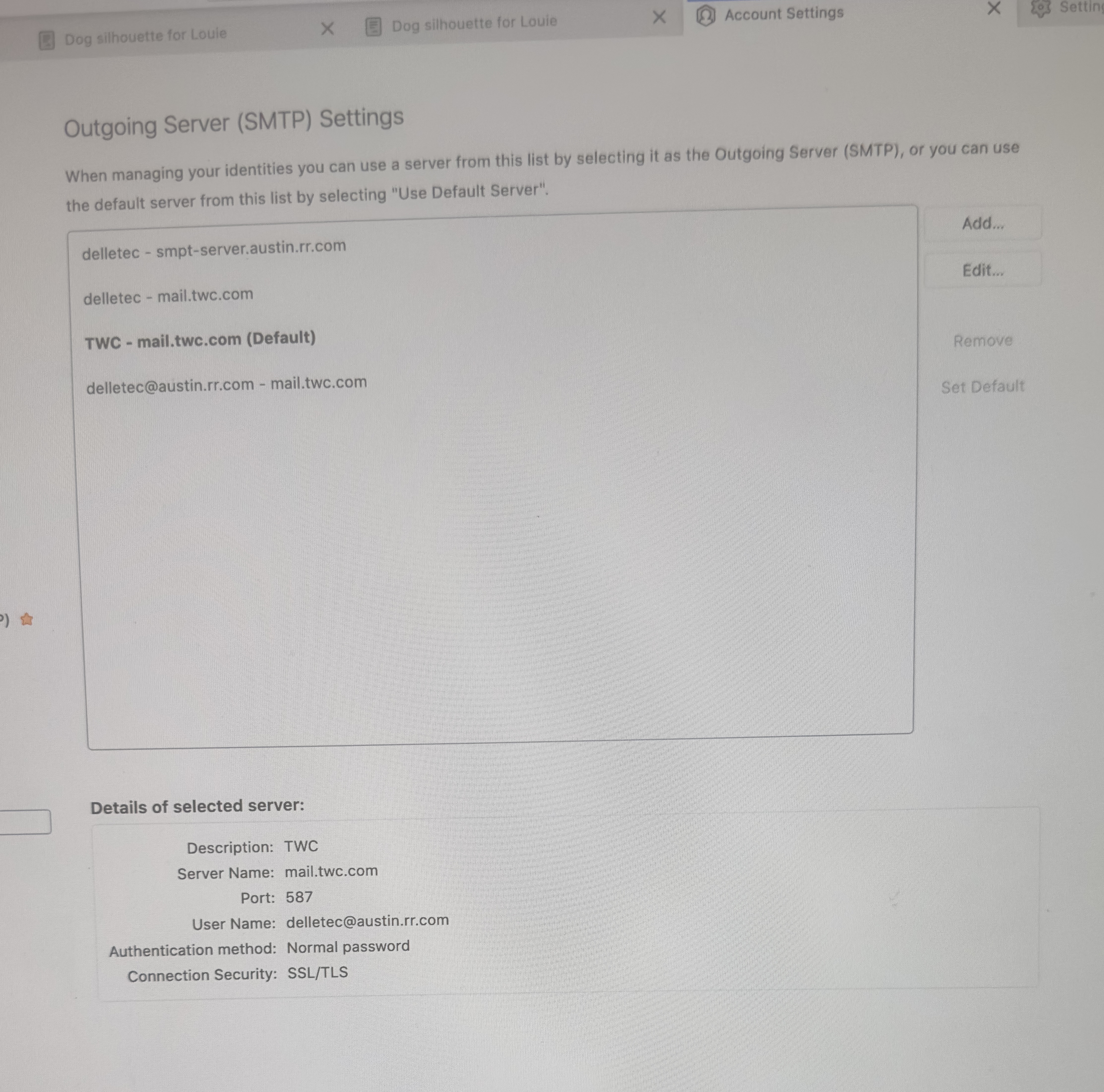
Correct Outgoing SMPT settings for IMAP

I cannot send out any emails. I can only receive them. My Error message says: “Sending of email failed. The message could not be sent because connecting to Outgoing server (SMPT) SMPT-server.austin.rr.com failed. The server may be unavailable or is refusing SMPT connections. Please verify that your Outgoing server (SMPT) settings are correct and try again.”
I have able to send out emails until 2 months ago. I have not touched my settings. Could they be changed during an update from Thunderbird? I have no idea what has happened. I spent an hour on the phone with Spectrum today. After discussing my settings in detail, which he said should work, he advised me to reach out to Mozilla for help.
I need to update my OS but not until this is fixed first. Thank you for any help.