


After about 50 tries, I still have not been able to get my Firefox as my default browser.

Please tell me how I can set Firefox as my default browser. After many, many tries I have been unable to do so.
All Replies (2)

What have you tried so far, and what is your OS?
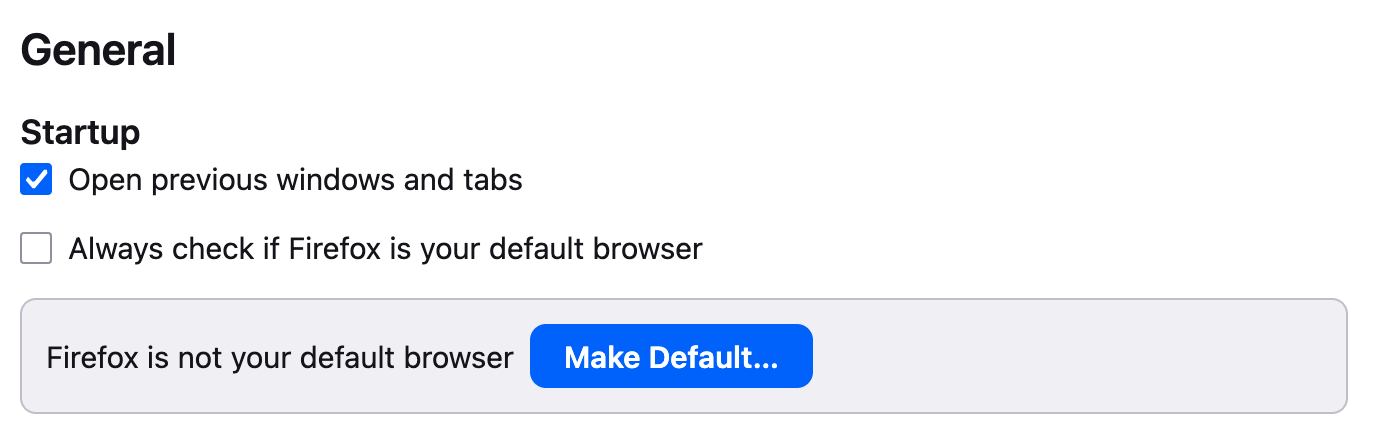
You can set Firefox as the default browser in Firefox settings. (Screenshot).
In Windows 11, you can do the following:
1. Click the Windows Start button. 2. Type Default apps and select Default apps. 3. Select Firefox from the list. 4. Under Set default file types or link types, find the Make Firefox your default browser prompt at the top of the window and click Set default.
More information: https://support.mozilla.org/en-US/kb/setting-firefox-default-browser-does-not-work
Izmjenjeno od strane Mark
Note Firefox itself is a web browser. I am mentioning this as some think Firefox is a search engine.
If this is about the search engines in the Firefox web browser then see https://support.mozilla.org/en-US/kb/add-or-remove-search-engine-firefox https://support.mozilla.org/en-US/kb/add-custom-search-engine-firefox https://support.mozilla.org/en-US/kb/change-your-default-search-settings-firefox