


Thunderbird mail viser tekniske detaljer ved vidersend

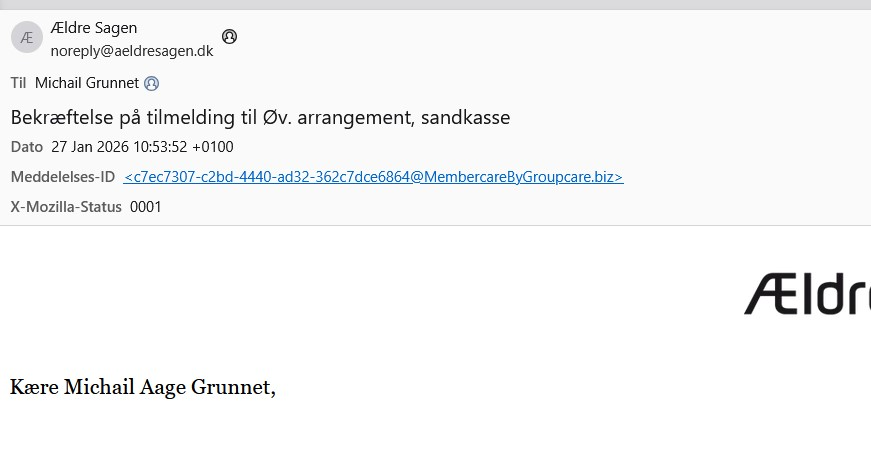
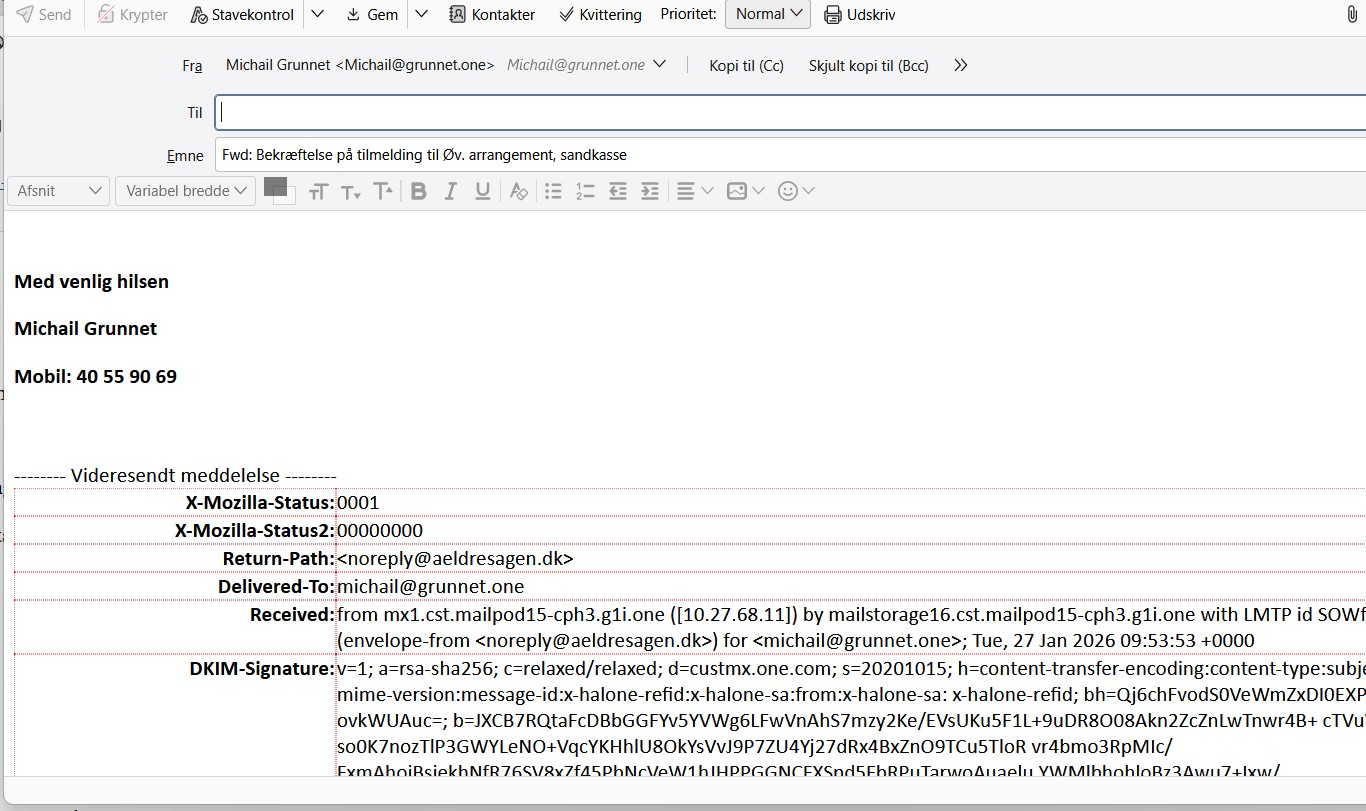
Jeg har modtaget en mail som jeg vil videresende til en anden person. De modtagene mail ser sådan ud se billede Skærmbillede 2026-01-28 152737.jpg Når jeg sende denne besked videre kommer der først en lang teknisk liste, se skærmbillede Skærmbillede 2026-01-28 153123.jpg
Hvordan undgår jeg at få al den unødvendig information ?
Med venlig hilsen Michail Grunnet mobil [edited phone# from public community support forum]
Jeg har modtaget en mail som jeg vil videresende til en anden person.
De modtagene mail ser sådan ud se billede Skærmbillede 2026-01-28 152737.jpg
Når jeg sende denne besked videre kommer der først en lang teknisk liste, se skærmbillede Skærmbillede 2026-01-28 153123.jpg
Hvordan undgår jeg at få al den unødvendig information ?
Med venlig hilsen
Michail Grunnet
mobil [edited phone# from public community support forum]
Izmjenjeno od strane James
Izabrano rješenje
Michail Grunnet said
I have received an email that I would like to forward to another person. The email looks like this, see image Screenshot 2026-01-28 152737.jpg When I forward this message, a long technical list appears first, see screenshot Screenshot 2026-01-28 153123.jpg How can I avoid receiving all this unnecessary information?
Set View/Headers to Normal. Press Alt if the Menu Bar with View is hidden.
Pročitajte ovaj odgovor sa objašnjenjem 👍 1All Replies (1)
Odabrano rješenje
Michail Grunnet said
I have received an email that I would like to forward to another person. The email looks like this, see image Screenshot 2026-01-28 152737.jpg When I forward this message, a long technical list appears first, see screenshot Screenshot 2026-01-28 153123.jpg How can I avoid receiving all this unnecessary information?
Set View/Headers to Normal. Press Alt if the Menu Bar with View is hidden.