


Avoid support scams. We will never ask you to call or text a phone number or share personal information. Please report suspicious activity using the “Report Abuse” option.

Learn More
Open

Bug Report: App Crash on Log Export Due to

Marcos Turcios

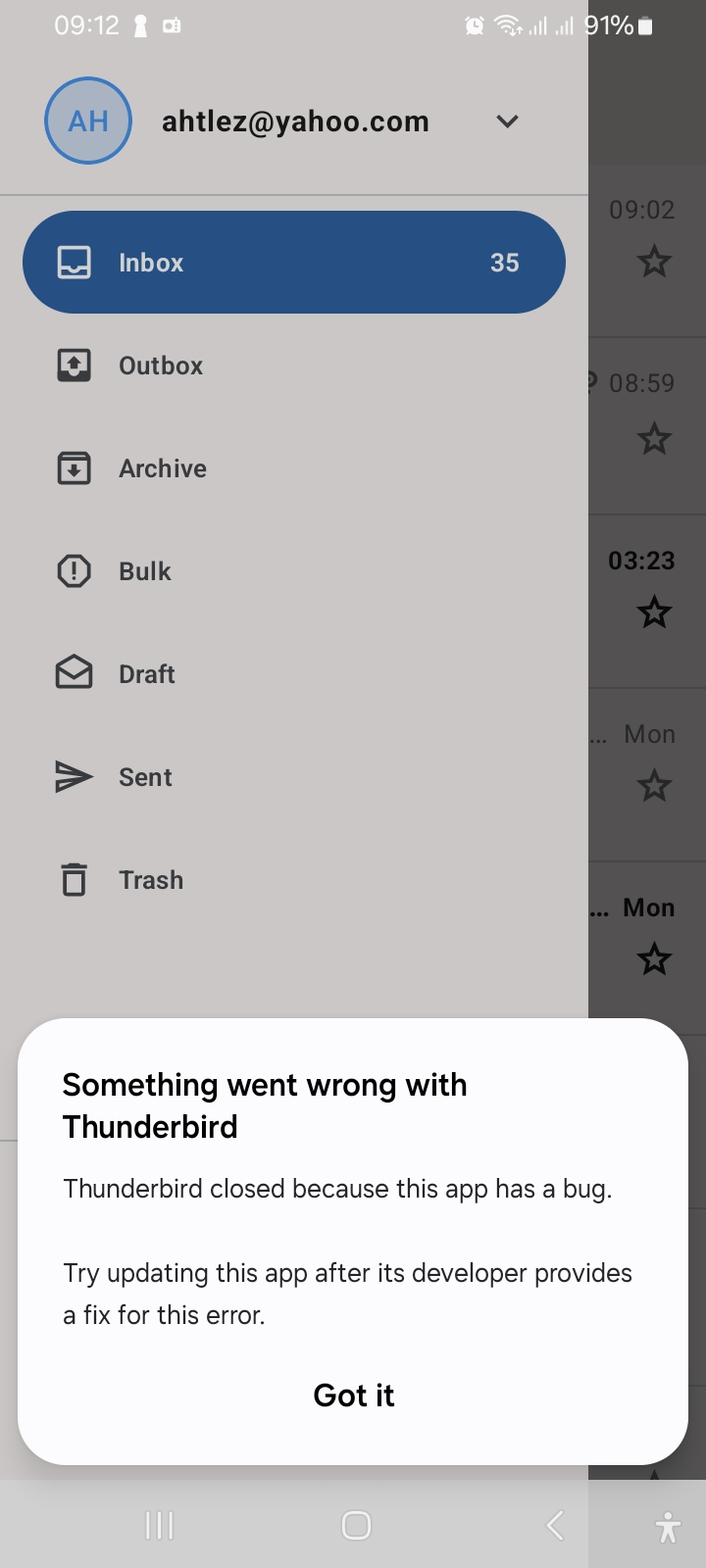
Host OS Failure Subject: App Freeze/Crash on Log Export – System Logcat Daemon Failure (MT6765 Platform) Device Info: MediaTek MT6765 | Android 13+ (Based on OnBackInvokedCallback logs) Package: net.thunderbird.android (com.fsck.k9)

Description When attempting to debug synchronization issues in Thunderbird for Android, the application freezes or crashes immediately upon tapping Export logs. Real-time log monitoring reveals that this is not an internal application crash, but a cascading failure triggered when Thunderbird invokes the native Android dumpstate framework on a device with severe system partition corruption. Steps to Reproduce

  1. Navigate to Settings > General settings > Debugging.
  2. Toggle on Enable debug logging and replicate the primary mail issue.
  3. Return to the Debugging menu and tap Export logs.

Expected Behavior The app packages local IMAP/POP3 commands and synchronization records into an exportable text file.

Actual Behavior

The app freezes. The underlying Android logging engine (logd) is completely dead, preventing the file generation tool from completing its routine. Diagnostic Log Excerpts The system-wide dumpstate utility explicitly fails to capture data because the device's logging directories are missing or corrupted:

logcat: Logcat read failure: No such file or directory

command 'logcat -L -b all...' failed: exit code 1

Furthermore, critical Hardware Abstraction Layers (HALs) return null pointers, suffocating UI threads when input fields are called:

Warning: Skipping "android.frameworks.displayservice... (null) 08-04 19:19:37.807 17942 17942 I InputMethodManager: invalidateInput

Developer Note

This issue is entirely environmental and not a flaw in the Thunderbird application codebase. Thunderbird successfully renders its interface (MessageHomeActivity), but when it commands the OS to compile diagnostic logs, the host device's broken firmware crashes the calling process.
Host OS Failure Subject: App Freeze/Crash on Log Export – System Logcat Daemon Failure (MT6765 Platform) Device Info: MediaTek MT6765 | Android 13+ (Based on OnBackInvokedCallback logs) Package: net.thunderbird.android (com.fsck.k9) Description When attempting to debug synchronization issues in Thunderbird for Android, the application freezes or crashes immediately upon tapping Export logs. Real-time log monitoring reveals that this is not an internal application crash, but a cascading failure triggered when Thunderbird invokes the native Android dumpstate framework on a device with severe system partition corruption. Steps to Reproduce 1. Navigate to Settings > General settings > Debugging. 2. Toggle on Enable debug logging and replicate the primary mail issue. 3. Return to the Debugging menu and tap Export logs. Expected Behavior The app packages local IMAP/POP3 commands and synchronization records into an exportable text file. Actual Behavior The app freezes. The underlying Android logging engine (logd) is completely dead, preventing the file generation tool from completing its routine. Diagnostic Log Excerpts The system-wide dumpstate utility explicitly fails to capture data because the device's logging directories are missing or corrupted: logcat: Logcat read failure: No such file or directory command 'logcat -L -b all...' failed: exit code 1 Furthermore, critical Hardware Abstraction Layers (HALs) return null pointers, suffocating UI threads when input fields are called: Warning: Skipping "android.frameworks.displayservice... (null) 08-04 19:19:37.807 17942 17942 I InputMethodManager: invalidateInput Developer Note This issue is entirely environmental and not a flaw in the Thunderbird application codebase. Thunderbird successfully renders its interface (MessageHomeActivity), but when it commands the OS to compile diagnostic logs, the host device's broken firmware crashes the calling process.
Attached screenshots

You must log in to your account to reply to posts. Please start a new question, if you do not have an account yet.