


Thunderbird Not Operational
After successfully downloading Thunderbird several times (my browser is Firefox), the only functioning option provided is to make a donation. That is, it's telling me I must make at least a $5 donation in order to proceed to setting up a Thunderbird account. This despite clear statements on the website that donations are not required in order to use Thunderbird. There is no way to skip this step.
After closing the donate window, I'm taken to a nearly-blank screen with absolutely no functioning features on it other than a link that leads to multiple, useless articles about who knows what.
Please fix the site and advise how to proceed without further roadblocks.
All Replies (3)

I've tried all that before. Nothing works. Absolutely nothing. I even deleted all download attempts before trying again. Useless.

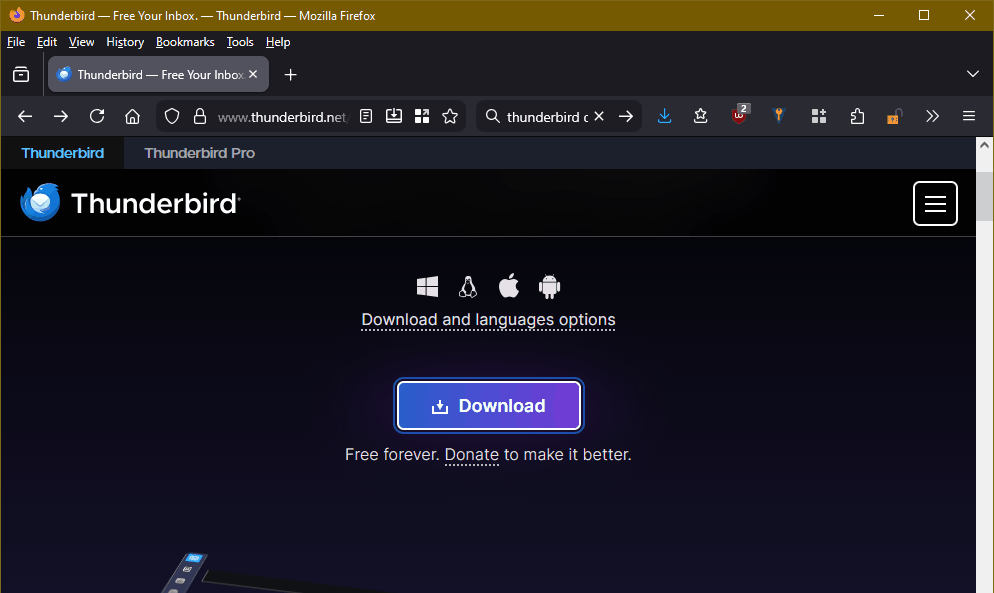
My first attached image is what I see at the official Thunderbird site, <https://www.thunderbird.net/en-US/> . Notice that it says, "Free forever. Donate to make it better." If not clear, it's saying that no donation is required to download, install, or use Thunderbird. When I click the download button, it automatically commences to download what it determines is the correct version for my platform (Windows 10 in this case.) Depending on how you have your browser set up, it will save the download to a default location, or it will ask you where to save it.
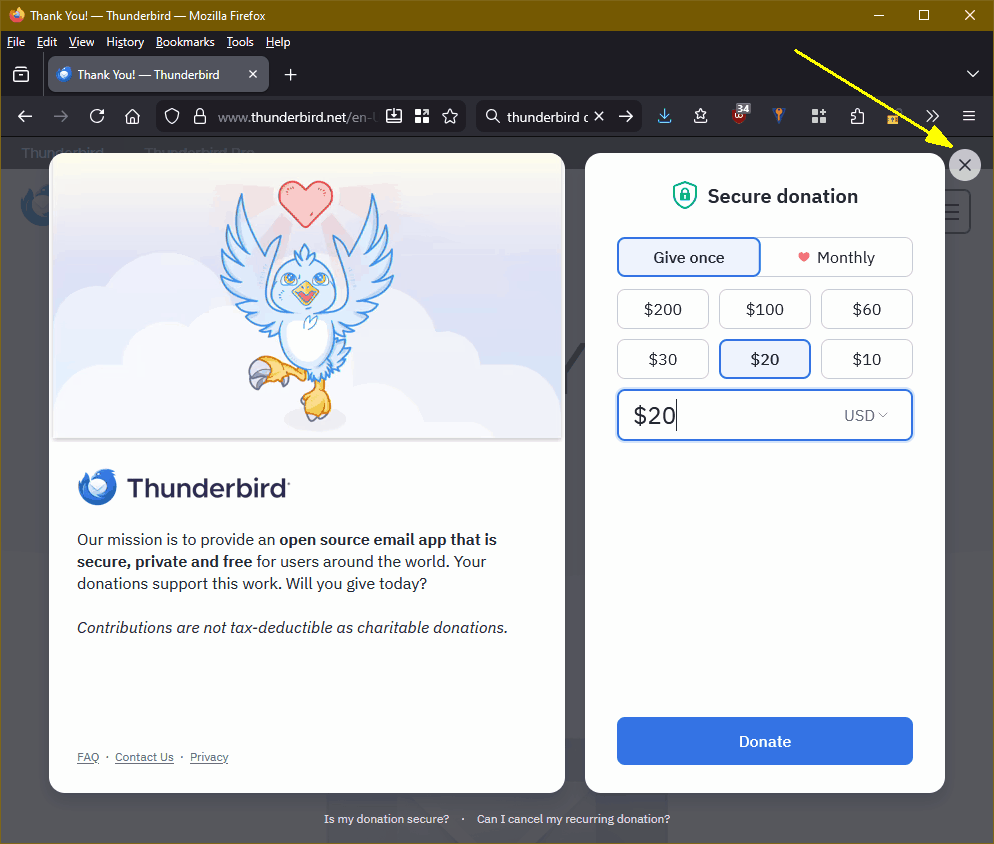
After downloading You will see the second image, which is there to encourage you to donate, but remember that a donation is NOT required. You can dismiss this notice by clicking the X in the upper right or hitting <ESC>.
If this isn't what you're seeing, the first thing I'd try is a different web browser. Not every browser displays all sites well, although Firefox has no trouble with this site for me. Other things that might help would be:
- Clear out your browser cache;
- Restarting Firefox in Troubleshooting Mode, to see if any of its settings or add-ons is interfering with the rendering of the site;
- Temporarily disable Hardware Acceleration in Firefox (Tools | Settings | General | Performance, then UNcheck "Use recommended performance settings" to reveal the "Use hardware acceleration when available" option, which you uncheck. You can re-enable this later, or leave it off (I find it makes little difference for me.)
Modified by Lin