


rogers taking control of my email

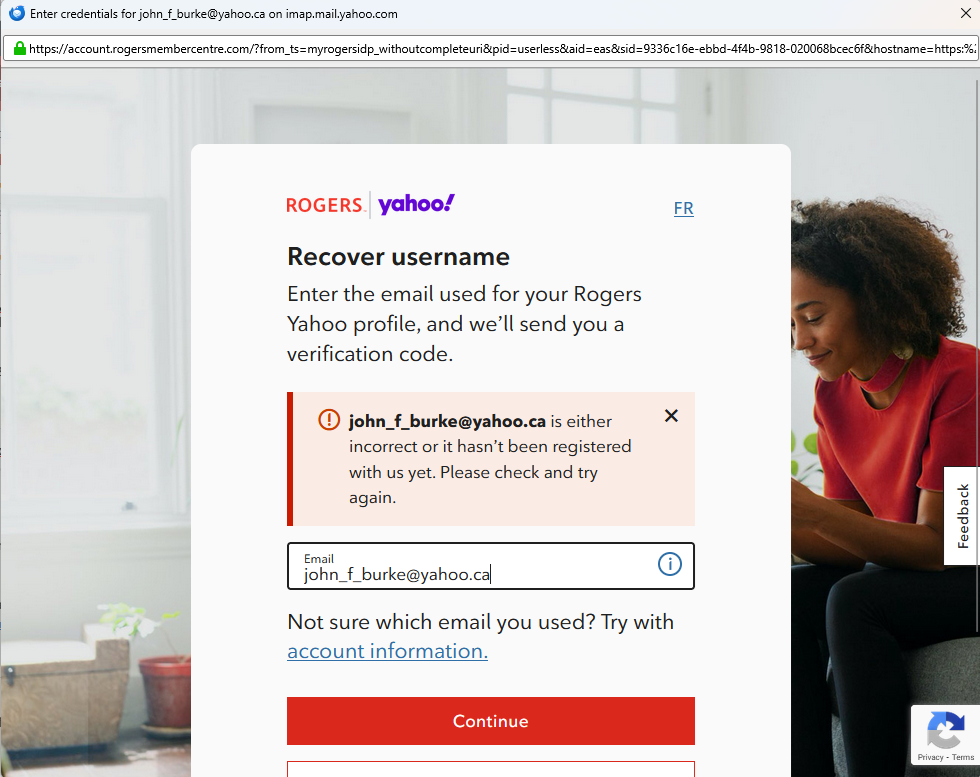
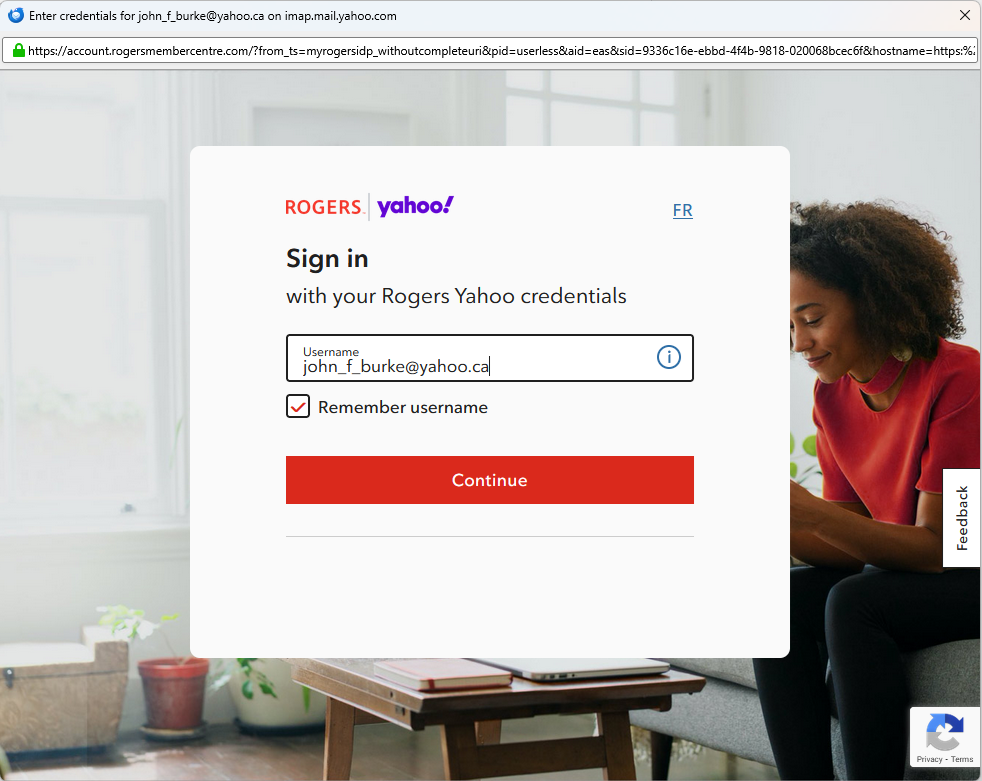
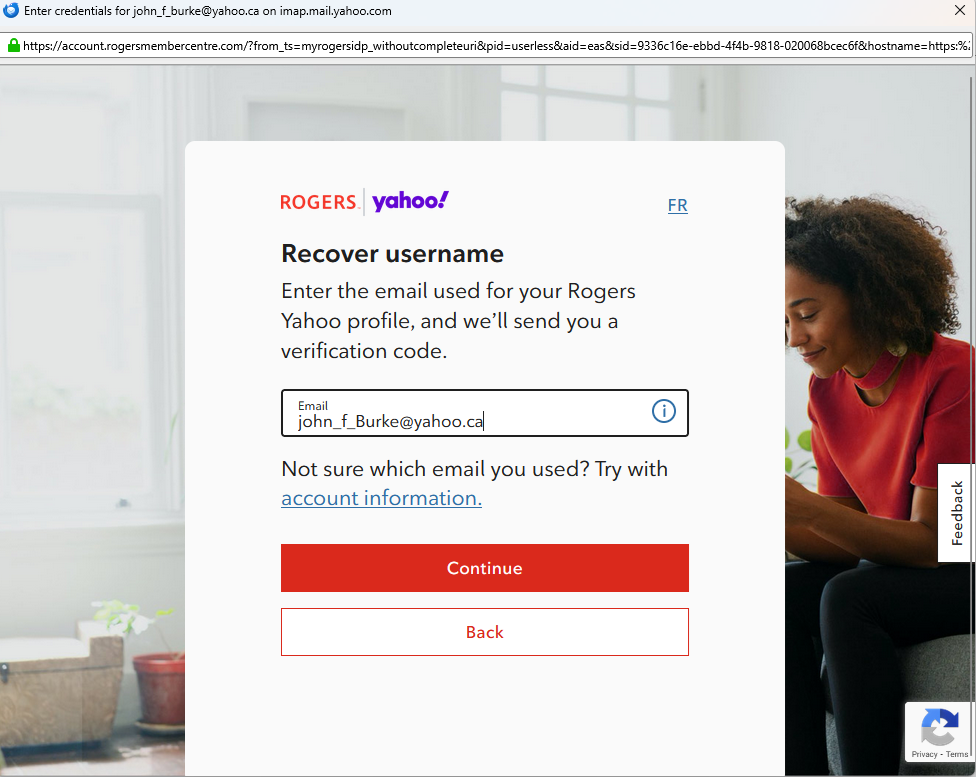
I have had my @yahoo.ca email for many years. I have always used Thunderbird to retrieve my email and read it locally on my desktop. Recently when Thunderbird launched Rogers take over and wants me to lo in to rogers. It is not a Rogers.com email address, it is a yahoo.ca email address.
Why has Rogers taken over my email.
I can still access my email on the web at the yahoo.ca website, but I want it back in Thunderbird as well.
john_f_burke@yahoo.ca
All Replies (20)

Hi John,
It seems that Rogers is your internet service provider and it uses Yahoo for e-mail service. You probably just have to sign in.
I do not know what has caused a change for you. Is there a new requirement to use an app-specific password? My research suggests that you need one. Are you using one?
Might your user name be just the first part of your address?
You'll want to verify all your incoming and outgoing server settings and ask Rogers for help.
Thanks for the reply.
I used to be with Rogers for over 30 years, but when we moved, Rogers was not available in our new area.
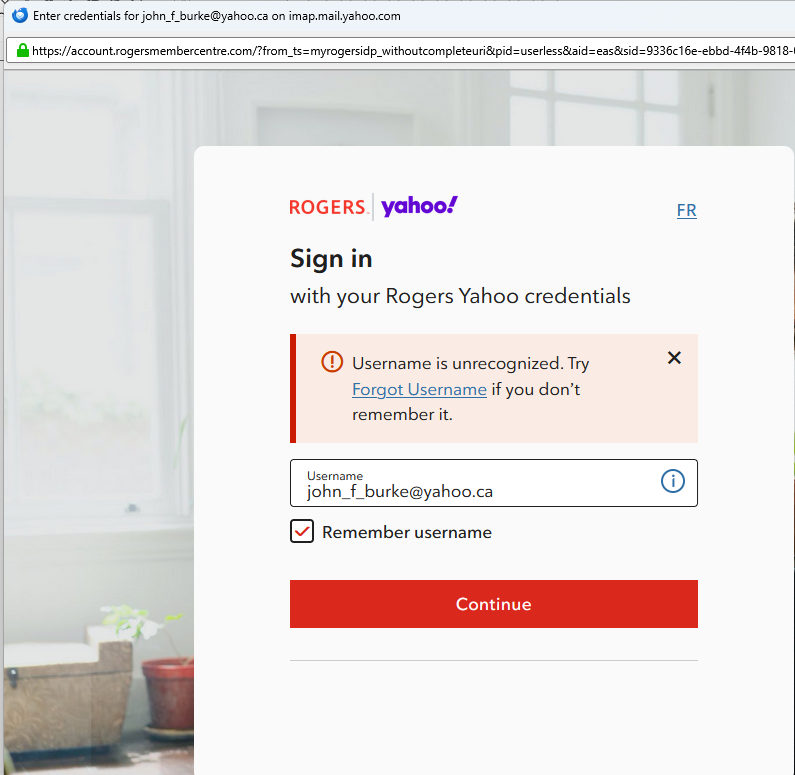
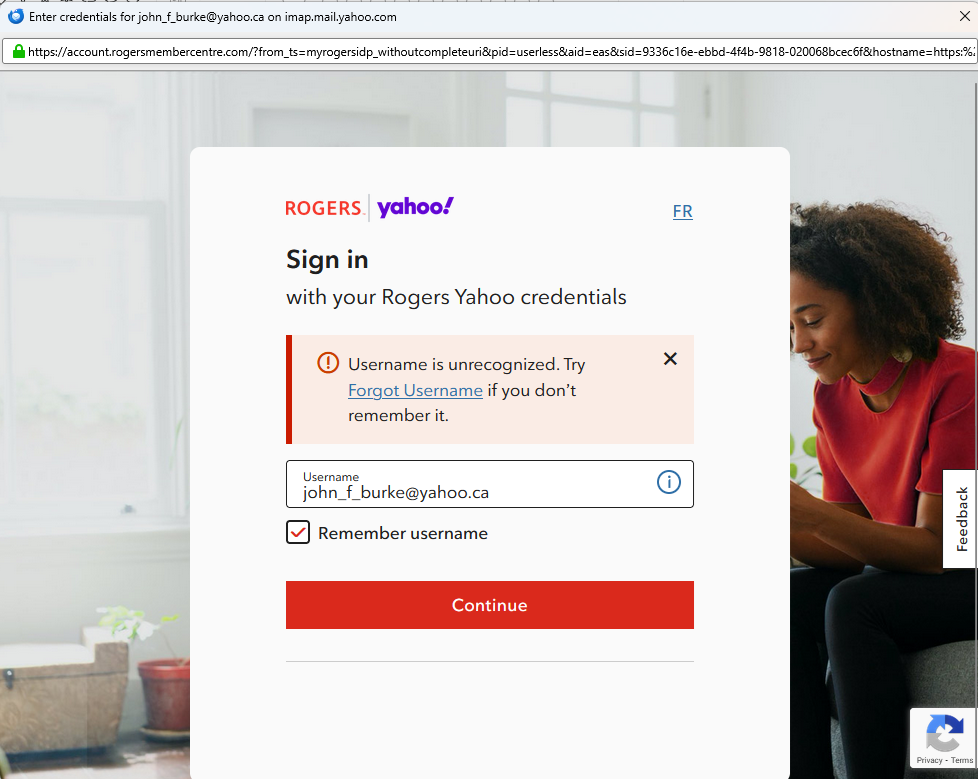
When I try to get my email, a Rogers window now pops up and want me to sign in, but it does not recognize my email address, and when I follow the steps, it says my email address does not exist. I can still get my email from the Web though just not through Thunderbird.
I have all my setting correct.
I thought it might be a Thunderbird issue, but I tried to set up my email on Outlook and the same issue happens.
Why does Rogers control my @yahoo.ca email?
I called and talked to a representative but he was no use at all and since English was not his girst language, there seemed to be some issues understanding what I wanted, but in the end, he said since I am not a Rogers customer, he can not help... forget the 30 years of loyalty...
Rogers is not trying to take over your e-mail.
It seems that Thunderbird is trying to access your old Rogers e-mail account. Rogers uses Yahoo for its e-mail services, so the names of both Rogers and Yahoo appear in the message that you see. That's not a problem. If you are no longer a Rogers customer, you can no longer access your e-mail account with them. Thunderbird's attempt to log you in using old account information that is still in Thunderbird fails because you are no longer a Rogers customer and your account with them has been closed. So Rogers cannot help you because you are no longer a customer.
That's all logical. What puzzles me is that you can sign in to yahoo.ca. When you do that, are you going through a Rogers site or straight to yahoo.ca (or ca.yahoo.com)? Did you establish your yahoo.ca account through Yahoo or through Rogers?
If your yahoo.ca account is independent of Rogers, you may be able to set it up as a new account in Thunderbird. If that works and you can get all your messages in that account, then you can delete your old account and stop these error messages. Before doing anything, you would want to make a back-up copy of your Thunderbird profile. Then get all the incoming and outgoing server settings for an non-ISP yahoo.ca account.
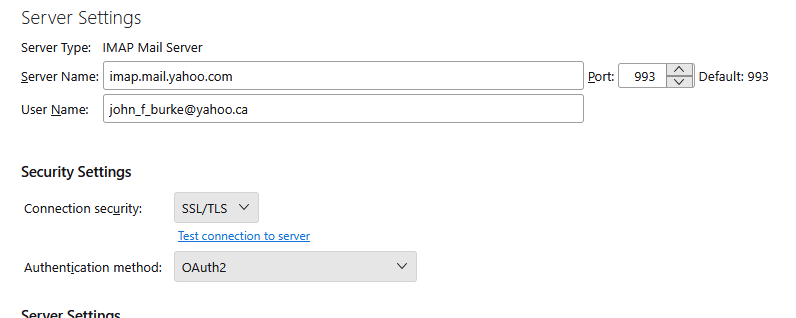
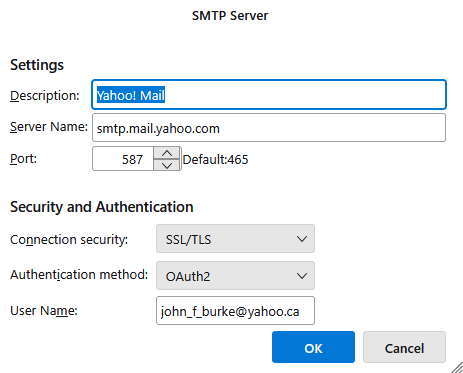
But don't do anything like that yet. Let's hear your answers to my questions first. Please also share your incoming and outgoing mail settings by either posting screen images or typing the settings. Incoming server settings are in account settings > Server Settings. Outgoing server settings are in account settings > click on the account name > edit SMTP server. For both servers, I need to see server type, server name, port, connection security, and authentication method. I assume that your user name is your whole e-mail address. Is it?
OTHER SUPPORT PEOPLE: PLEASE FEEL FREE TO JOIN THE DISCUSSION. I KNOW LITTLE ABOUT ROGERS AND YAHOO.
I have tried to set up the same email address in Outlook and I get the same problem.
I use the web version https://mail.yahoo.com and everything is OK.
How do I get non ISP settings?
I set up my email address through Yahoo, while I was still a Rogers client 15 yrs ago. This all happened about 6 weeks ago now as it was fine till then!
My username is my email address.
I tried to set up a new account in Thunderbird as you mentioned before, but it still goes to Rogers.
I just downloaded anew email program to test and it worked fine - Canary mail
in settings enable dns over HTTPs.
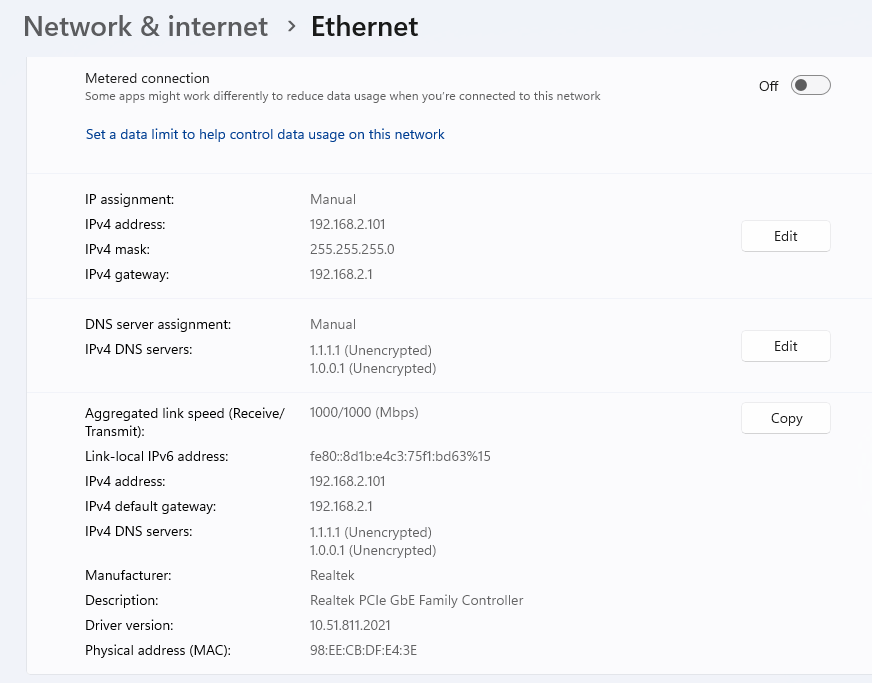
I am not sure where your current DNS is set to, but it will be using the poisoned version rogrrs uses to pretend
Perhaps it is a custom setting on your machine, it could also be a router or modem. Hnce my simplified idea to just use the DNS over Https that will change you default dns to floudflare and end this they do email not yahoo.
Thanks Matt, but where do I find that setting. In Thunderbird or Windows?
Here are my Windows settings
Thunderbird!
But 1.1.1.1.1 is cloudflare and we know they do not have this poisoning so I am left to wonder if there is some other software in the mix perhaps on the router which my be quietly making changes to traffic or ancient cookies.
It recently emerged that Yahoo used the same cookies regardless of the account for their oAuth authentication implementation. So perhaps this is actually ancient cookie data from when you were with Rogers. Clear cookies in Thunderbird to be sure. (Not your browser,Thunderbird). Again in settings. Search cookies and click the show cookies button and then the remove all cookies button does that make a difference.
Thanks Matt,
Removing the cookies seem to do the trick.
But it lost all my folders.
Your account is IMAP then and you have for not lost access to that account until you complete the authentication process at which time the folders will be downloaded again from the ail server.
It is in the nature of IMAP to synchronism to the server copies of everything.
Good Morning Matt,
When I launch Thunderbird, initially I see a part list of my folders, then magically, the all start to disappear.
You mention that I need to complete the authentication process...
How would I do that?
This is getting better, but not quite home yet.
john
Thanks for everything you have helped me so far.
One last thing I mentioned above is how do I authenticate process?
thanks again
john
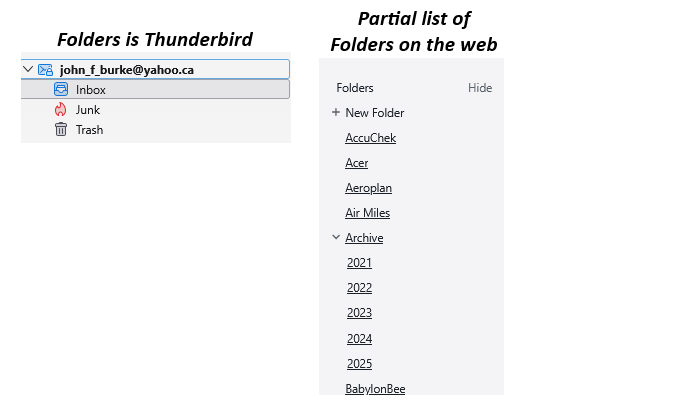
It looks like a POP account to me. Right, Matt?
John, please click on the three-line button at top right of your screen and select "Account settings". Click on "Server settings" in the left pane and note at the top of the right pane what kind of account you have.
Thanks, but my account is actually IMAP
I cannot find 'server settings' in the web version
john
john_f_burke said
Thanks, but my account is actually IMAP. john
I see now that you already shared a screen image showing that your account is IMAP. Sorry to ask again. Apparently, this problem is preventing you from seeing not only folders that you created on the server but some special IMAP folders too (drafts, sent). That's why I thought your account might be POP.
About the authentication process: are you still seeing the screens that you shared in your first post?
I cannot find 'server settings' in the web version.
As Matt said: "Thunderbird!" Our questions are about Thunderbird as we try to help you use Thunderbird. Not webmail.
Thanks Rick,
I am past the initial issues with Rogers as seen in the first images,
I can log in with Thunderbird and download all new messages, but as I mentioned the folder structure is not building.
All folders were created in Thunderbird years ago.
They all appear in the web version of my email though,
when I finally got control of my account away from Rogers, the first time I opened Thunderbird, the folders were there for a brief moment as they all started to disappear. I created a new one as a test, but this seems like a very long process.
I didn't see anywhere to authenticate Thunderbird with Yahoo.
john
OK, that really does seem like progress. Good.
Please right click on your account name (your e-mail address) in the account pane. (See my screen image.) In the drop-down menu that appears, select "Subscribe". In the list of folders that appears next, do you see your missing folders? Is the checkbox next to them checked or not? If not, check it. Your folders should appear.
Unless, of course, this problem is something completely different that I don't understand. :(
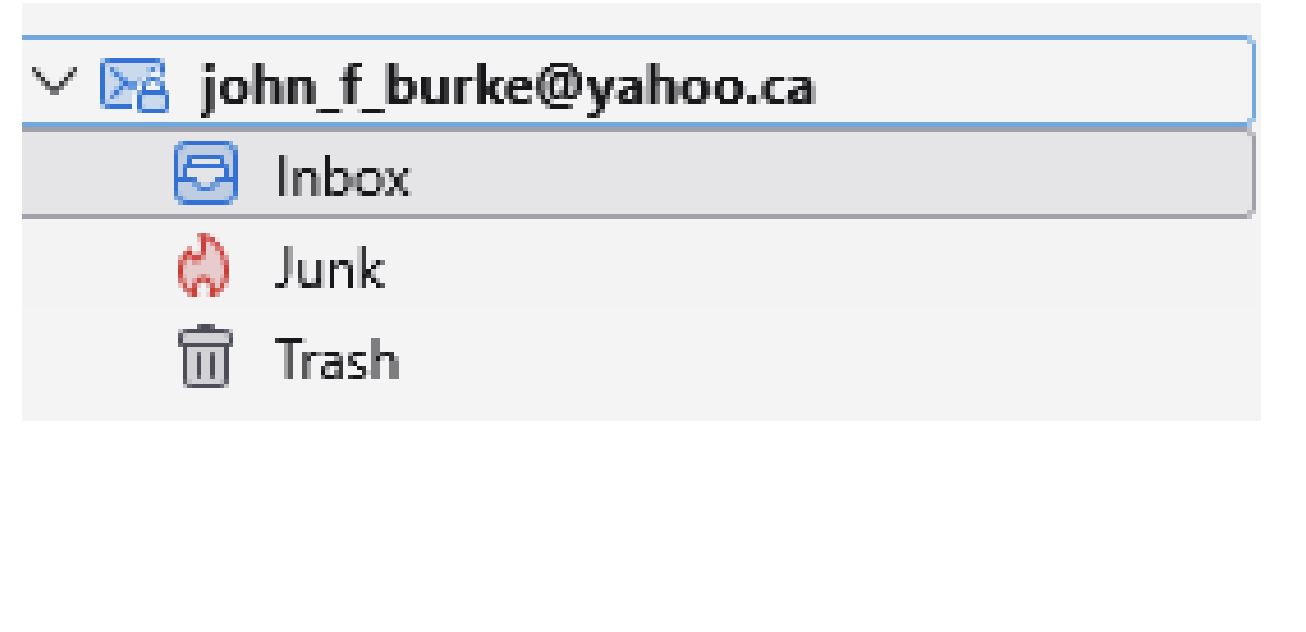
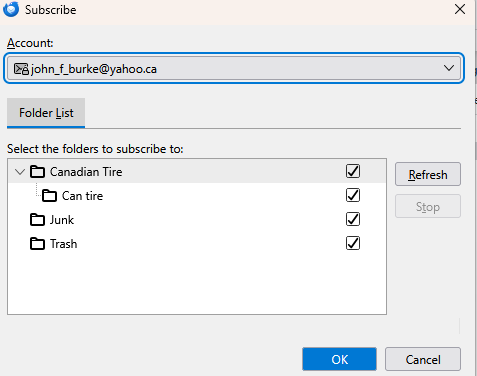
This is probably a waste of time, but it will make me feel better: John, please rght click again on your account name (your e-mail address) in the folder pane and select "Settings". On the screen that appears next, click on "Server settings" in the left pane. Look at the top of the right pane and note under "Server Settings" the type of server. What is that type?
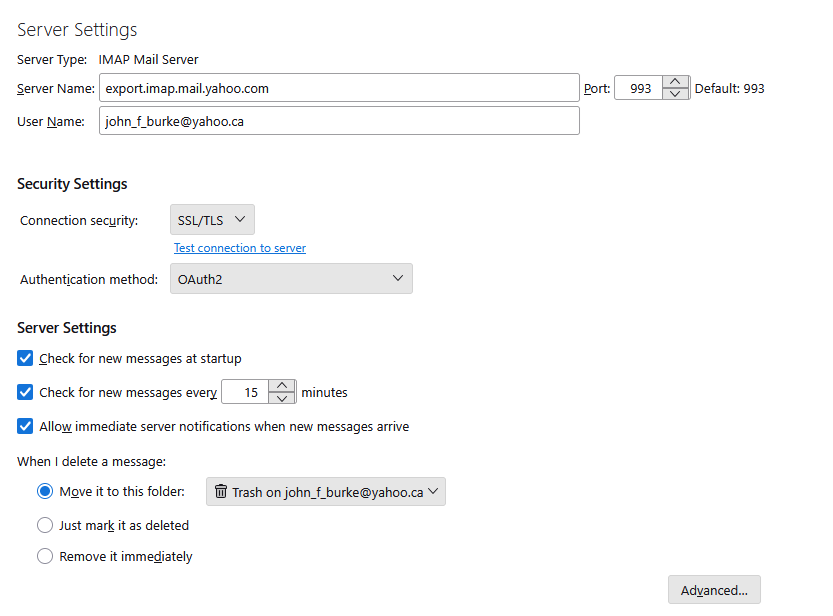
Good that you shared a screen image. Thanks.
People use different Yahoo servers for reasons that I do not remember. Maybe yours is valid; maybe it is not. I cannot find any information about it. The standard server is imap.mail.yahoo.com. I suggest that you try that instead of export.imap.mail.yahoo.com. Remove "export." so that only "imap.mail.yahoo.com" remains. Close the tab.
Then tell Thunderbird to get messages. There are several ways to do that. Maybe you know some already. One is to right click on your account name and select "Get messages". Try that.
Do you see any more folders? If not, look again at what is available to be subscribed to. Right click on your account name and select "Subscribe". Do you see more folders than before?