


Version 146 does not work on my laptop; Version 145 was working fine. 146 is now frozen 90% of the time.

Ever since Version 146 was automatically downloaded, all I see is a blank page and several icons across the top representing individual mail. (See pic attached. Before 146, I saw all my mail listed.) The program freezes; I can't click on any icons. Most of the time I am just waiting for something to load. I have to fight to get my folders to even see my mail. How do I get Version 145 back?
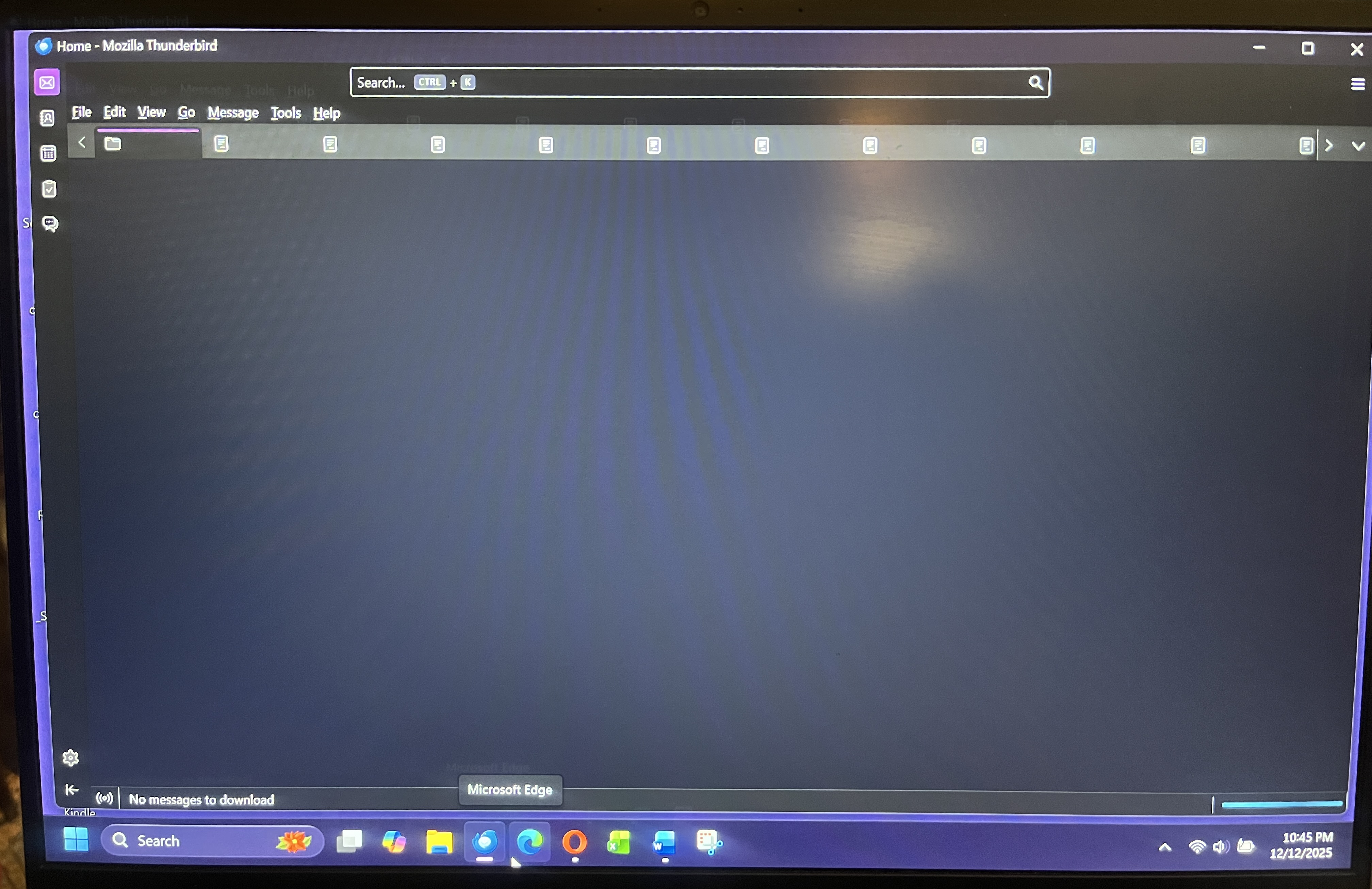
Modified by Wayne Mery
Chosen solution
I’ve tried using it twice and do not believe it’s actually working. Nothing seems to be running correctly. Have Windows 11 and McAffee. I read Windows Defender can be a problem, but that’s turned off. Will my existing mail and other personal data be saved if I delete the program and reinstall?
Read this answer in context 👍 0All Replies (9)

Chosen Solution
I’ve tried using it twice and do not believe it’s actually working. Nothing seems to be running correctly. Have Windows 11 and McAffee. I read Windows Defender can be a problem, but that’s turned off. Will my existing mail and other personal data be saved if I delete the program and reinstall?
ver 146 upgraded the profile. You may do better by reverting to prior version. Try:
   Exit Thunderbird if running.
   click windows key and 'r' key
   Enter: thunderbird.exe -P --allow-downgrade
   click on 'OK'
Then click settings and se the update option to manual instead of automatic.

carol60411 said
Ever since Version 146 was automatically downloaded, all I see is a blank page and several icons across the top representing individual mail. (See pic attached. Before 146, I saw all my mail listed.) The program freezes; I can't click on any icons. Most of the time I am just waiting for something to load. I have to fight to get my folders to even see my mail. How do I get Version 145 back?
Is Thunderbird frozen or can you do something to "fight to get your folders"?
Does the three-lined button at the top right respond to click? If it does, select View - Layout and make sure that "Folder Pane" is checked.
Does that help?
I get a message that the Progran is not responding. After waiting for a couple of minutes, I could click on layout, but folder pane is grayed out and I can’t click it. Message list header is checked off, but that is grayed out also!! I can only click on Show Today Pane
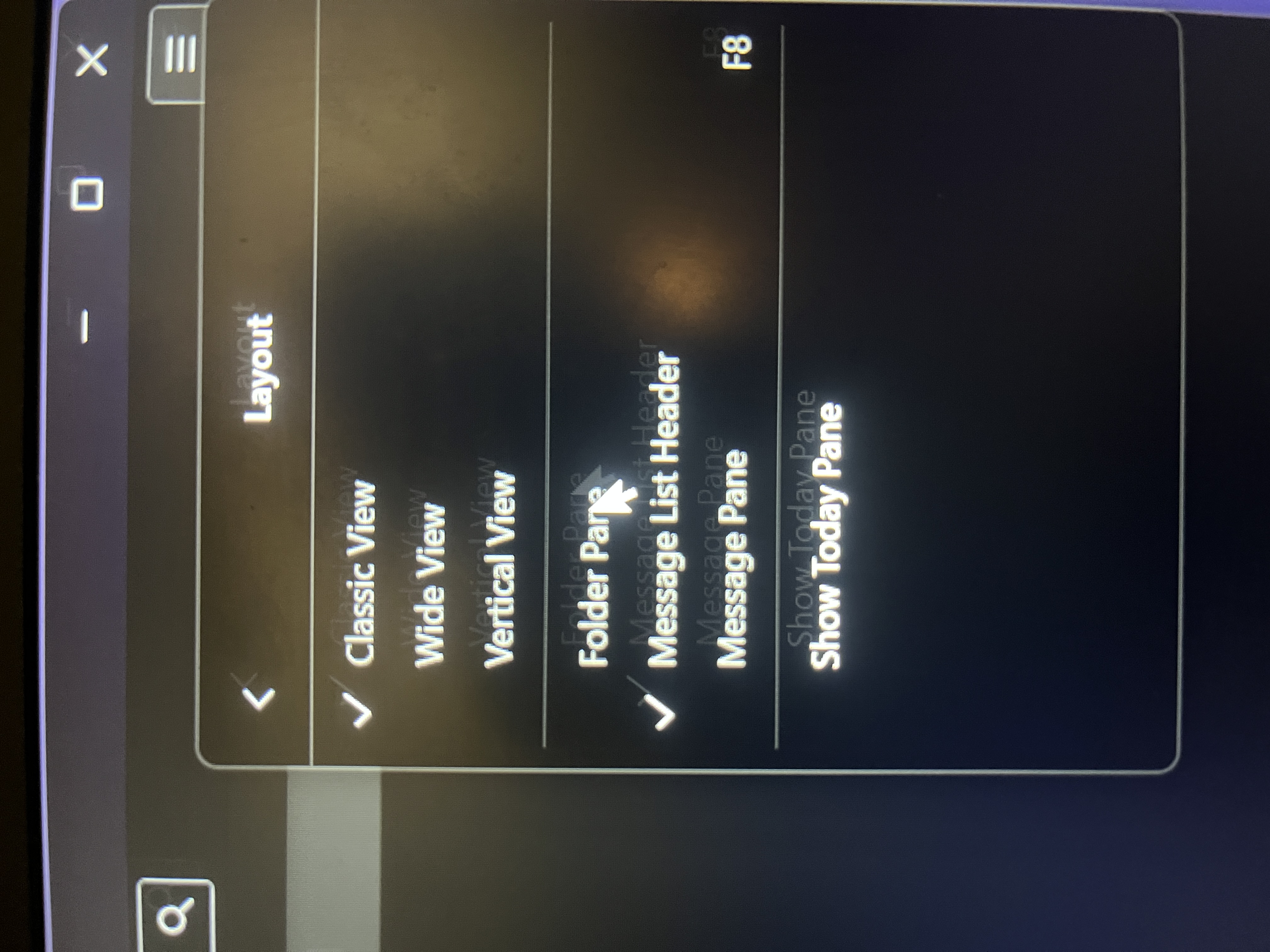
Had to try 3 times-in and out. I finally could click on Folder Pane. Obviously I’m still having loading issues. I just had to manually get my mail and even that is taking forever. I’m still waiting. Finally getting 39 messages.
Can you start Windows in safe mode with networking and see if the problems continue?
Rick said
Can you start Windows in safe mode with networking and see if the problems continue?
Expanding on what Rick suggested...
- Start Windows in safe mode with networking enabled - https://support.microsoft.com/en-us/help/12376/windows-10-start-your-pc-in-safe-mode
- Still In Windows safe mode, start Thunderbird in Troubleshoot Mode - https://support.mozilla.org/en-US/kb/troubleshoot-mode-thunderbird
Does problem change?
I ended up reinstalling 146 once again and something has changed. I have my mail listed, so I’ll work with that. I haven’t tried downloading attachments, so I don’t know if that’s fixed. We will see.