


The "Payment Methods" section has disappeared.
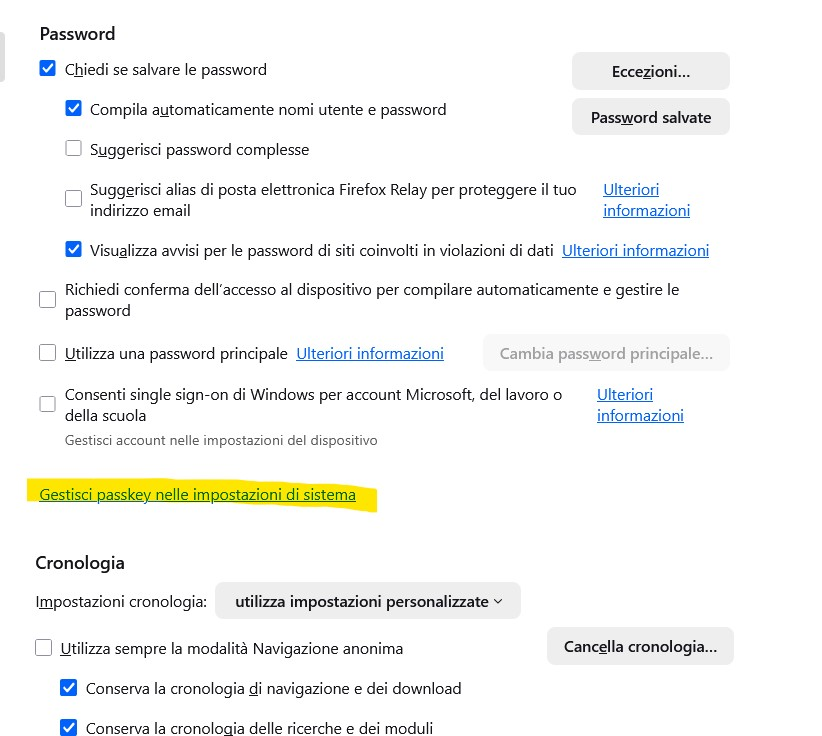
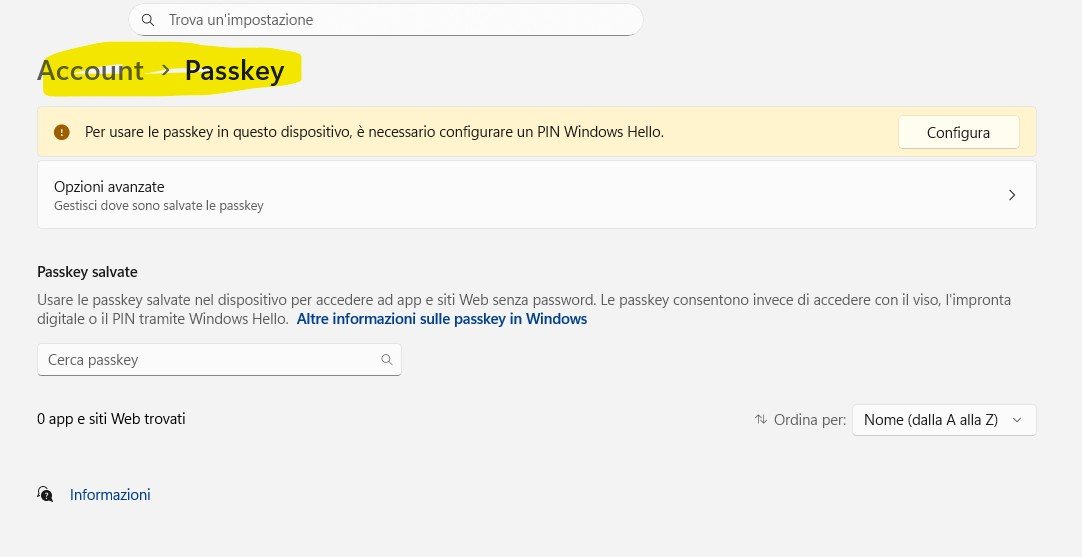
Good morning, the "Payment Methods" section has disappeared. In its place, I see a link called "Manage passkey in system settings," which takes me to the Windows 11 Passkey section, which I've NEVER enabled!
If I create a new profile, the "Payment Methods" section appears as normal, but when I link it to my Microsoft account for profile sync, the "Payment Methods" section disappears and "Manage passkey in system settings" reappears.
How can I fix this? Thanks
Chosen solution
This bug is still there in 146.0.1
Edit: I was able to fix this by adding my country code to the list in about:config to BOTH of these lines: extensions.formautofill.creditCards.supportedCountries extensions.formautofill.addresses.supportedCountries
Read this answer in context 👍 1All Replies (3)
With version 144.0.2, payment methods reappeared unchanged. At this point, I think it's a bug in Firefox version 145.0.2!
Chosen Solution
This bug is still there in 146.0.1
Edit: I was able to fix this by adding my country code to the list in about:config to BOTH of these lines: extensions.formautofill.creditCards.supportedCountries extensions.formautofill.addresses.supportedCountries
Modified by DJ_SANYEE
DJ_SANYEE said
This bug is still there in 146.0.1 Edit: I was able to fix this by adding my country code to the list in about:config to BOTH of these lines: extensions.formautofill.creditCards.supportedCountries extensions.formautofill.addresses.supportedCountries
Fantastic, thank you so much, you're truly a genius!!! You finally solved my problem!!! It works!!! THANK YOU!!!!