


Windows 10 reached EOS (end of support) on October 14, 2025. If you are on Windows 10, see this article.

Search Support

Avoid support scams. We will never ask you to call or text a phone number or share personal information. Please report suspicious activity using the “Report Abuse” option.

Learn More

Firefox in iOS

  • 4 replies
  • 0 have this problem
  • 171 views
  • Last reply by Jordi Alba

Hi, for the past few days, Google keeps automatically setting itself as the default search engine in Firefox on iOS. What's causing this? Thanks...

Hi, for the past few days, Google keeps automatically setting itself as the default search engine in Firefox on iOS. What's causing this? Thanks...

All Replies (4)

The team will fix this bug with the next update (version 145).

A couple notes:

  • Some users say that reinstalling Firefox fixed this issue for them
  • Once the fix is released, you may still see an issue on your next immediate launch. However once you update your search engines again, the problem should no longer occur
  • In the meantime, users can also try deleting all their custom engines and re-adding them. This may resolve the issue for you as well without an update.
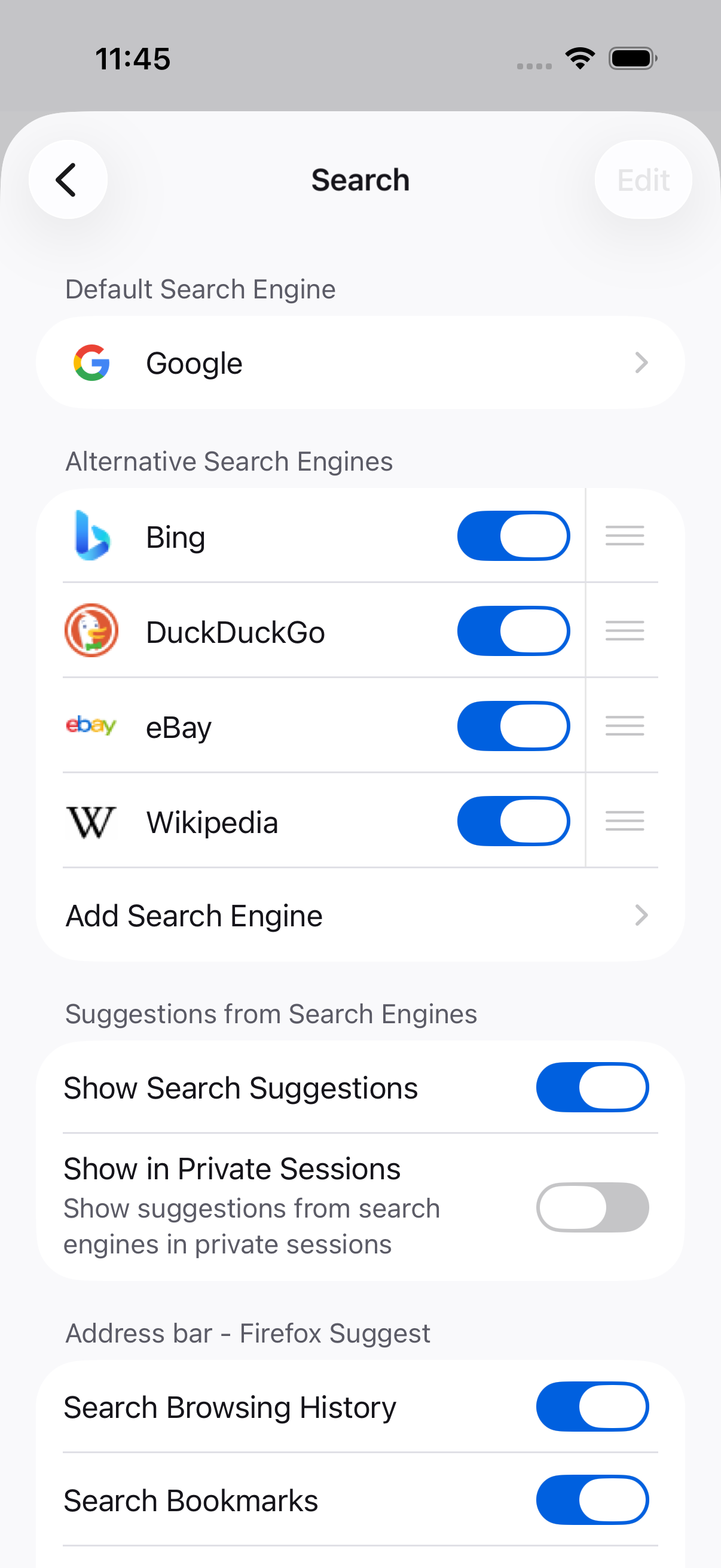
How do I delete search engines on Firefox in iOS?

In Settings -> Search. If you've added it, you can remove it too.

That’s strange. I’d check if Firefox recently updated, as updates can sometimes reset default settings. Also make sure Google isn’t set as the default in iOS system settings or being enforced by a profile. If it keeps switching back, try reinstalling Firefox that usually fixes random setting issues like this.

Ask a question

You must log in to your account to reply to posts. Please start a new question, if you do not have an account yet.