


How does on back up the entire database (all accounts) in, I hope, one easy step?

I want to backup the entire T-bird email database (all my emails) outside of T-bird as simply as possible. How does one do this in, I hope, one easy step? Note that I have 8 accounts (1 is g-mail). (I don't know which category this fits into.)
Chosen solution
Backup from Tools/Export saves the profile to a zip file. If you select 'Just mail files' as in the attached picture, then ImportExportTools NG/Backup, a folder is created that contains the Mail and ImapMail folders from the profile.
Read this answer in context 👍 0All Replies (12)
The ImportExportTools NG add-on has an option to backup 'Just mail files' on the Backup scheduling tab of the add-on's settings. The same add-on can also be used to import mail backups.
Thanks!
I did a backup from Tools|Export, which it did as a zip file. I wasn't t asked which format, so is this the same tool?
In the General settings tab, I don't see options for file type.
I also see "ImportExportTools NG Help" which lists options but there's no *selection* of options.
So, I am confused. 😕
Also .... McAfee saw the exported zip file as a Threat!
Chosen Solution
Backup from Tools/Export saves the profile to a zip file. If you select 'Just mail files' as in the attached picture, then ImportExportTools NG/Backup, a folder is created that contains the Mail and ImapMail folders from the profile.
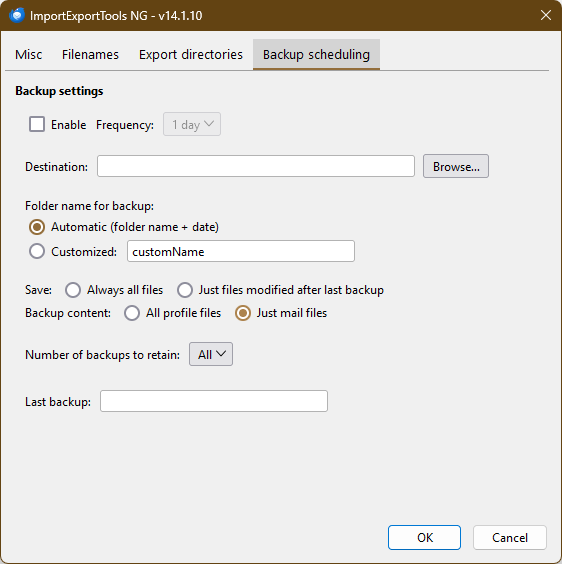
I can't find this screen - which explains what I need to know.
My screenshot shows what I get when I select Tools | ImportExpectNG | Tools.
If there's a top menu on this document, it doesn't show in the s-shot because I can't move it into view on my 24 monitor. I don't even know if I'm looking at the right document.
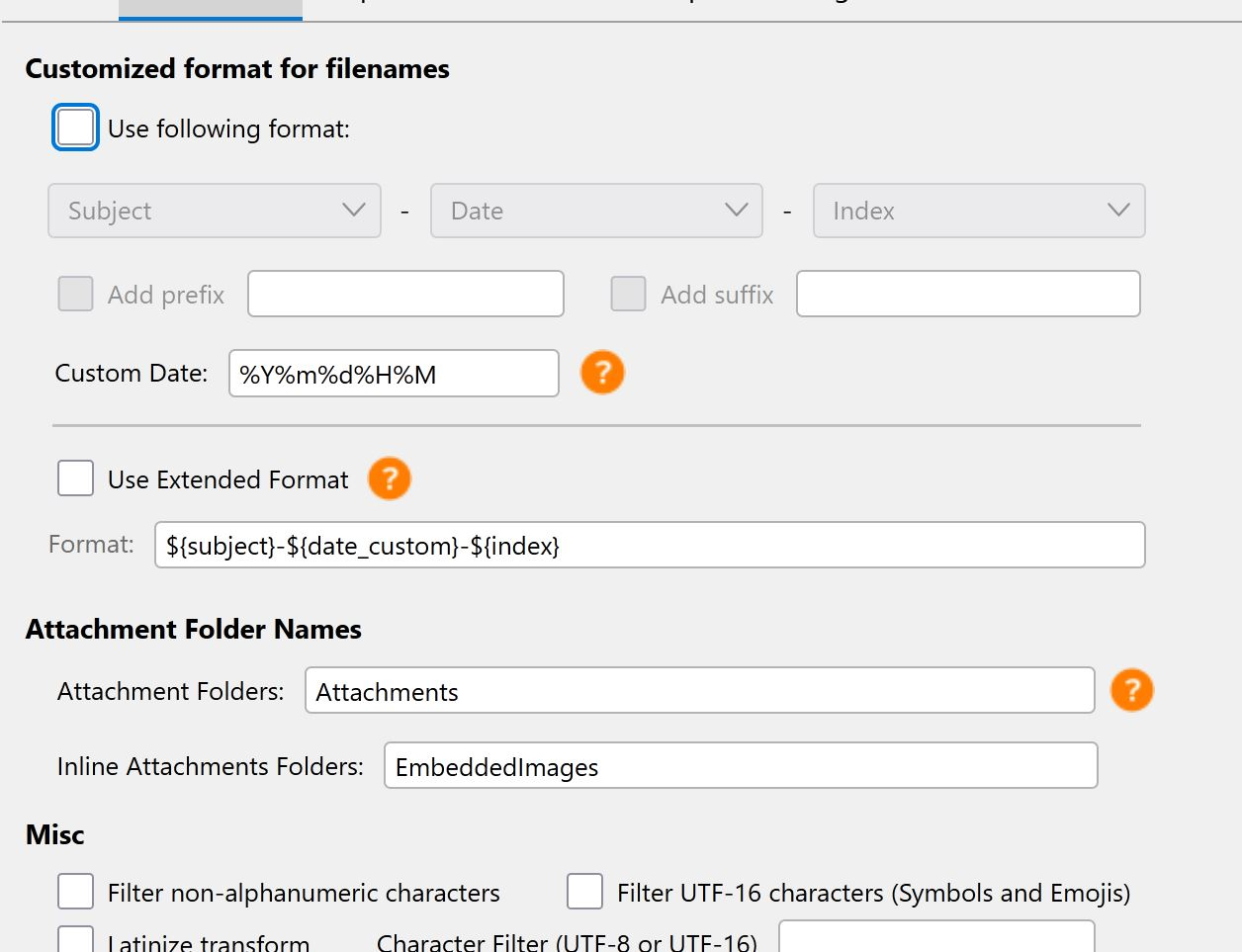
Your screenshot shows the Options window, but for some reason it's clipped. Maybe you have the Windows scaling set to non-defaults. Try clicking to the right of the blue bar in your picture to display the 4 Options tabs.
I was able to click right above the blue line, and I found the right page! Thank You!!
(I'm not aware of a set of options by Windows; maybe that a Win 11 thing?
You could try this: Help/Troubleshoot mode, 'reset toolbars & controls', 'make changes & restart' and see if the window is still clipped.
That's Thunderbird's options, right, as opposed to Windows options?
That document is the only one (so far) in T-bird which has done that. I had the same problem with a couple of other unrelated apps. One got corrected, the other improved.
The Windows parameter is Settings/System/Display, Scale, that defaults to 100%. 'Reset toolbars & controls' is for TB only.
Couldn't locate 'Reset toolbars & controls' in TB; nothing comes up in the Settings search box.
Start TB in safe/Troubleshoot mode (under Help). A prompt will appear with 'Reset...'.
OK, thanks!