

This thread was archived.
Please ask a new question if you need help.

Archived
Main menu is disappearing

Seemingly without my doing anything (although I realize that's probably not true, I just don't know what I'm doing to cause this), and is replaced by a side panel, which only gives me a limited number of choices: Mail, Address Book, Calendar. Task, Chat. Settings. How can I get back my Menu (Files,. . .)?
Help much appreciated.
Seemingly without my doing anything (although I realize that's probably not true, I just don't know what I'm doing to cause this), and is replaced by a side panel, which only gives me a limited number of choices:
Mail, Address Book, Calendar. Task, Chat. Settings. How can I get back my Menu (Files,. . .)?
Help much appreciated.
All Replies (3)

Right-click at an empty space in the tab bar - check Menu Bar
I'm enclosing a screenshot. Tell me where I'm supposed to right-click.
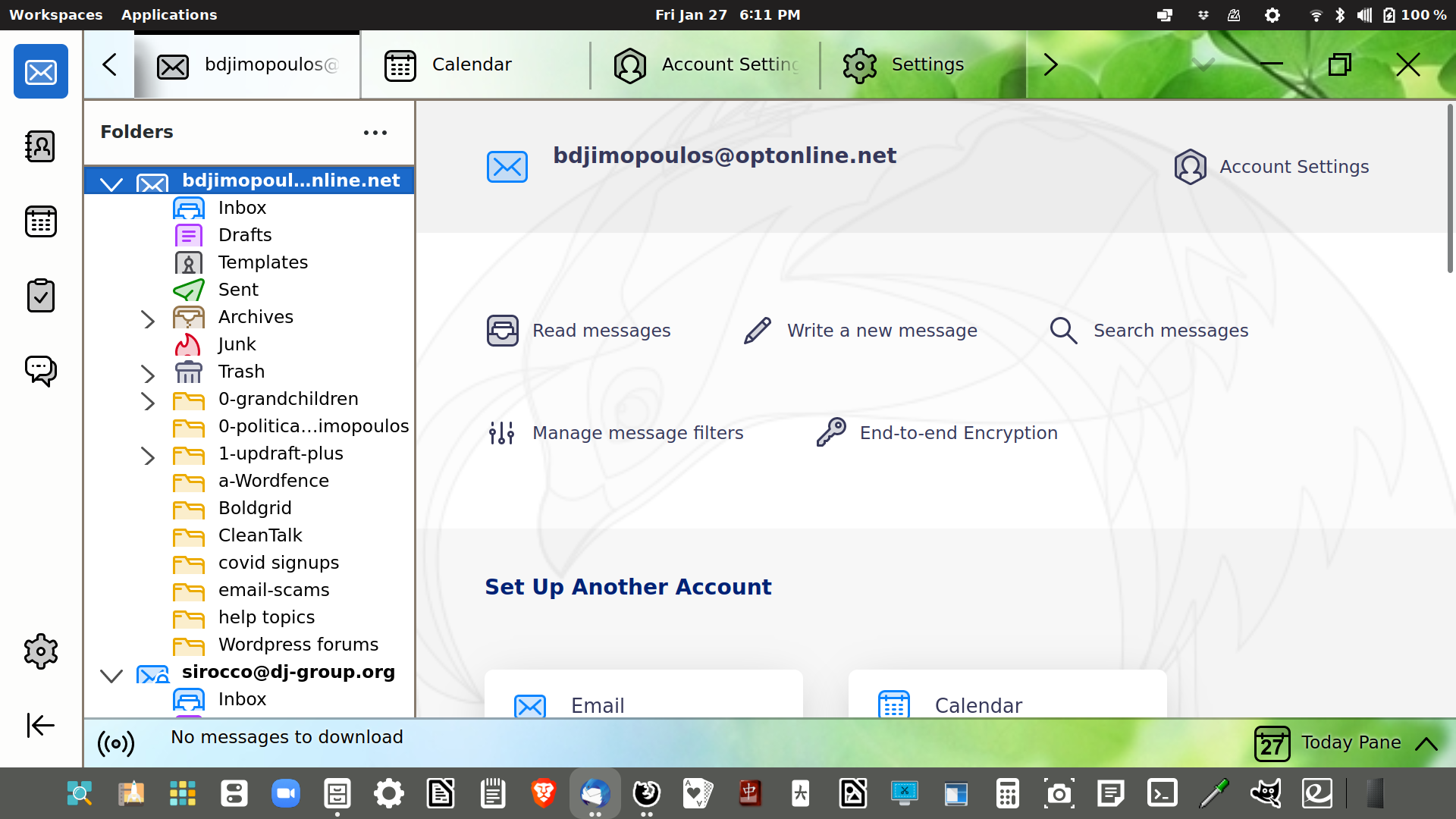
If finding an empty space in the tab bar is too complicated, alternatively you can
- press Alt or F10 to (temporarily) bring up the menu bar
- then View - Toolbars
- check Menu Bar