


how do I open messages in new window

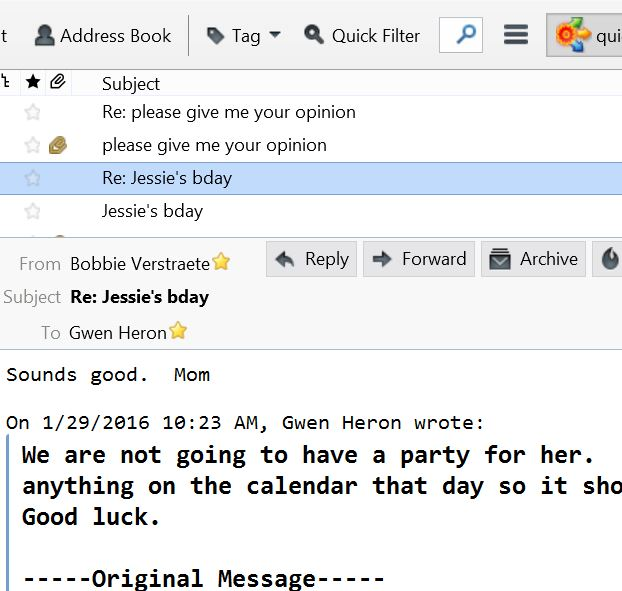
I set options to open all messages in a new window but it does not seem to work. It opens all messages in the lower portion of the message window. I do not consider this to be a new window. What is wrong? I am using Win 8.1 on an HP desktop computer and Thunderbird 38.5.1. Bobbie
I set options to open all messages in a new window but it does not seem to work. It opens all messages in the lower portion of the message window. I do not consider this to be a new window. What is wrong? I am using Win 8.1 on an HP desktop computer and Thunderbird 38.5.1. Bobbie
Chosen solution
Single click shows message in Message Pane. F8 toggles that on and off. Double clicking a message header opens in a tab or window depending on the option you set.
Read this answer in context 👍 2All Replies (1)
Chosen Solution
Single click shows message in Message Pane. F8 toggles that on and off. Double clicking a message header opens in a tab or window depending on the option you set.