


Firefox updating when I don't want it to

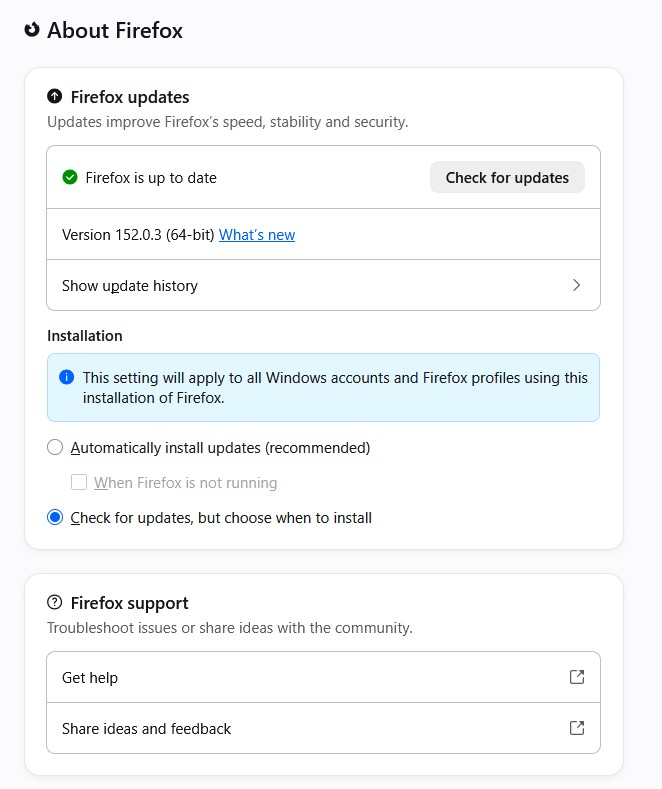
I have my Firefox update settings on "Check for updates but choose when to install". When I get the pop-up to advise that there is an update available I select the "Update later" option but the update loads regardless of my choice. This happens on both my PC and laptop. I use a variety of online software for my work and frequently one or more will stop working or crash and Firefox advises that the problem is caused by an update needing to restart. The reason I choose to Update Later is so that I can just get on with my work and then update Firefox when it suits me. Currently, I end up having to shut down all open browser windows and then go through and sign in to all required windows and tabs again before I can continue with work. Needless to say this is VERY ANNOYING. Please advise why the updates are loading automatically when I have set my preference set to Update Later.
Всички отговори (5)
Hello
Do you use a external application to perform the updates?
Otherwise
A space for users to give product feedback https://support.mozilla.org/en-US/kb/what-mozilla-connect
These discussions https://connect.mozilla.org/t5/discussions/firefox-background-updates/td-p/127410 https://connect.mozilla.org/t5/discussions/jesus-christ-another-update/td-p/130212
https://support.mozilla.org/en-US/kb/file-bug-report-or-feature-request-mozilla If you wish, you can also file a bug report
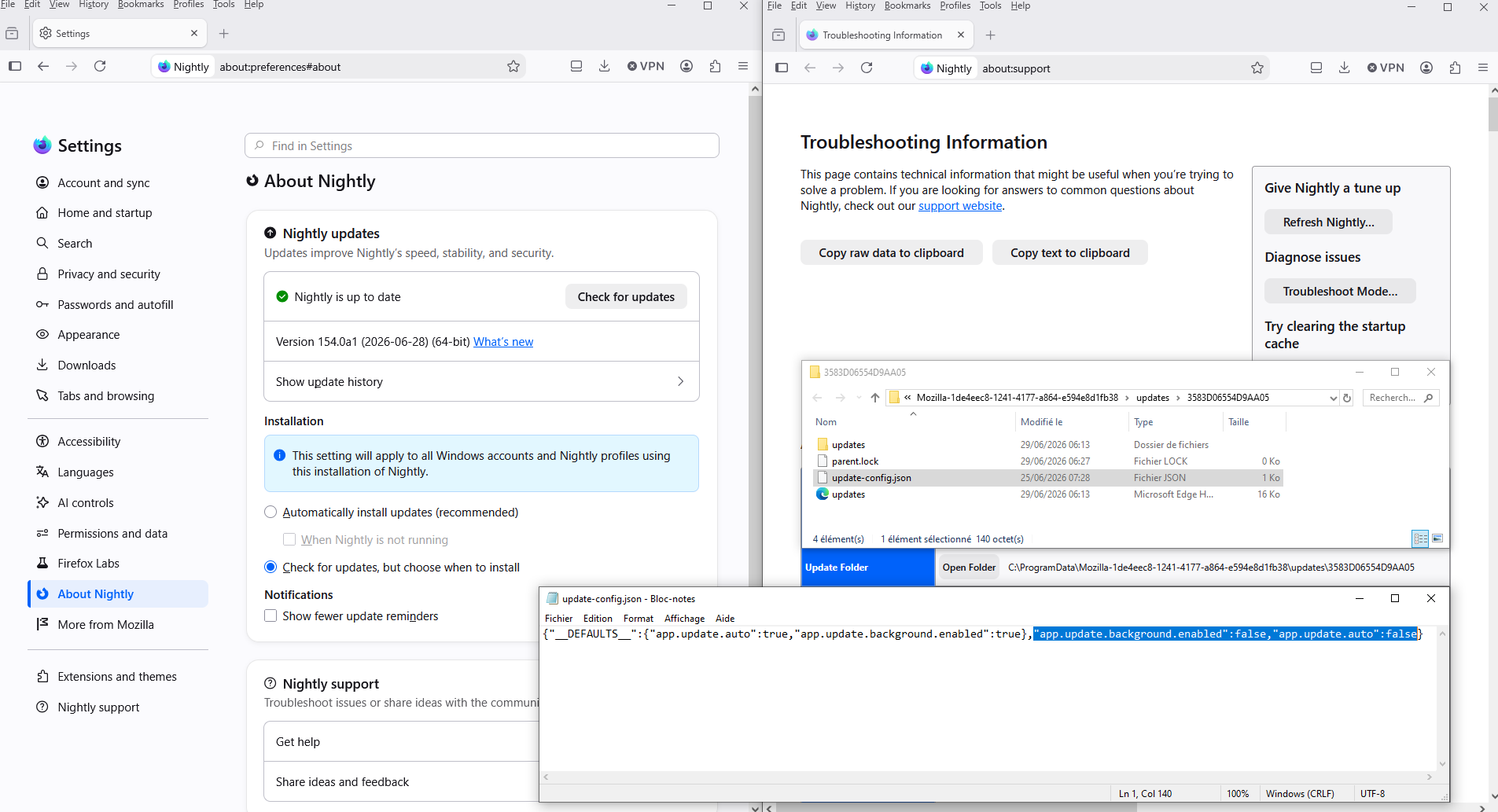
https://support.mozilla.org/en-US/questions/1587266 Just for information, about the file, update-config.json
Automatically install updates (recommended), enabled When Nightly is not running, enabled
This is the parameter{"__DEFAULTS__":{"app.update.auto":true,"app.update.background.enabled":true}}
Automatically install updates (recommended), enabled When Nightly is not running, disabled
This is the parameter{"__DEFAULTS__":{"app.update.auto":true,"app.update.background.enabled":true},"app.update.background.enabled":false}
Automatically install updates (recommended), disabled Check for updates, but choose when to install, enabled
This is the parameter{"__DEFAULTS__":{"app.update.auto":true,"app.update.background.enabled":true},"app.update.background.enabled":false,"app.update.auto":false}
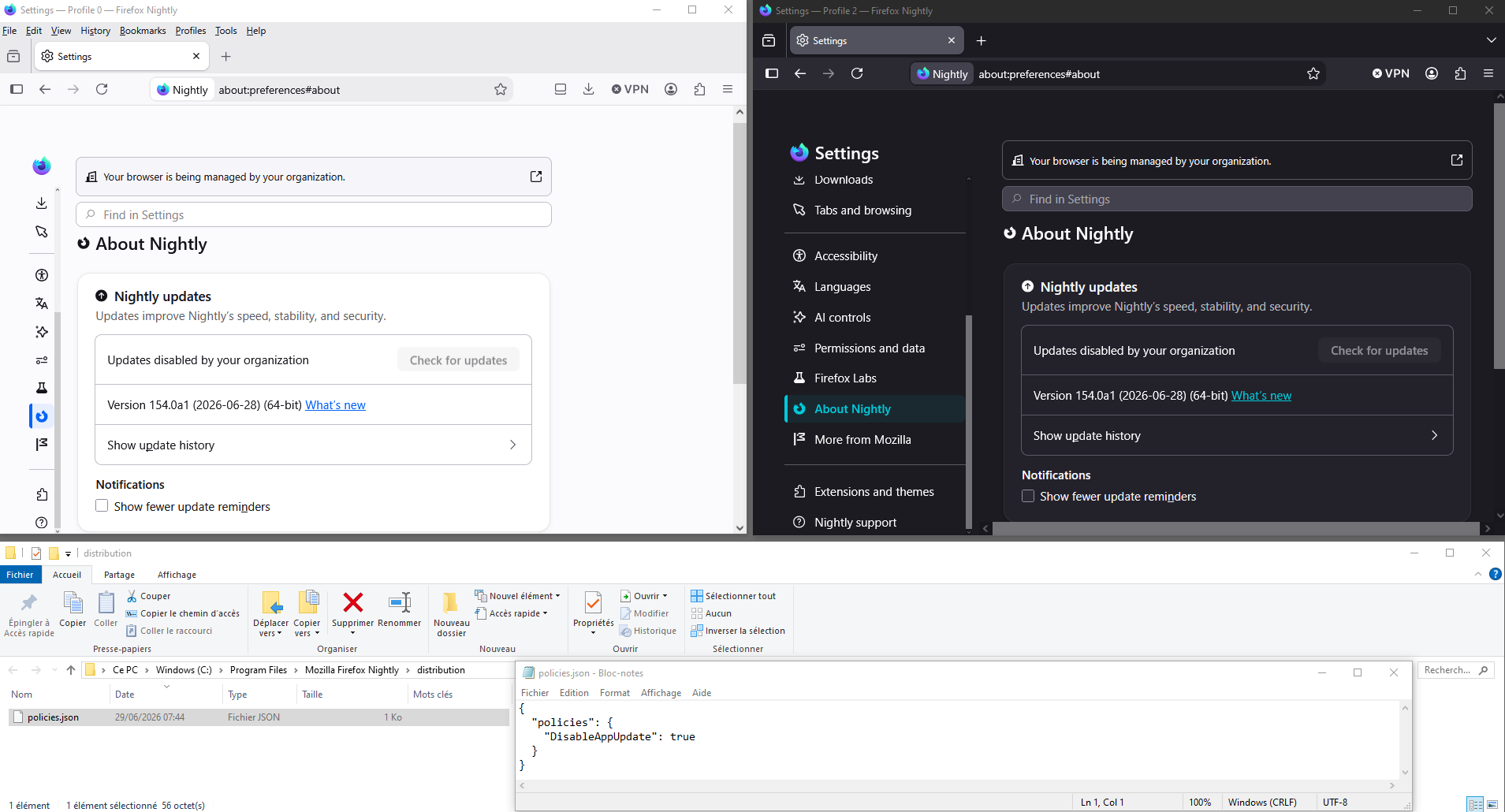
About DisableAppUpdate
Enterprise policy affect all profiles Updates disabled by your organization
A illustration
There's a previous thread that sounds similar, in case you're only ever using a single profile at a time and not running multiple copies for e.g. automation: https://support.mozilla.org/en-US/questions/1589626#answer-1828580